
How to Send Direct Mail Using the Land Portal Mail Center
The Land Portal Mail Center allows you to create and send direct mail campaigns to property owners without leaving Land Portal.
You can send a Standard Printed Letter or Handwritten Mail, choose from existing templates or create your own, customize your letter with images and property information, and schedule campaigns directly from your account.
Standard Mail also gives you a cost-effective option for sending traditional letters at scale, with options for black and white or color printing.
In this article, we'll walk through how to create and send a Standard Mail campaign using the Land Portal Mail Center.
Step by Step Walkthrough
- Login to Land Portal.
Once logged in, select Mailing Center from the left-hand menu.
Inside the Mail Center, you can view your mailings, active campaigns, drafts, templates, mailing activity, and current pricing.
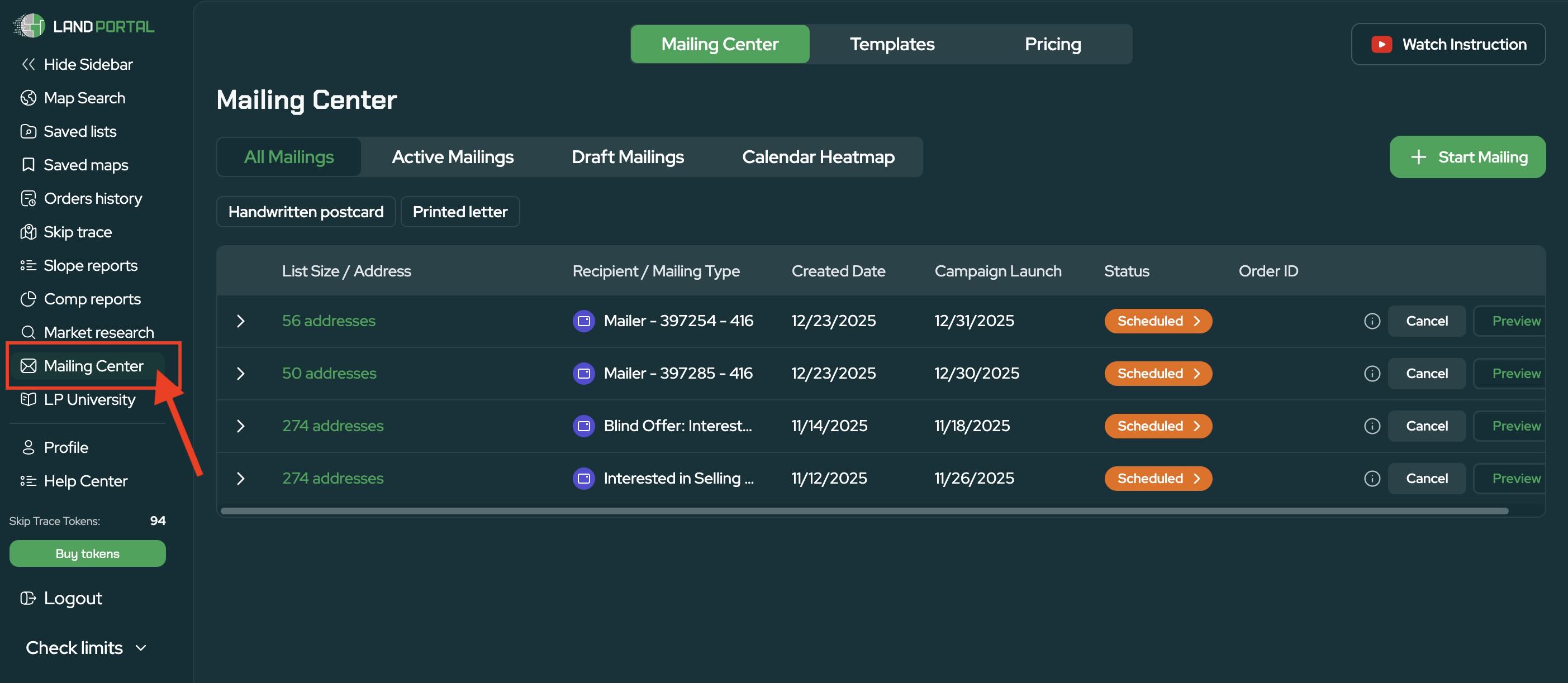
- Click Start Mailing
Select Start Mailing to begin creating your campaign.
You'll be able to choose the type of mail you want to send, including Handwritten Mail or Standard Printed Letter.
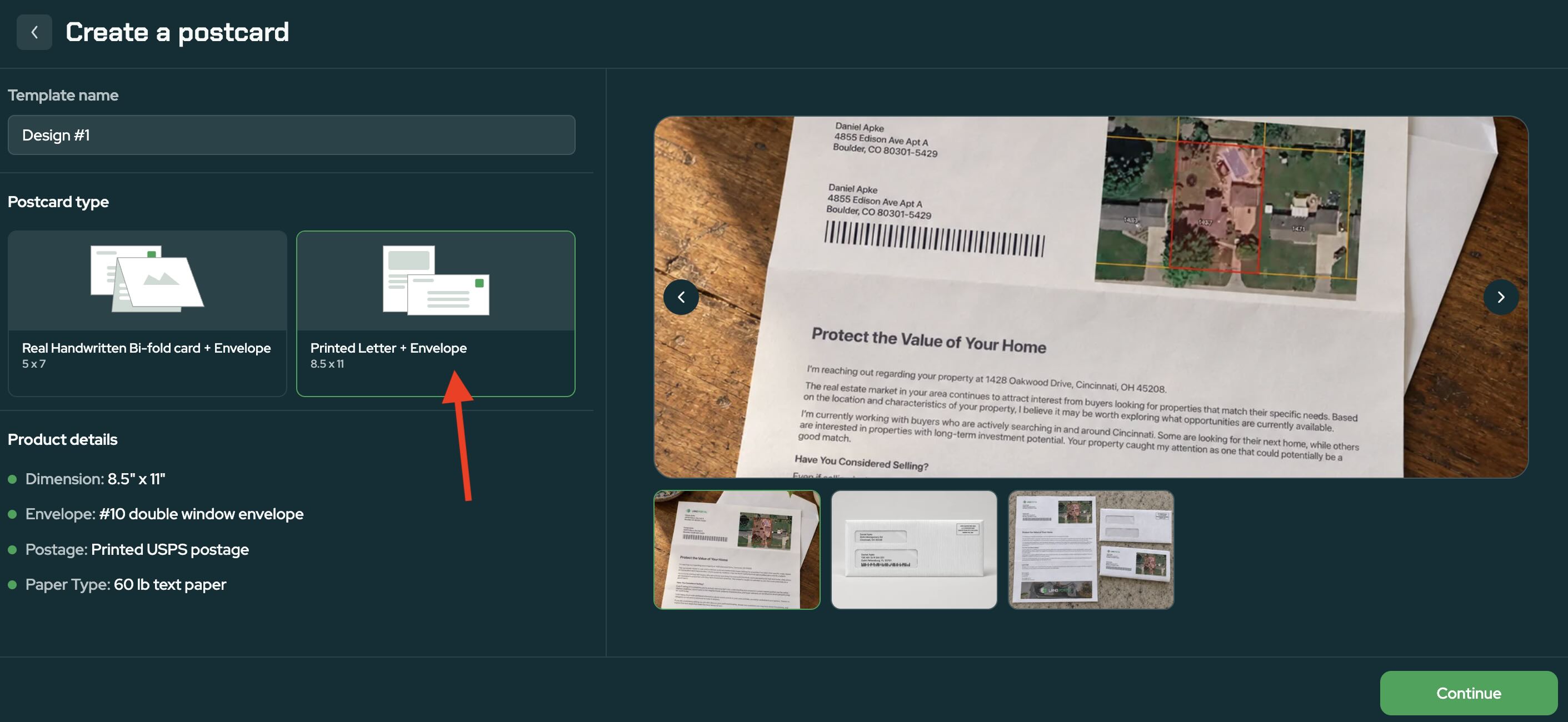
For a Standard Printed Mail campaign, select the printed letter and envelope option, then choose your preferred USPS mailing class.
- Choose Your Letter Template
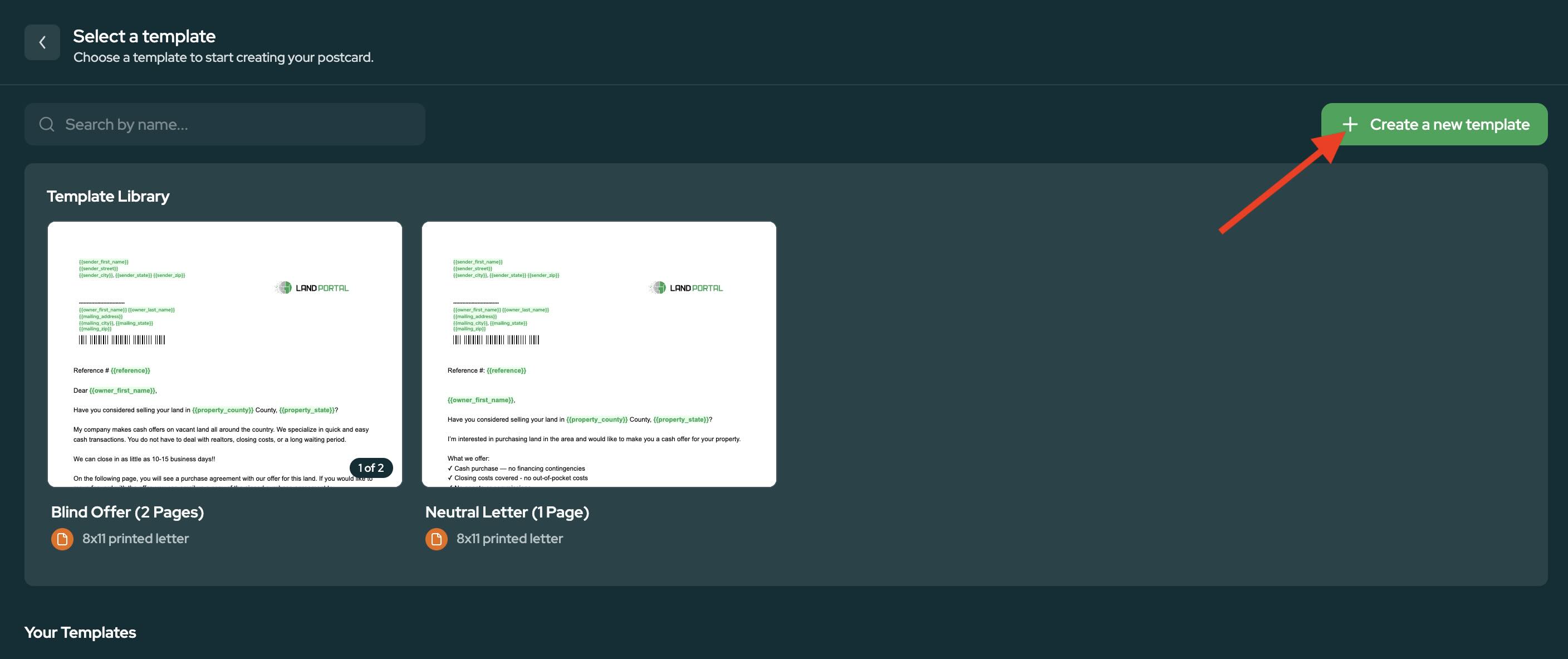
Next, choose how you want to create your letter.
You can start with one of the available Land Portal templates or create your own.
Templates give you a starting point that you can customize with your own messaging, branding, contact information, images, and other details.
- Add Your Mailing List
Choose the property owners you want to include in your campaign.
You can select recipients from one of your Saved Searches or upload your own file.
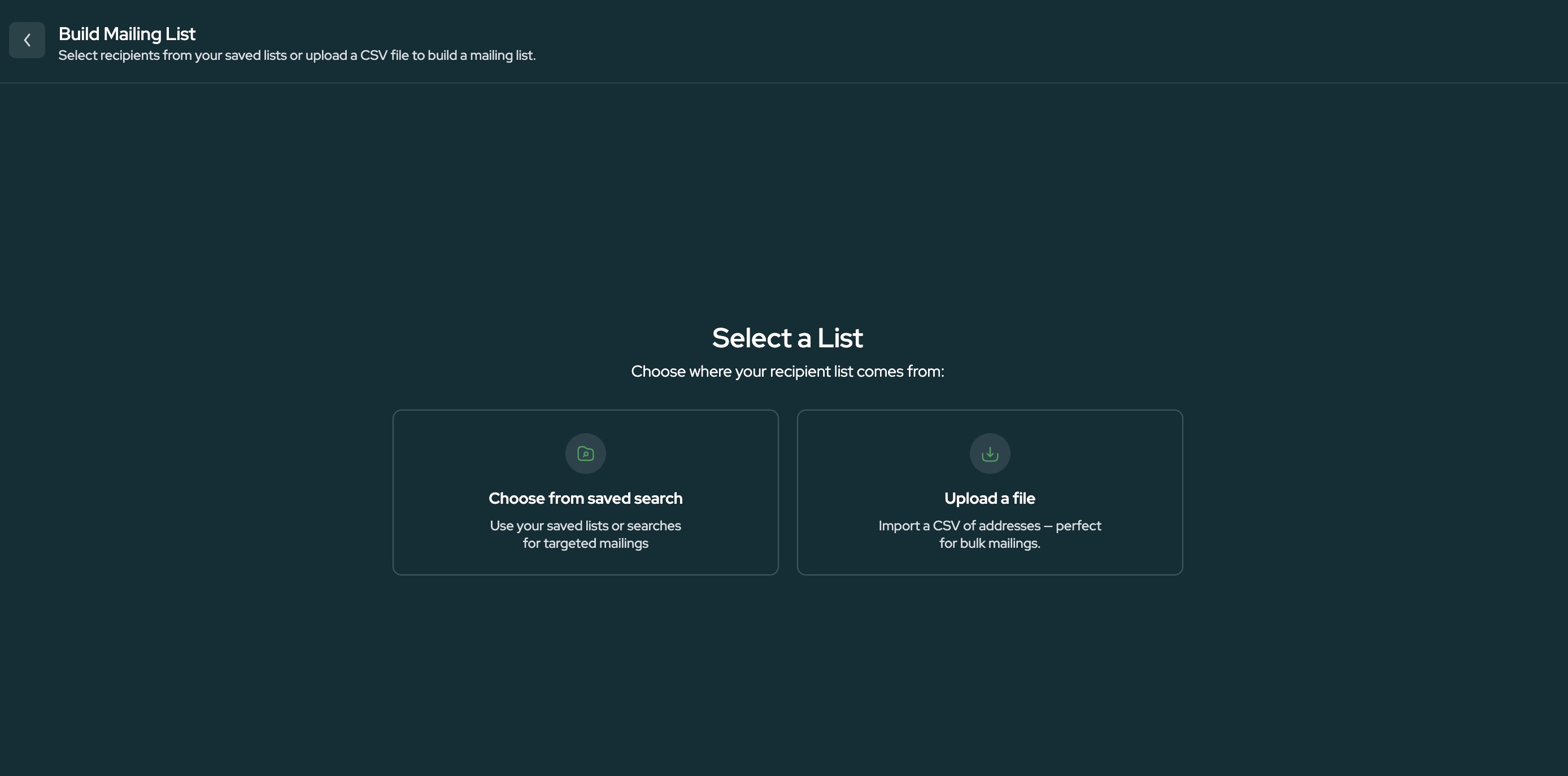
If you're using a Saved Search, select the list you want to use and choose the property owners you want included in the mailing.
Before moving forward, Land Portal will review the recipient data and identify records that cannot be mailed, such as records with missing names or mailing addresses.
- Customize Your Letter
Once your recipients are selected, you can customize the letter.
The Mail Center editor gives you control over the content and appearance of your mailing.
You can:
- Edit your letter copy
- Add your logo or other images
- Adjust formatting and spacing
- Change colors and backgrounds
- Choose between color and black and white printing
- Add your phone number, email, website, and other contact information
You can also move elements around the page to customize the layout of your letter.
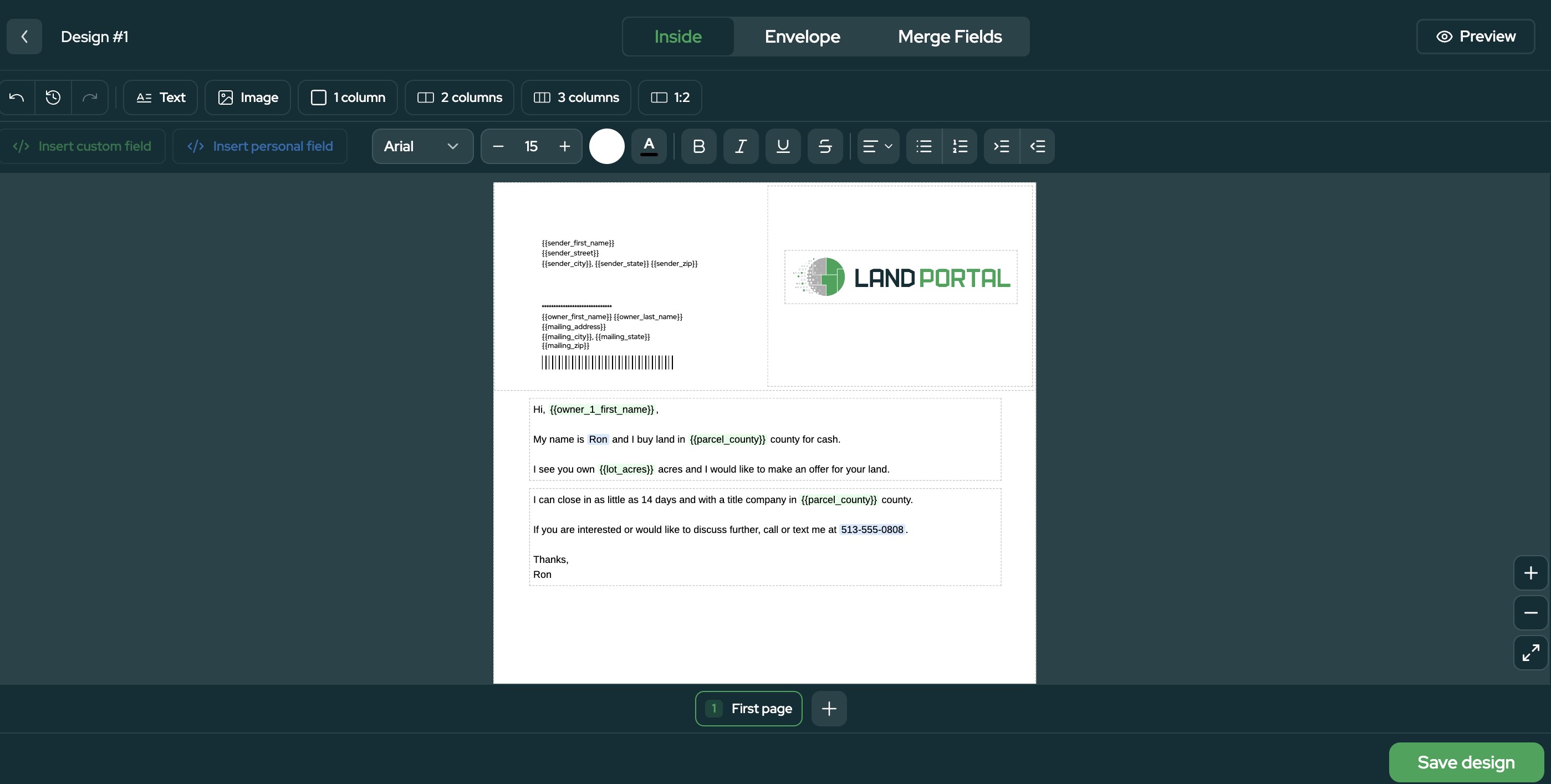
- Personalize Your Mail With Custom Fields
Use Custom Fields to automatically personalize letters using information from your Land Portal data.
For example, you can insert property information such as the Property County directly into your letter.
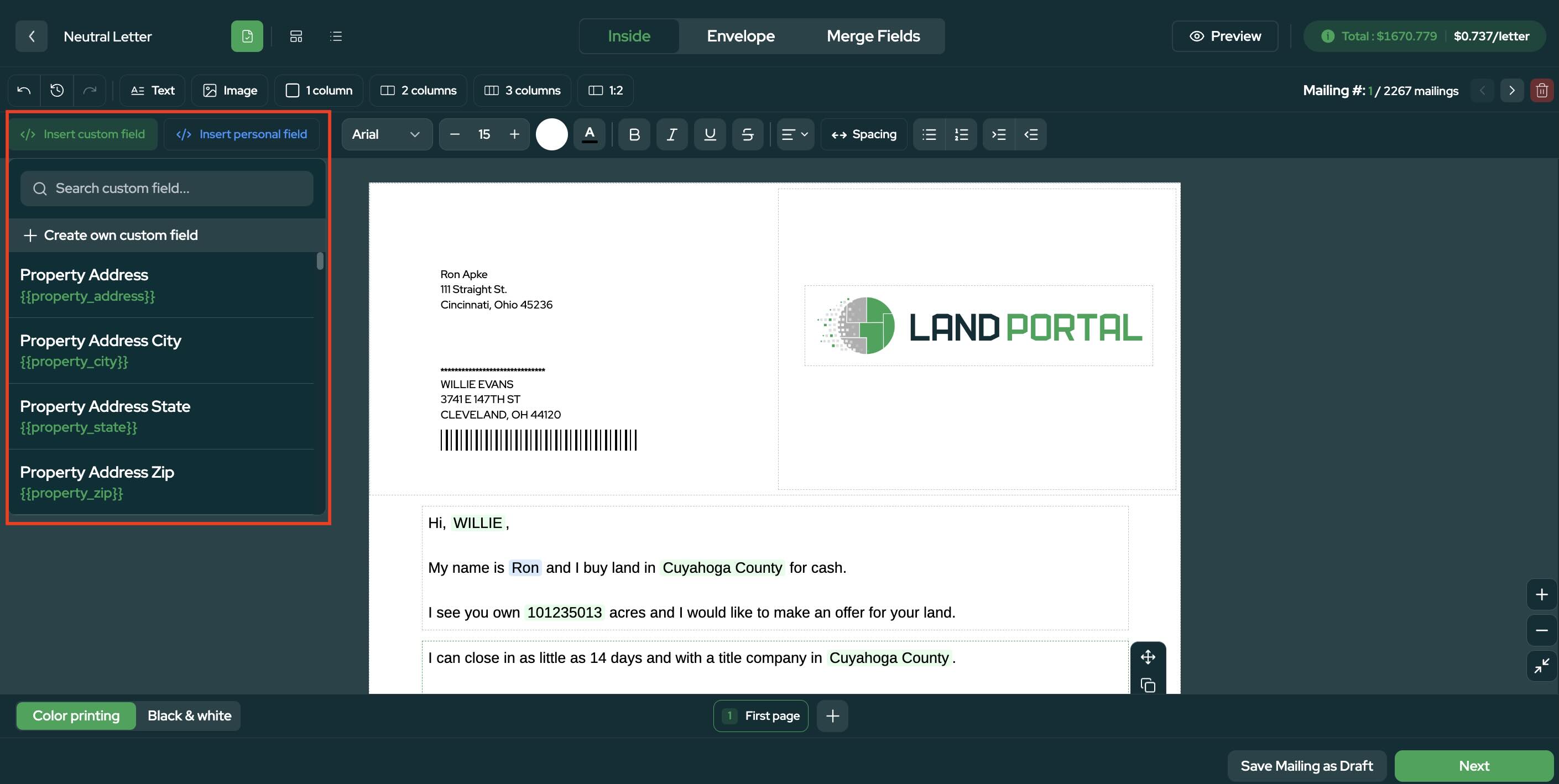
Instead of creating an individual letter for every property owner, Land Portal can populate these fields for each recipient automatically.
- Preview Your Letter and Envelope
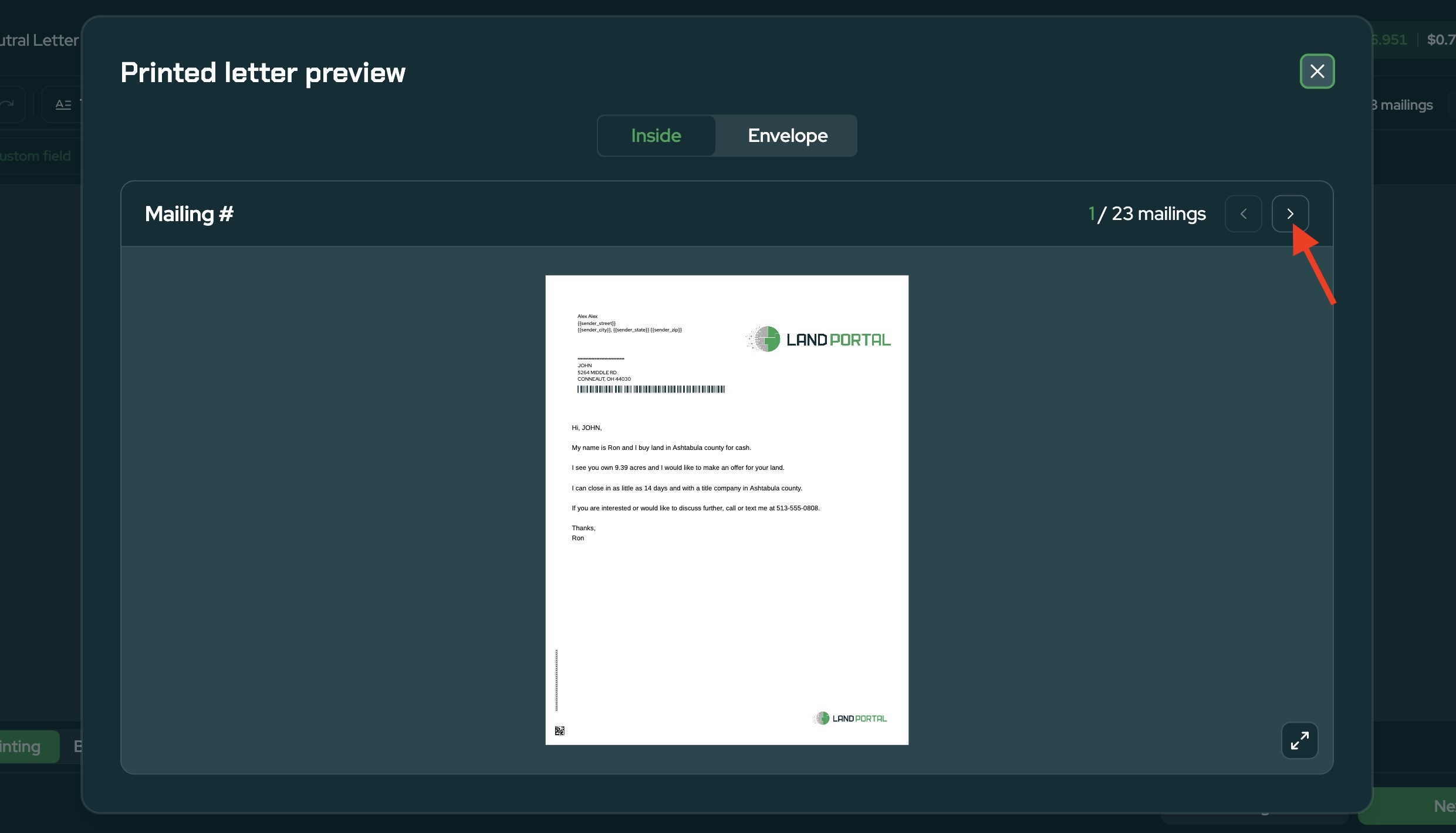
Before sending your campaign, select Preview to review the final letter.
Use the arrows next to the mailing count (for example, 1 / 2,267 mailings) to scroll through individual letters and confirm personalized information is displaying correctly.
You can also preview the envelope to make sure your return address, recipient information, merge fields, and other details appear correctly.
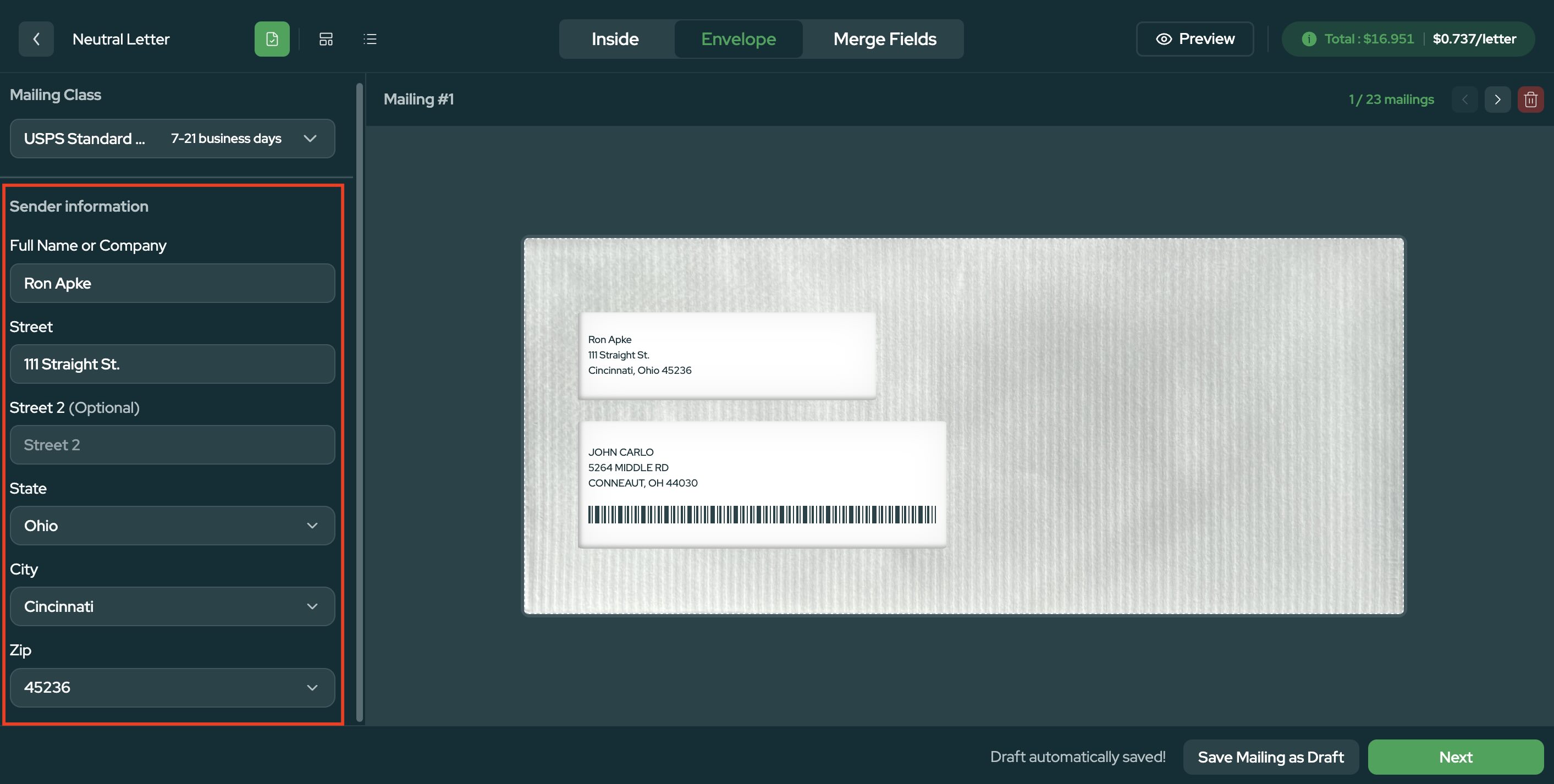
Review any alerts or missing information before continuing.
- Review and Schedule Your Mailing
Once everything looks correct, click Next to view the final campaign settings.
From here, you can review your mailing and choose when you want it sent.
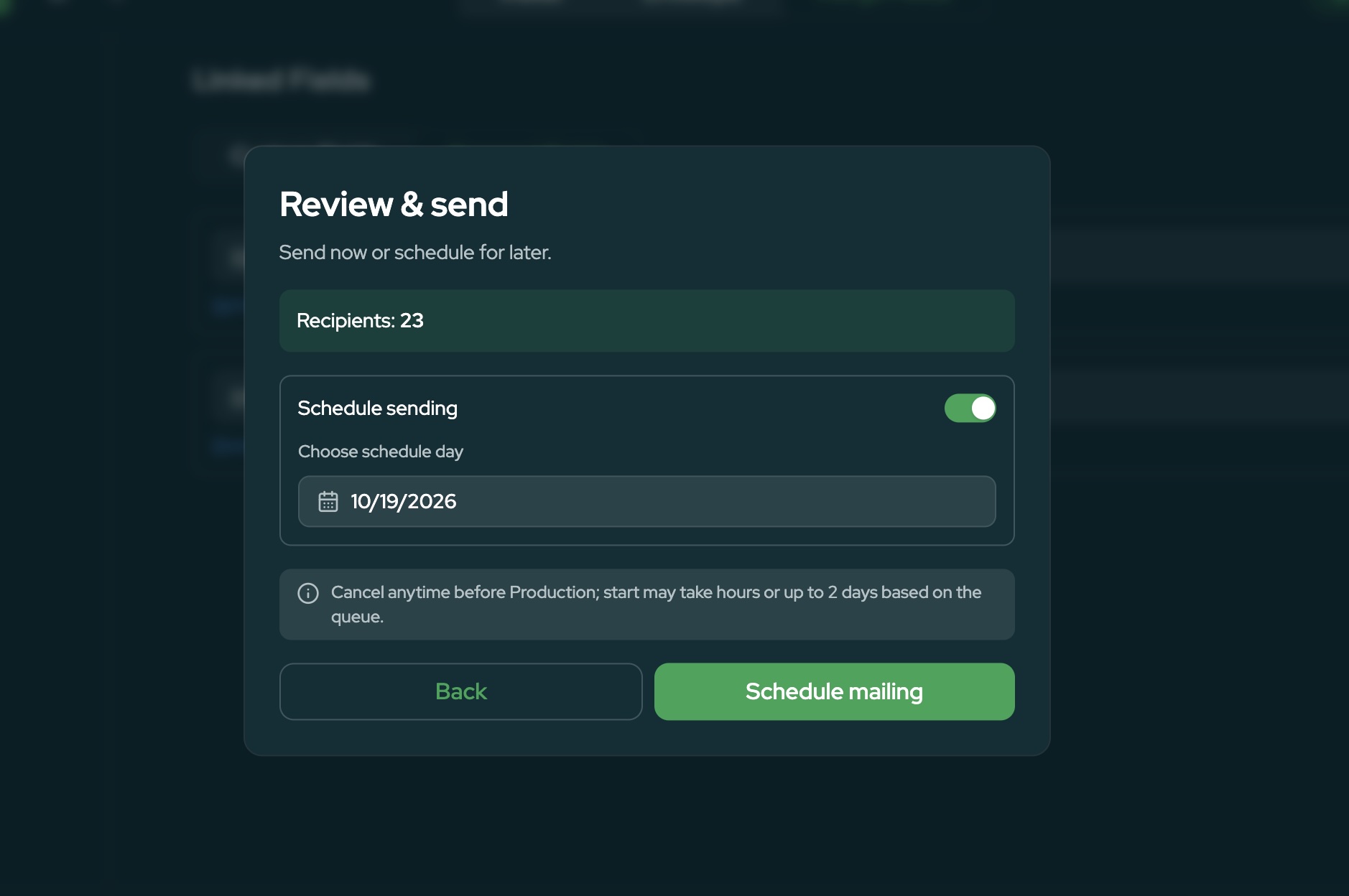
Land Portal handles the mailing process from there, allowing you to go from building a property owner list to sending direct mail without exporting your campaign to another mailing platform.
Manage Your Direct Mail in One Place
The Mail Center is designed to keep more of your direct mail workflow inside Land Portal.
You can build your target list, create personalized letters, choose your mailing options, preview your campaign, and schedule it all from the same platform.
Whether you're using Standard Mail for larger campaigns or Handwritten Mail for a more personalized approach, you can choose the option that makes the most sense for your strategy and budget.
Ready to build your next campaign? Open the Land Portal Mail Center and start creating your mailing.