
How to Use Advanced Demographics in Land Portal
Advanced Demographics in Land Portal gives you additional information about property owners when skip tracing a list.
Along with the standard contact information included in your skip trace, you can add demographic data such as age, working status, household income, net worth, and other available financial and household information.
This gives you another layer of data that can help you better understand the property owners on your lists and refine your marketing based on the types of owners you want to reach.
Step by step walkthrough
- Login to Land Portal.
Start by logging into your Land Portal account.
- Build Your Property List
Navigate to Map Search and build the property list you want to target.
Select your desired filters to narrow the results based on factors such as acreage, road frontage, ownership type, location, or other property characteristics.
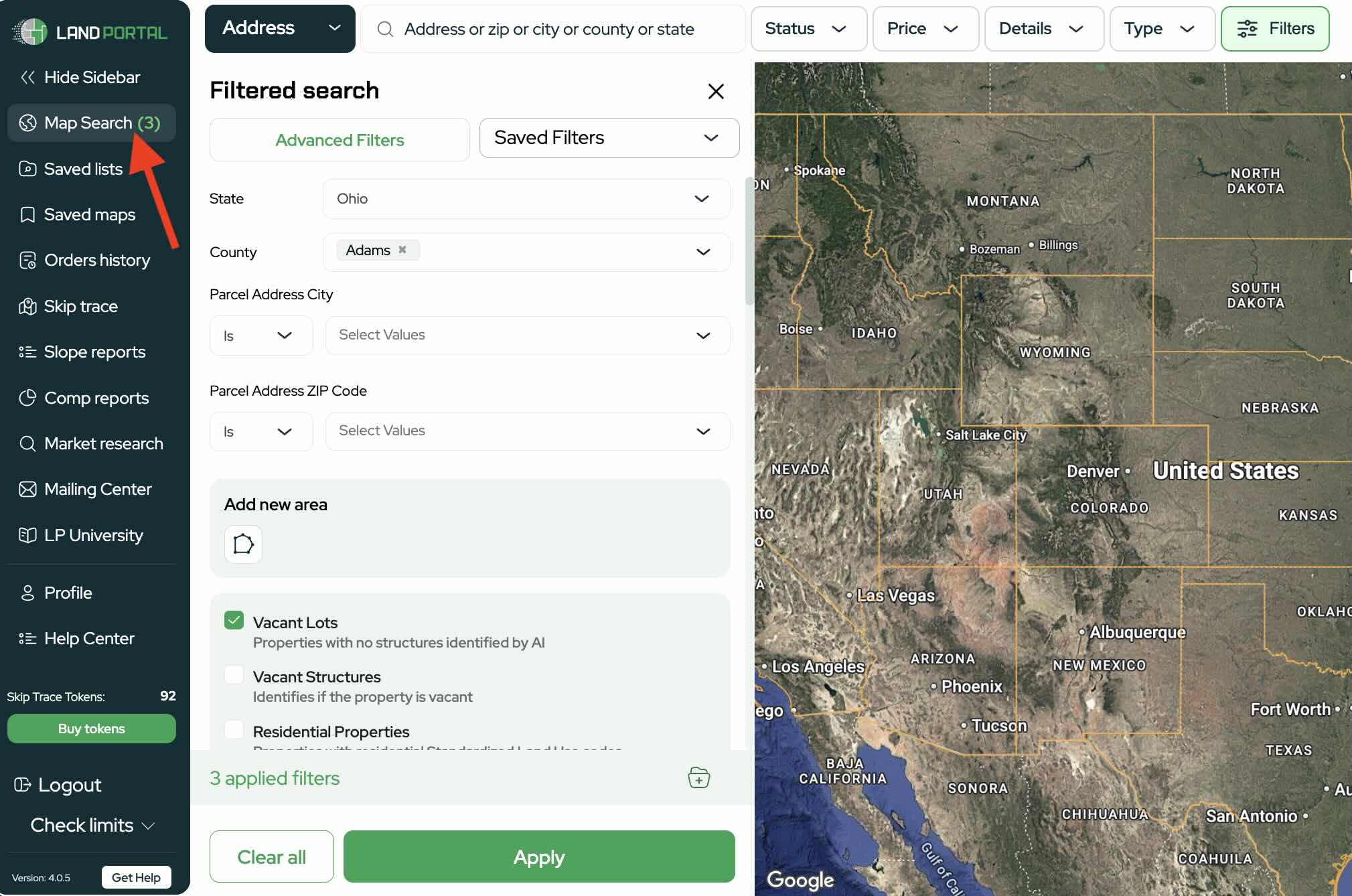
Once your list is ready, click Apply.
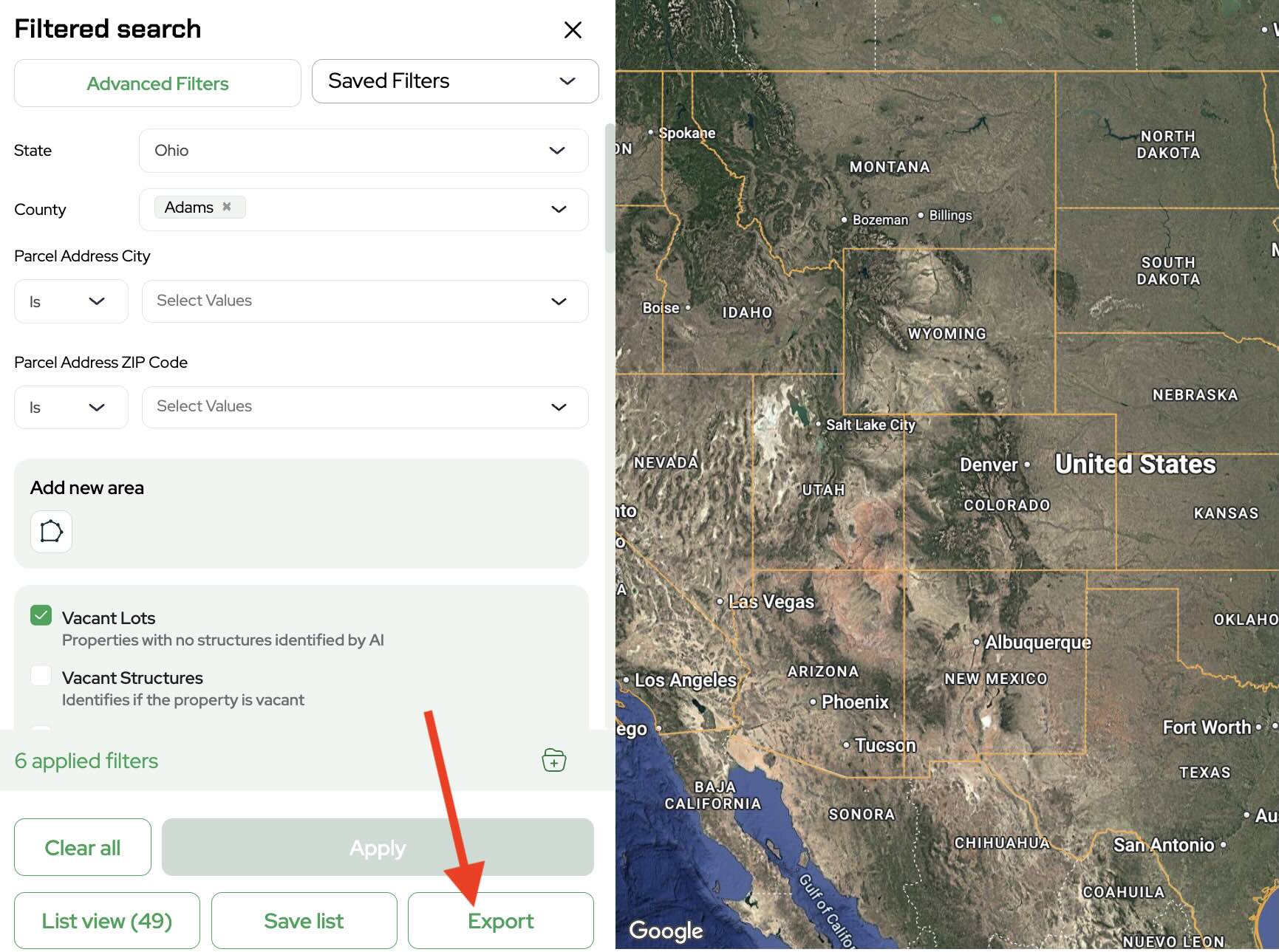
- Export and Skip Trace Your List
Click Export and select the option to Skip Trace Your List.
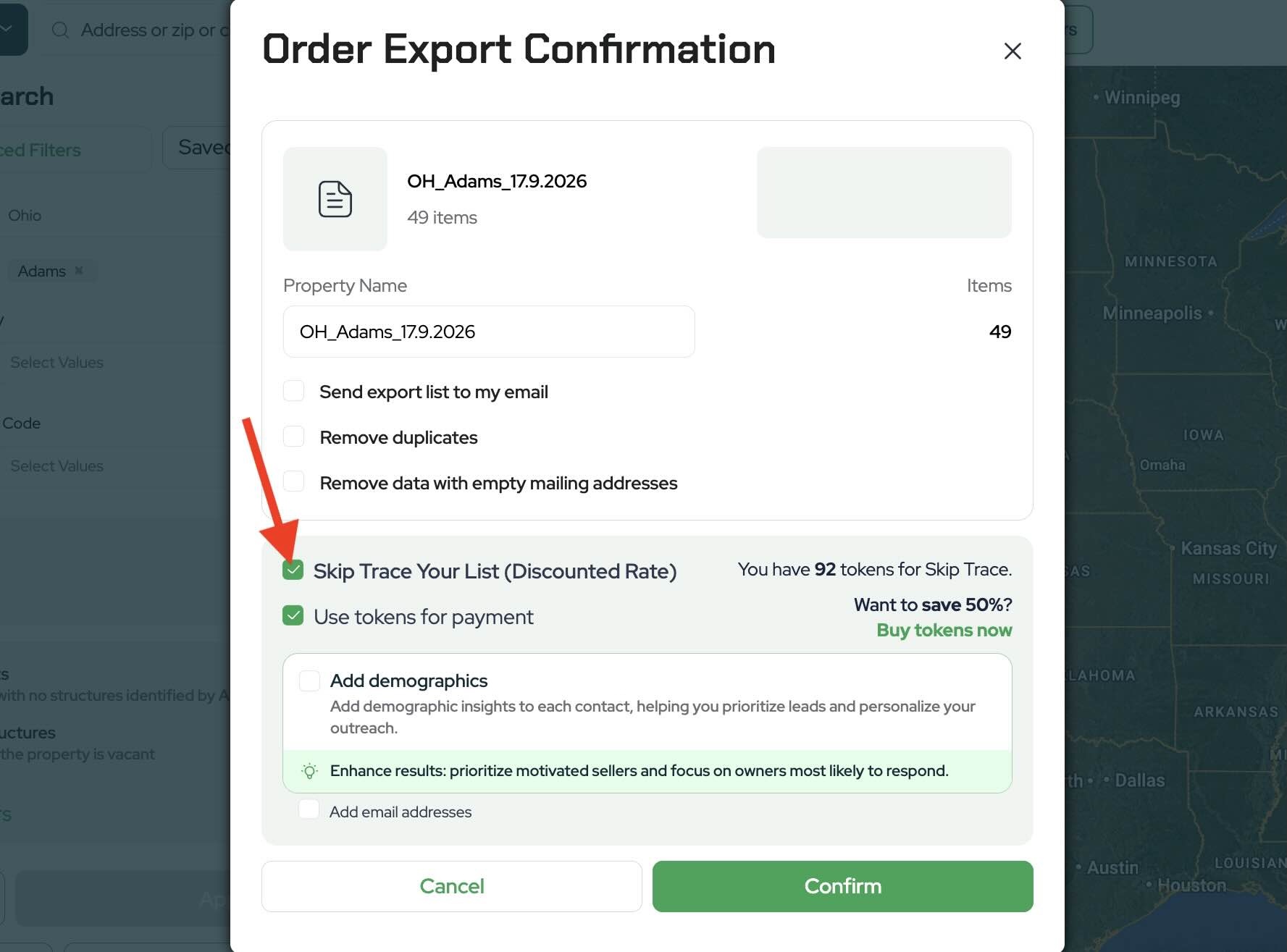
This will open the skip tracing order options for your selected properties.
- Add Advanced Demographics
Before placing your skip trace order, select Add Demographics.
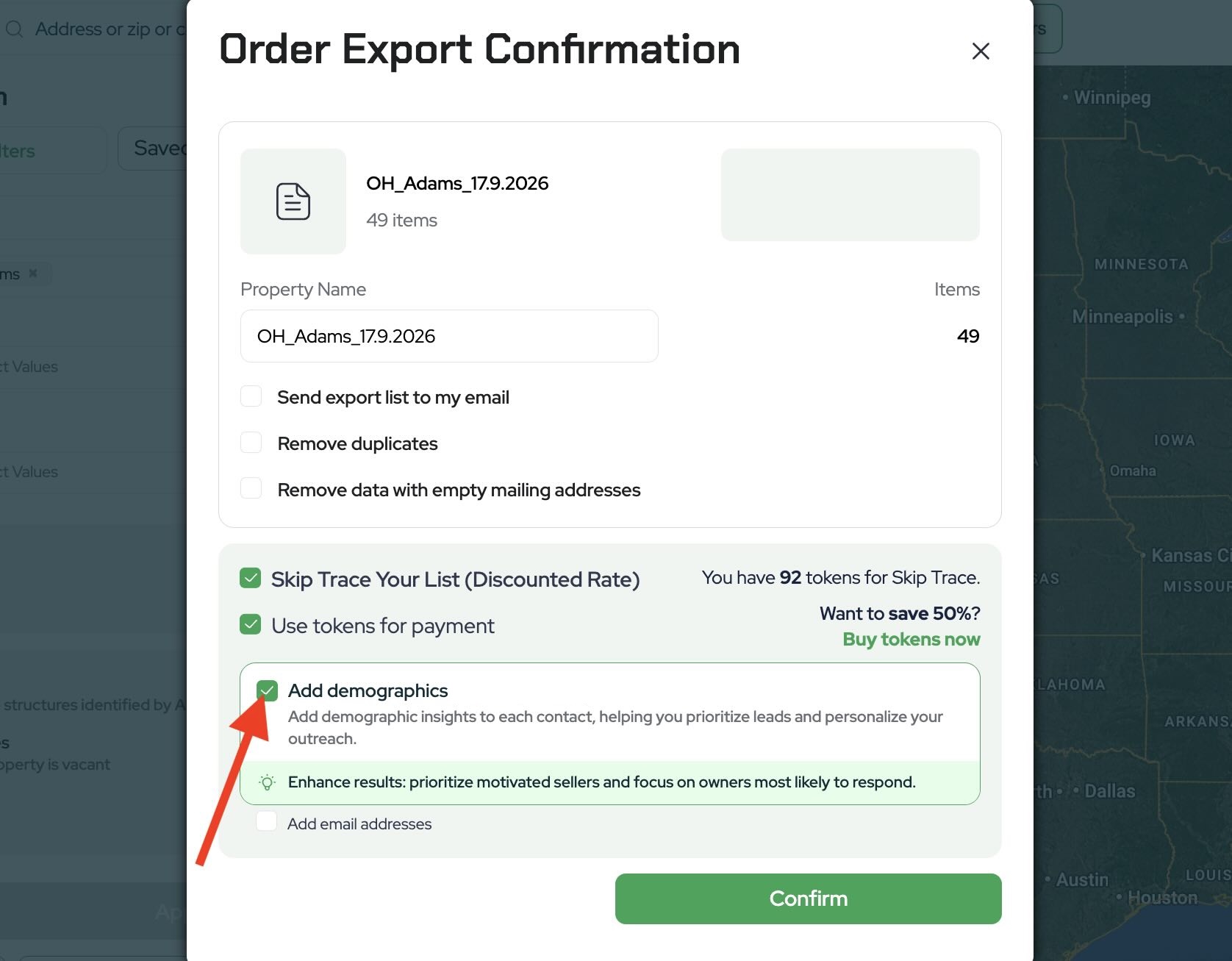
This adds the Advanced Demographics data to your completed skip trace export.
Once selected, click Place Order to begin processing your list.
- Access Your Completed Order
You can view the status of your skip trace from Order History.
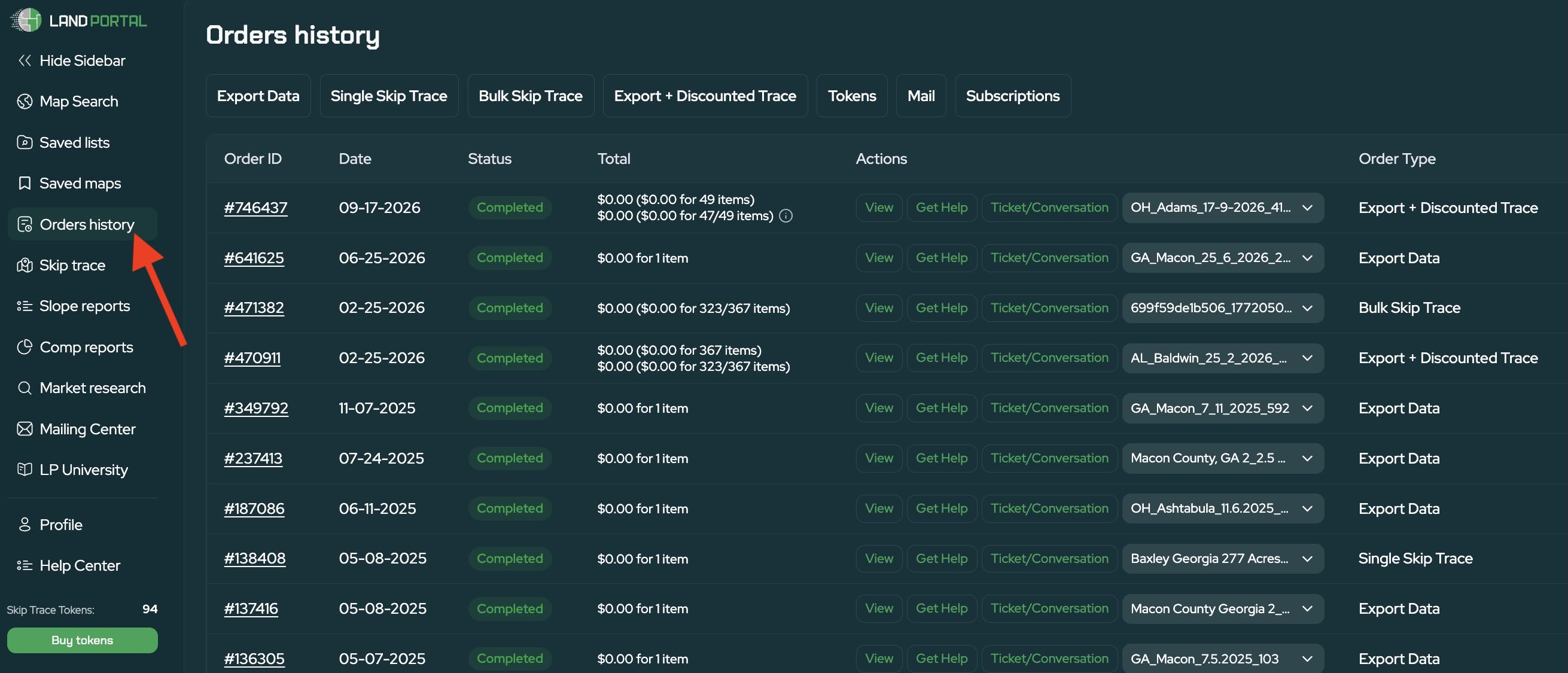
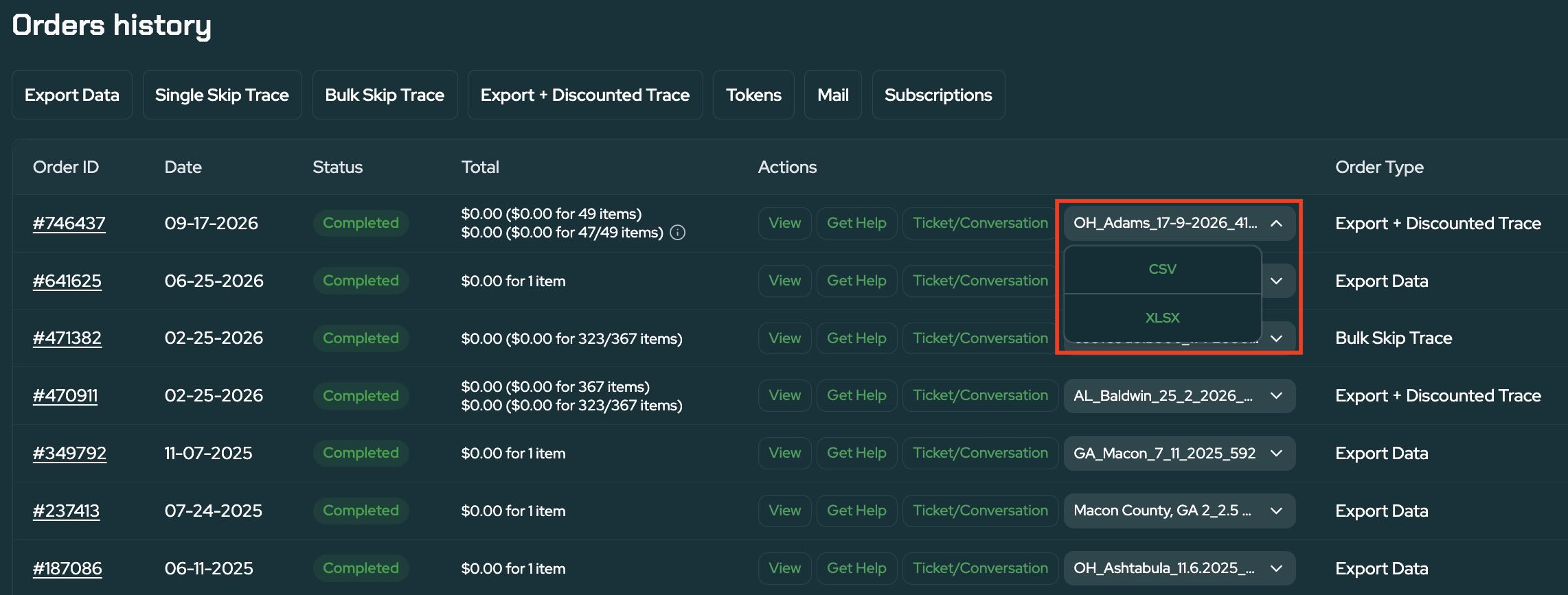
Processing may take a few minutes depending on the order. Once your order is complete, open or download the finished export to view your results.
What's Included With Advanced Demographics?
Your standard skip trace provides available contact information for the property owners on your list, including up to six phone numbers.
When you add Advanced Demographics, additional columns are included in your export with available information about each owner.
Depending on the data available for an individual, these fields can include:
- Individual status
- Date of birth
- Age and age range
- Working status
- Household income
- Net worth
- Home year
- Loan information
- Auto loan information
- Additional demographic and financial data
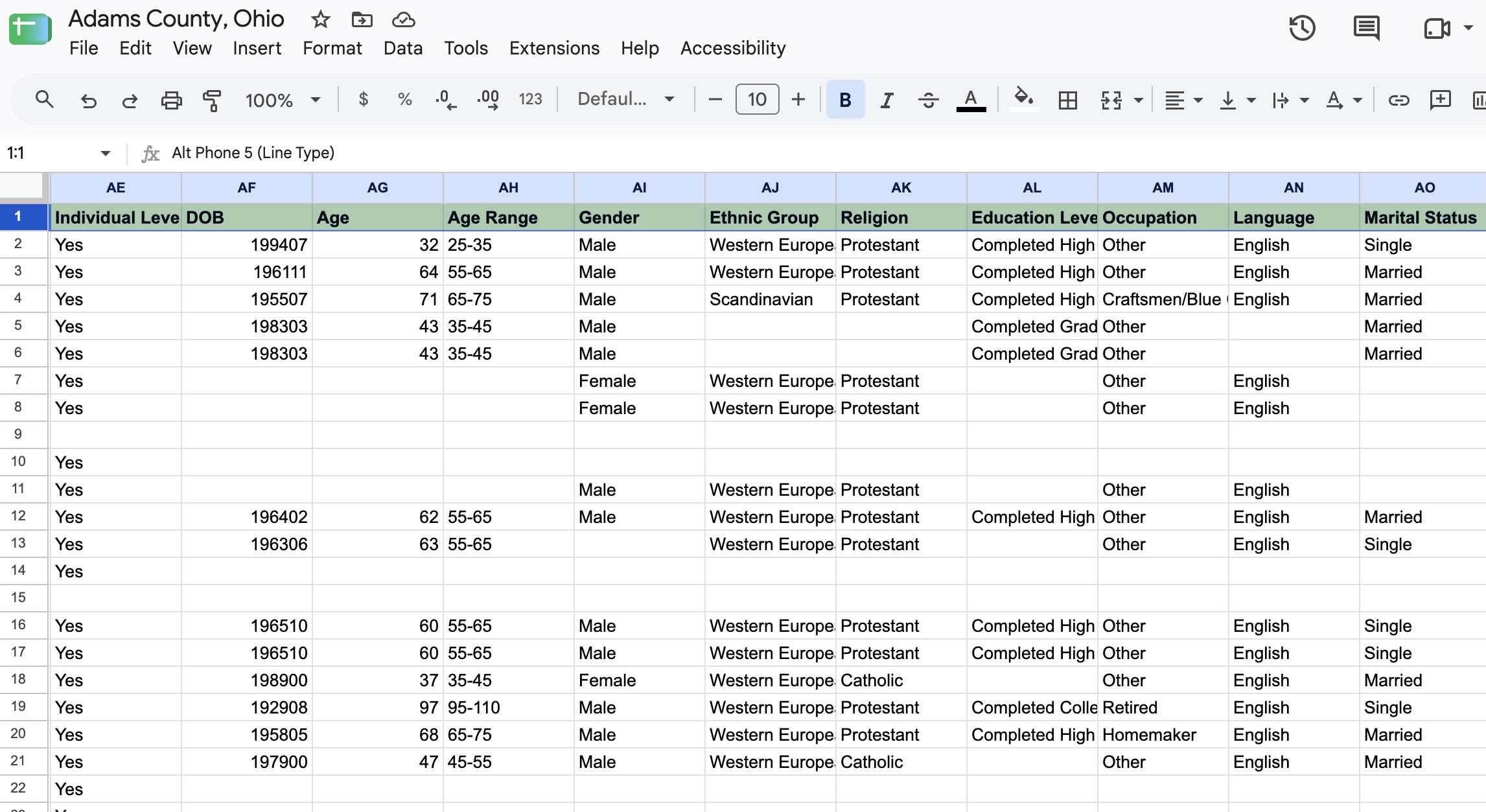
Not every field will necessarily contain information for every property owner, but these additional data points can give you a more complete picture of the people behind your property list.
Using Demographic Data in Your Marketing
Advanced Demographics can be especially useful if you've started identifying patterns among the property owners who respond to your marketing or ultimately sell their land.
For example, if your previous deals show that certain types of property owners tend to respond better to your outreach, demographic data can help you better understand and refine the audiences you're targeting.
Instead of relying only on information about the property itself, you can combine property data with additional owner information when evaluating your lists and planning your marketing.
Get More From Your Skip Tracing Data
Advanced Demographics adds another layer of owner data directly to your Land Portal skip trace, giving you more information to work with when researching owners and building your marketing strategy.
Build your list, select Add Demographics when skip tracing, and use the additional data in your completed export to better understand the property owners you're reaching.