
How to Find Comparable Land Sales with LP Intelligence
Finding comparable sales is one of the most important steps when evaluating a property. Instead of manually searching for similar parcels, Land Portal Intelligence can analyze a property using both MLS data and Land Portal's nationwide property records to quickly identify comparable sales.
In this guide, you'll learn how to use the Comp a Parcel feature inside Land Portal Intelligence and how to refine the results using natural language prompts.
Step by step walkthrough
- Login to Land Portal
Sign in to your Land Portal account.
- Open Land Portal Intelligence
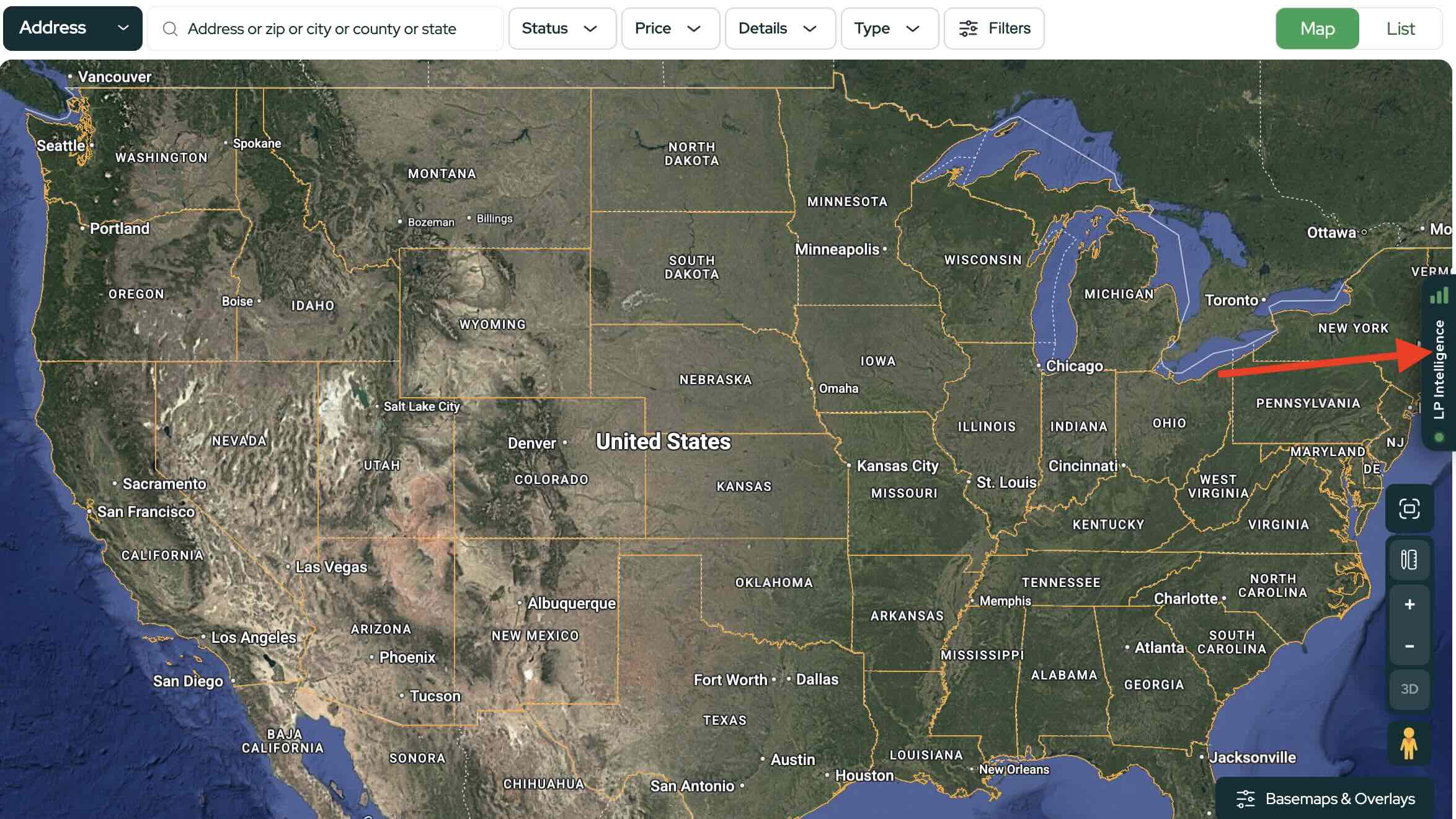
On the right side of the homepage, click the Land Portal Intelligence chat window.
Start a new conversation to begin a fresh analysis.
Note: Some tools and filters are only available on certain plans. See Plans & Pricing for what’s included in your subscription.
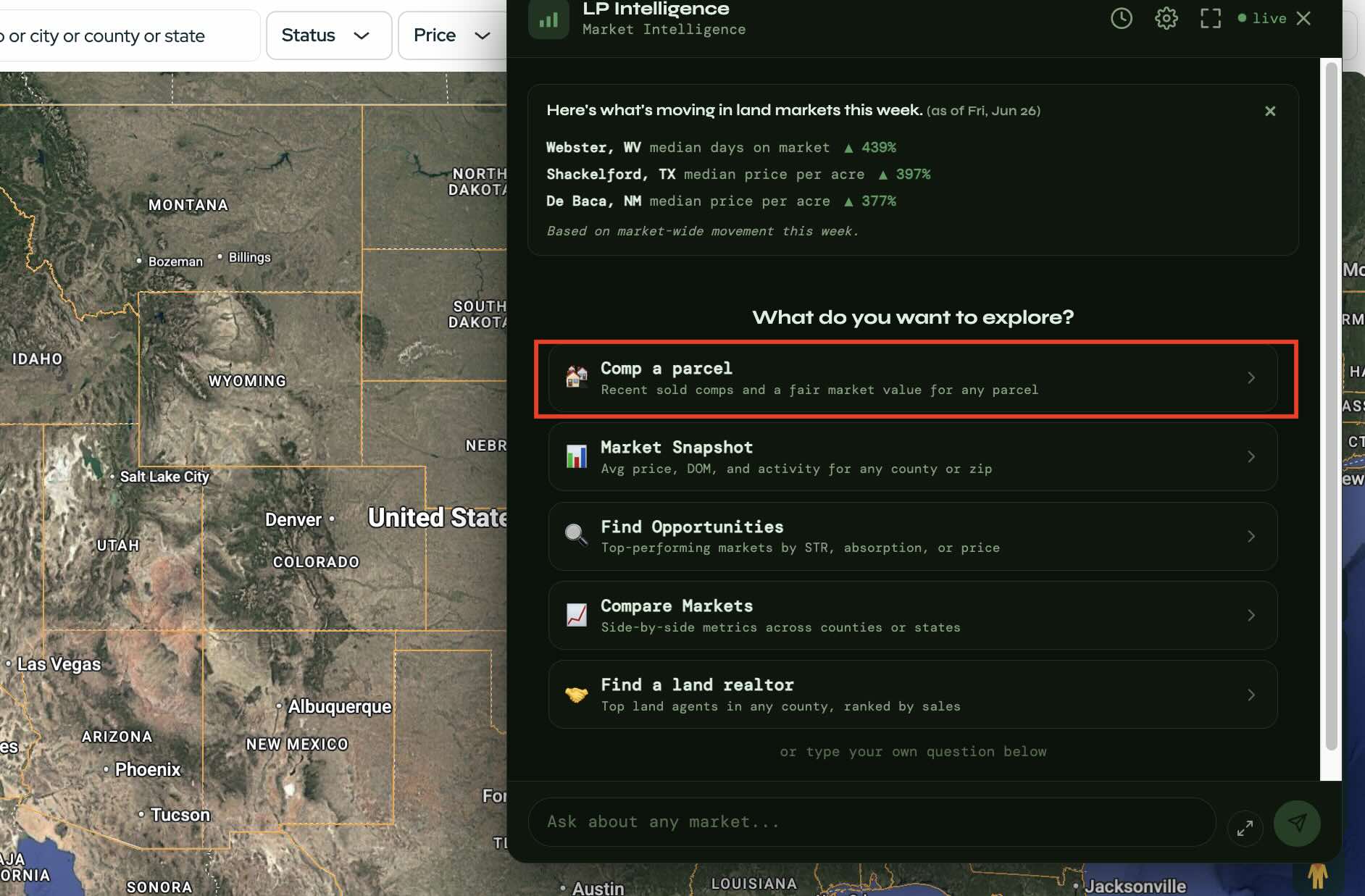
- Select "Comp a Parcel"
From the suggested prompts, click Comp a Parcel.
This prompt is designed specifically for finding comparable land sales using AI.
- Enter the Property Information
Provide the property's:
- APN
- County
- State
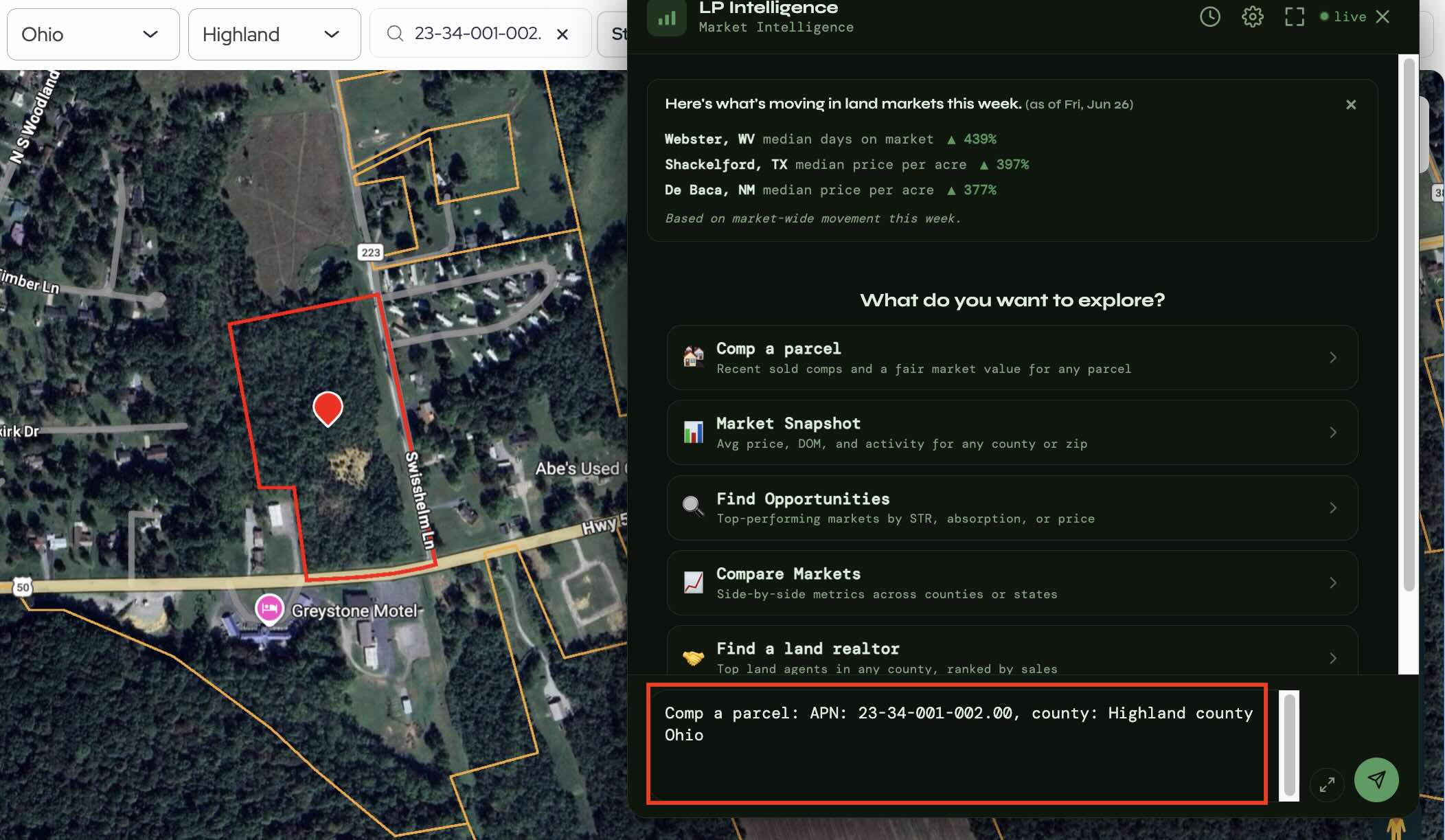
Once submitted, Land Portal Intelligence will begin analyzing the parcel using both MLS data and nationwide property records to identify comparable sales.
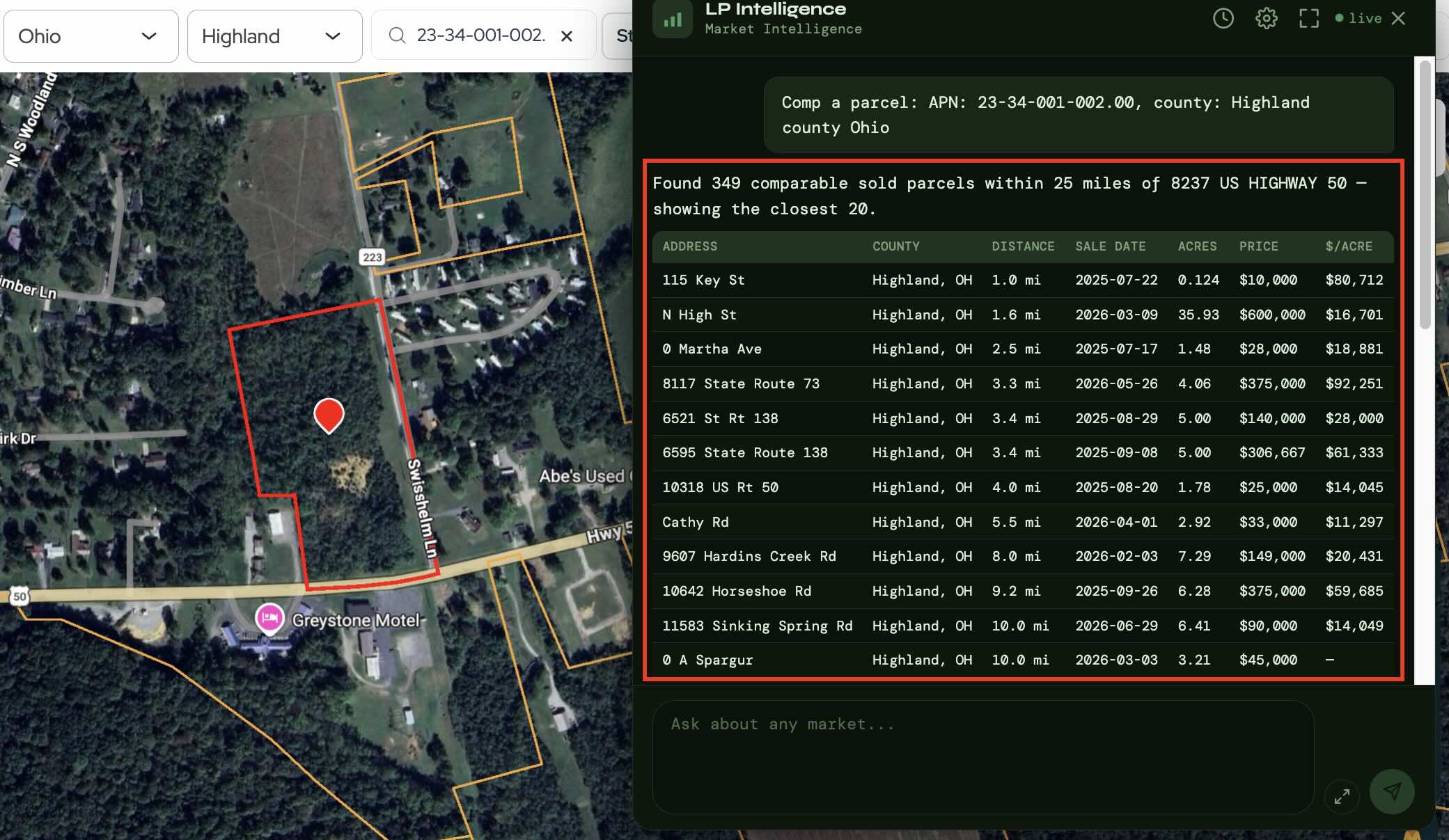
- Review the Comparable Sales
After processing the request, Land Portal Intelligence will generate a list of comparable properties along with supporting information to help you evaluate the parcel.
Depending on the property and market, the initial results may include a wide range of comparable sales. This gives the AI a starting point for further refinement.
- Refine the Results with Follow Up Prompts
One of the biggest advantages of Land Portal Intelligence is that the conversation doesn't end after the first response.
If you'd like to narrow the comparable sales, simply continue chatting with the AI.
For example, you could ask it to:
- Only show properties between 10 and 15 acres.
- Exclude properties outside a certain acreage range.
- Focus on more recent sales.
- Remove less relevant comparable properties.
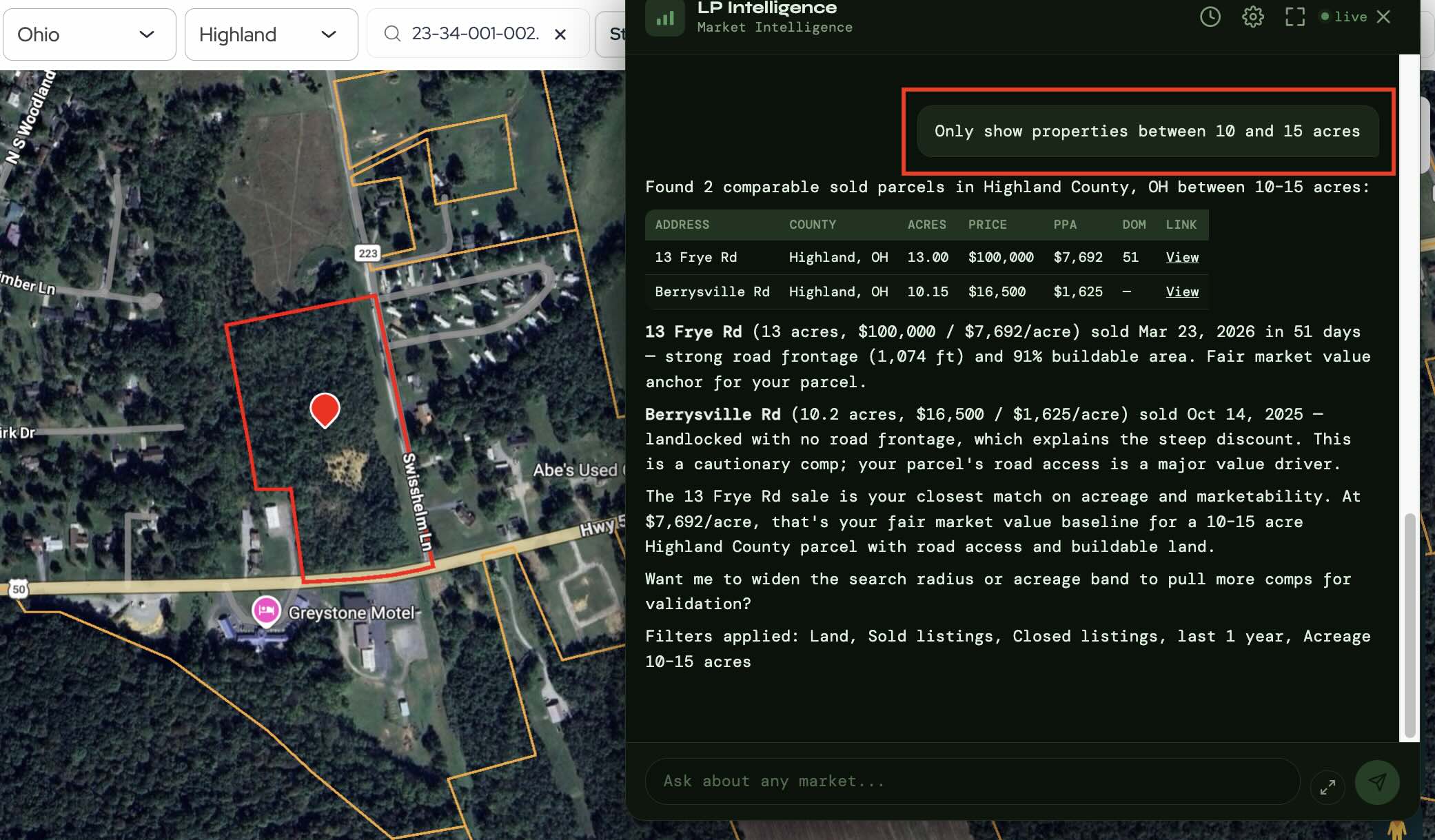
As you provide more specific instructions, the AI can generate a more targeted list of comparable sales that better match your subject property.
Tips for Better Results
Land Portal Intelligence works best when your prompts are specific. Instead of accepting the first response, continue refining your request until the comparable sales closely match the property you're evaluating.
The AI is designed to be conversational, allowing you to adjust your criteria naturally without restarting your search.
The Comp a Parcel feature makes it easier to find and refine comparable land sales using the combined power of MLS data and Land Portal's nationwide property records. By continuing the conversation with more specific prompts, you can quickly narrow the results and identify the comparable sales that are most relevant to your property.
Ready to find comparable land sales with AI? Log in to Land Portal and open Land Portal Intelligence to start analyzing your next property in minutes.