
How to Filter Properties by Water Features
The Water Features filter in Land Portal allows you to find properties that contain specific types of water features, including ponds, creeks, streams, rivers, and more.
This makes it easier to target highly desirable recreational, hunting, residential, and investment properties without manually reviewing hundreds of parcels.
Whether you're looking for land with a pond for fishing, a creek running through the property, or simply want to prioritize parcels with water access, the Water Features filter helps you build highly targeted lists for marketing in just a few clicks.
Step by step walkthrough
1. Open Map Search
Log in to Land Portal and click Map Search.
Select your target state and county.
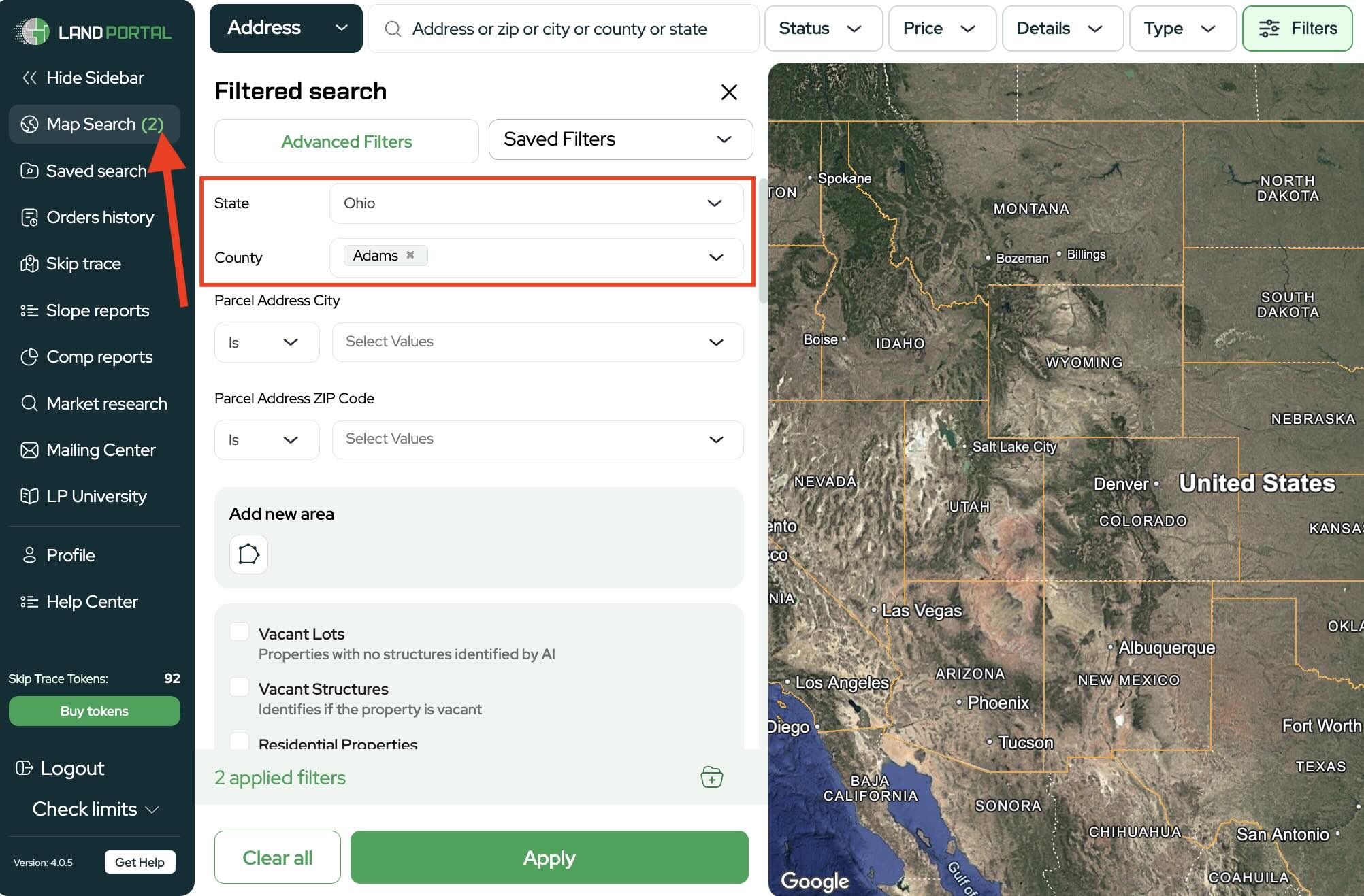
2. Build Your Initial Property Criteria
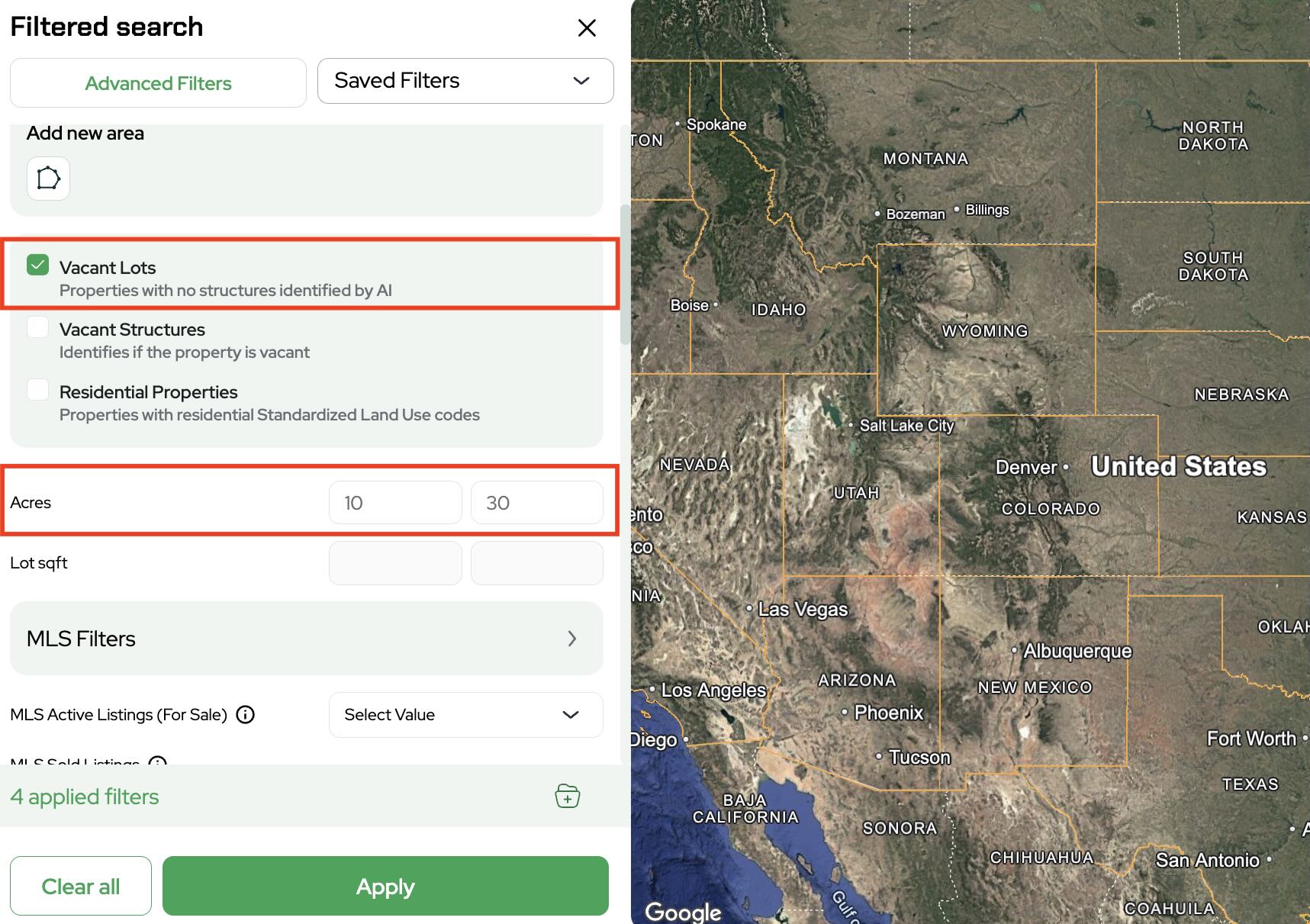
Choose the property characteristics you want to target.
Example filters may include:
- Vacant Land
- 10 to 30 acres
- Outside City Limits
- Exclude Active MLS Listings
- Exclude Recently Sold Properties
These filters help narrow your results before adding water feature criteria.
Note: Some tools and filters are only available on certain plans. See Plans & Pricing for what’s included in your subscription.
3. Add Additional Property Quality Filters
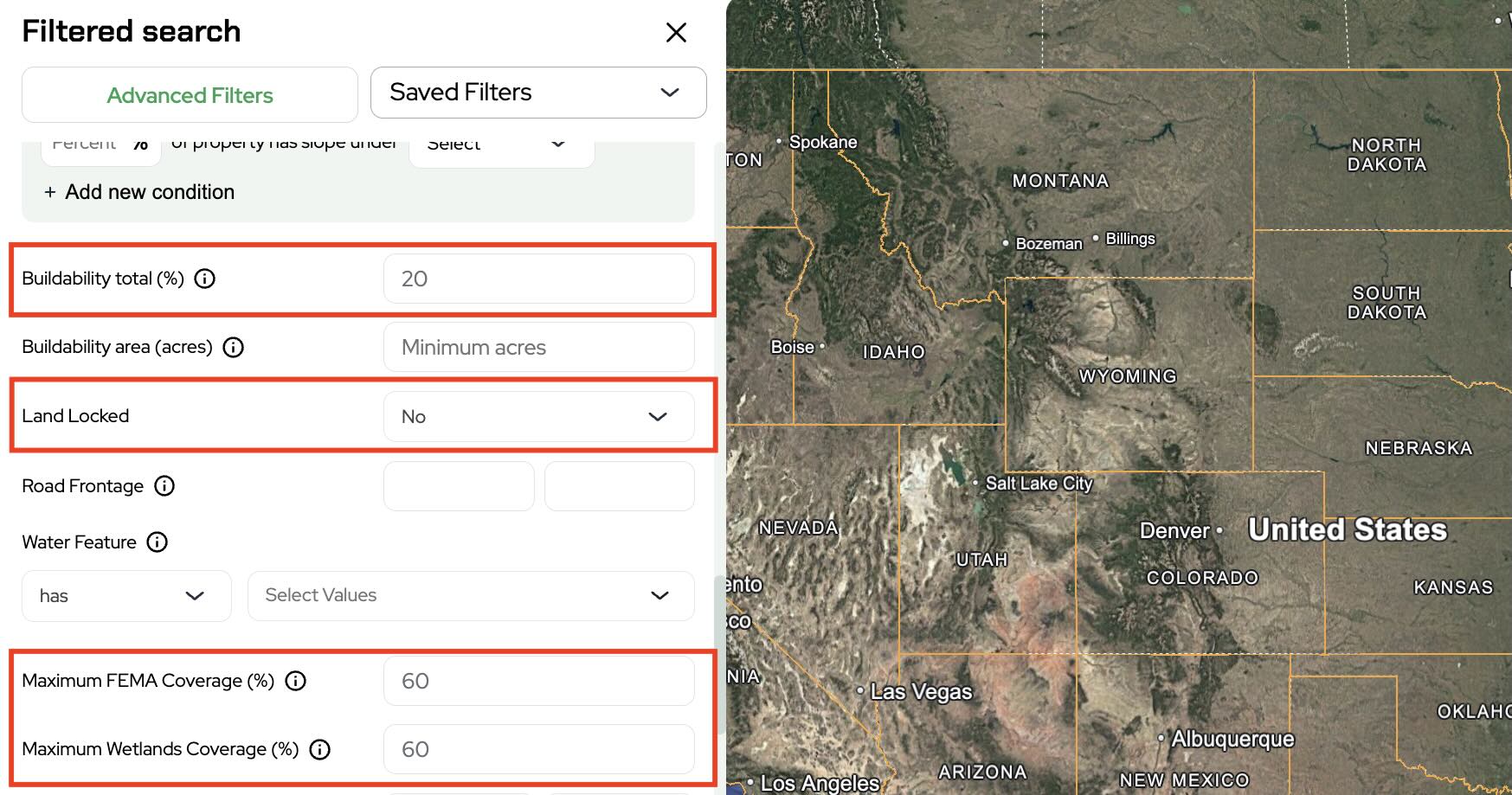
To improve the quality of your list, apply additional filters such as:
- Buildability Percentage
- Landlocked Filter
- Wetlands Percentage
- FEMA Floodplain Percentage
These filters help eliminate properties that may have significant usability limitations.
4. Select Water Features
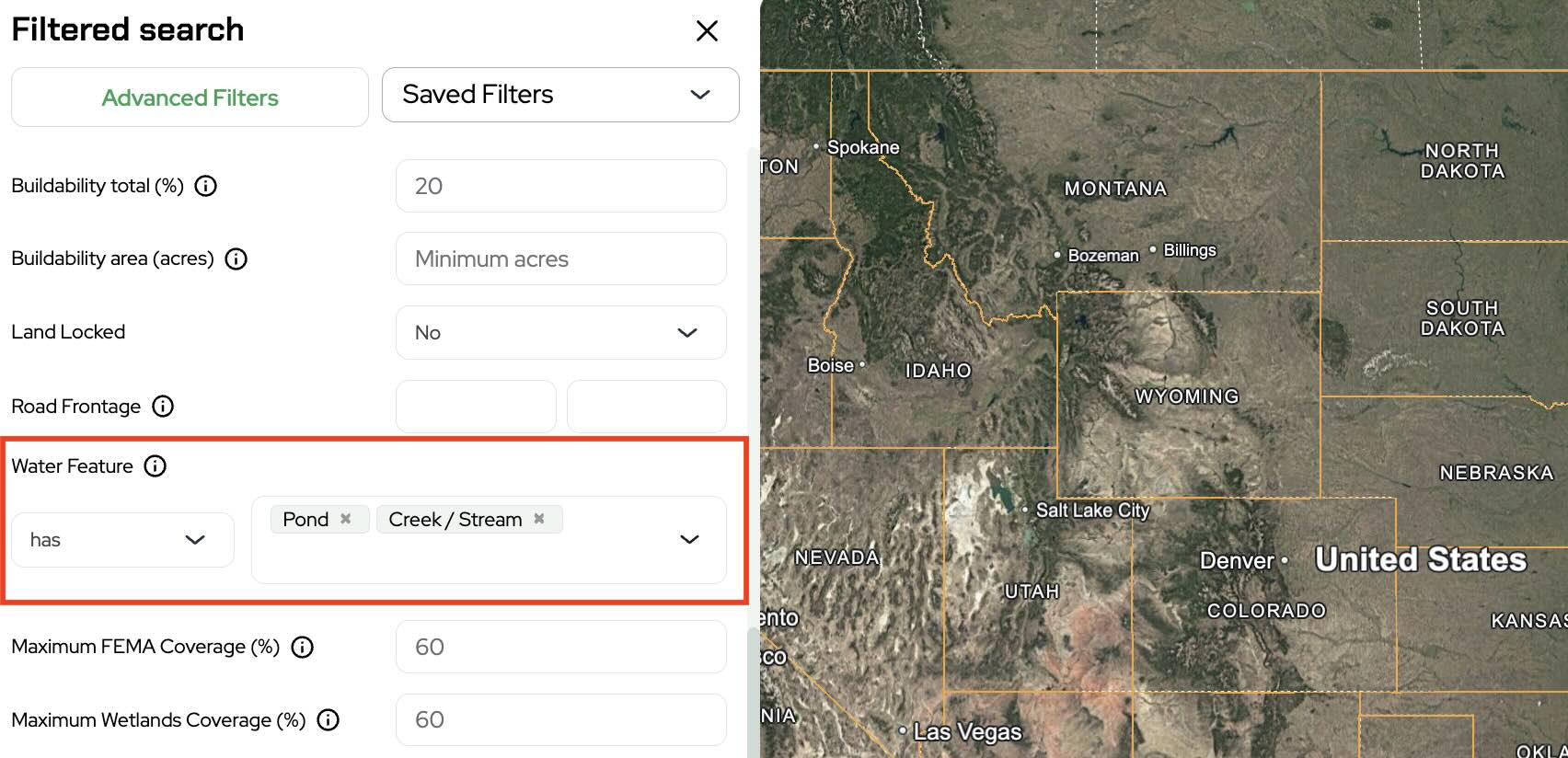
Locate the Water Features filter.
Choose whether the property must contain water features and then select the specific types you want:
- Pond
- Creek or Stream
5. Apply Your Filters
Click Apply to generate your results.
Land Portal will return properties that match your acreage, location, buildability, access, and water feature requirements.
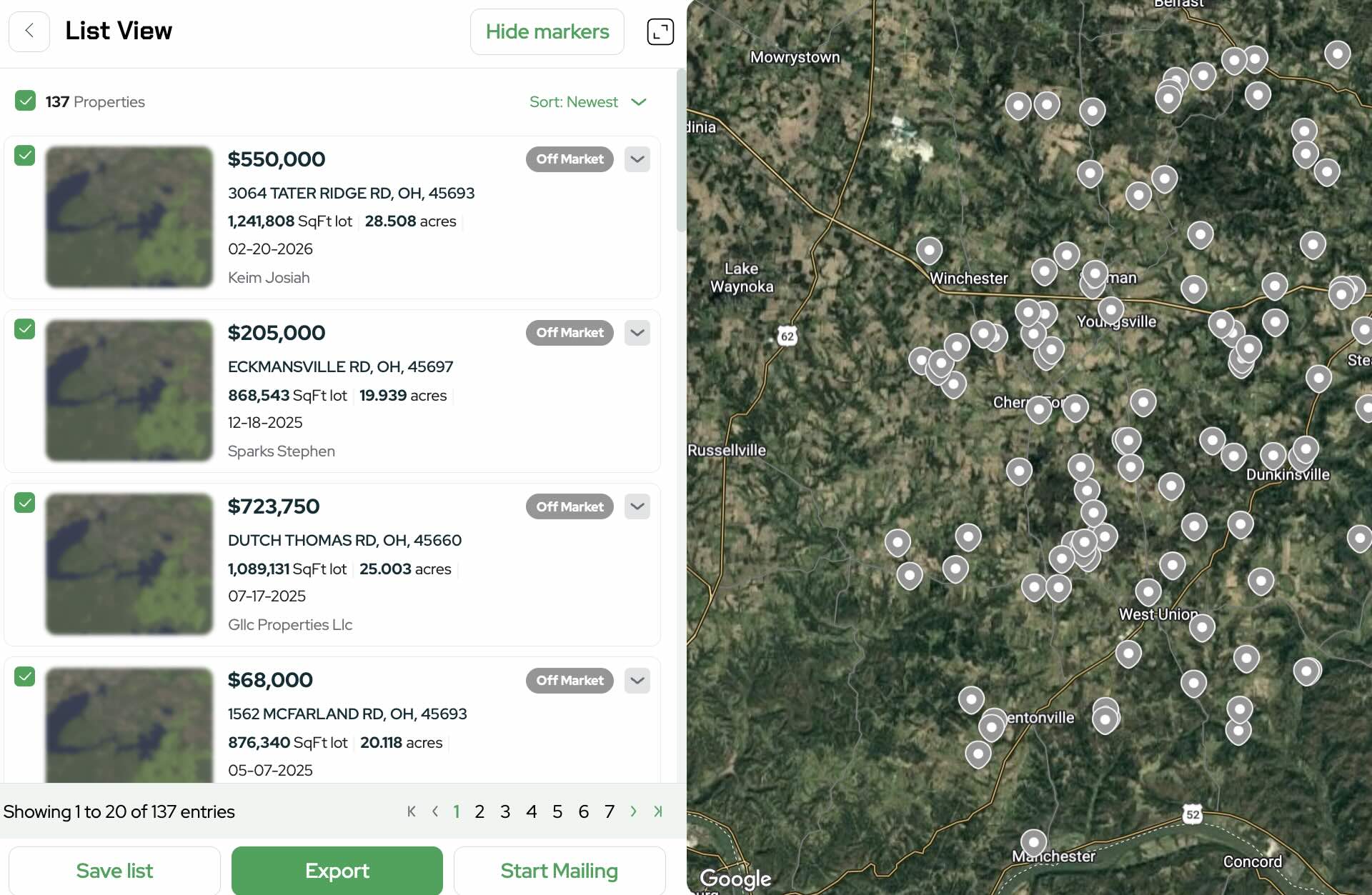
6. Review Results in List View
Switch to List View to review the filtered properties.
7. Verify Water Features
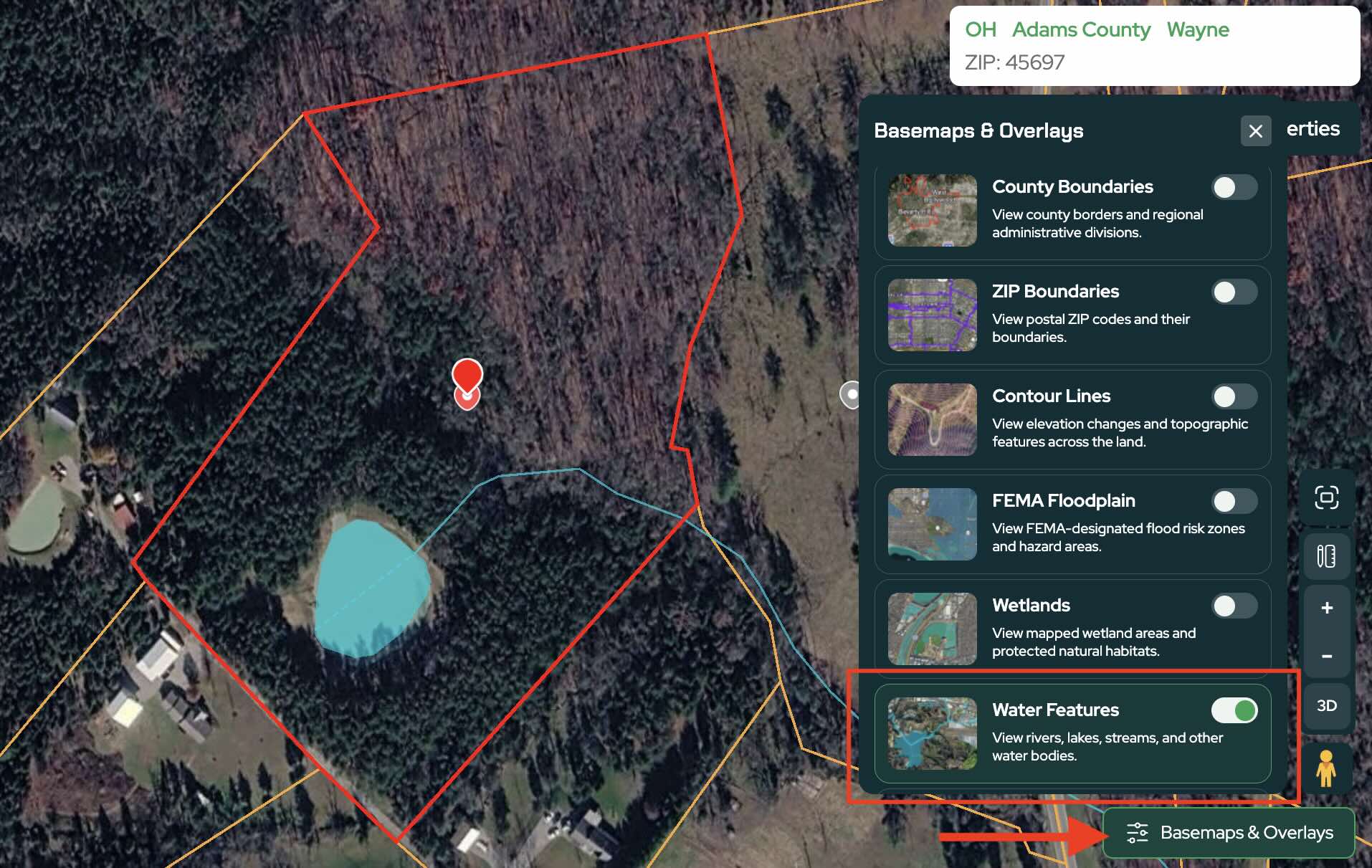
Click on individual parcels to inspect property details and verify the water features.
Many properties will clearly display:
- Ponds
- Creeks
- Streams
- Other mapped water features
This gives you an additional layer of confidence when evaluating potential deals.
8. Review Water Feature Data on Individual Properties
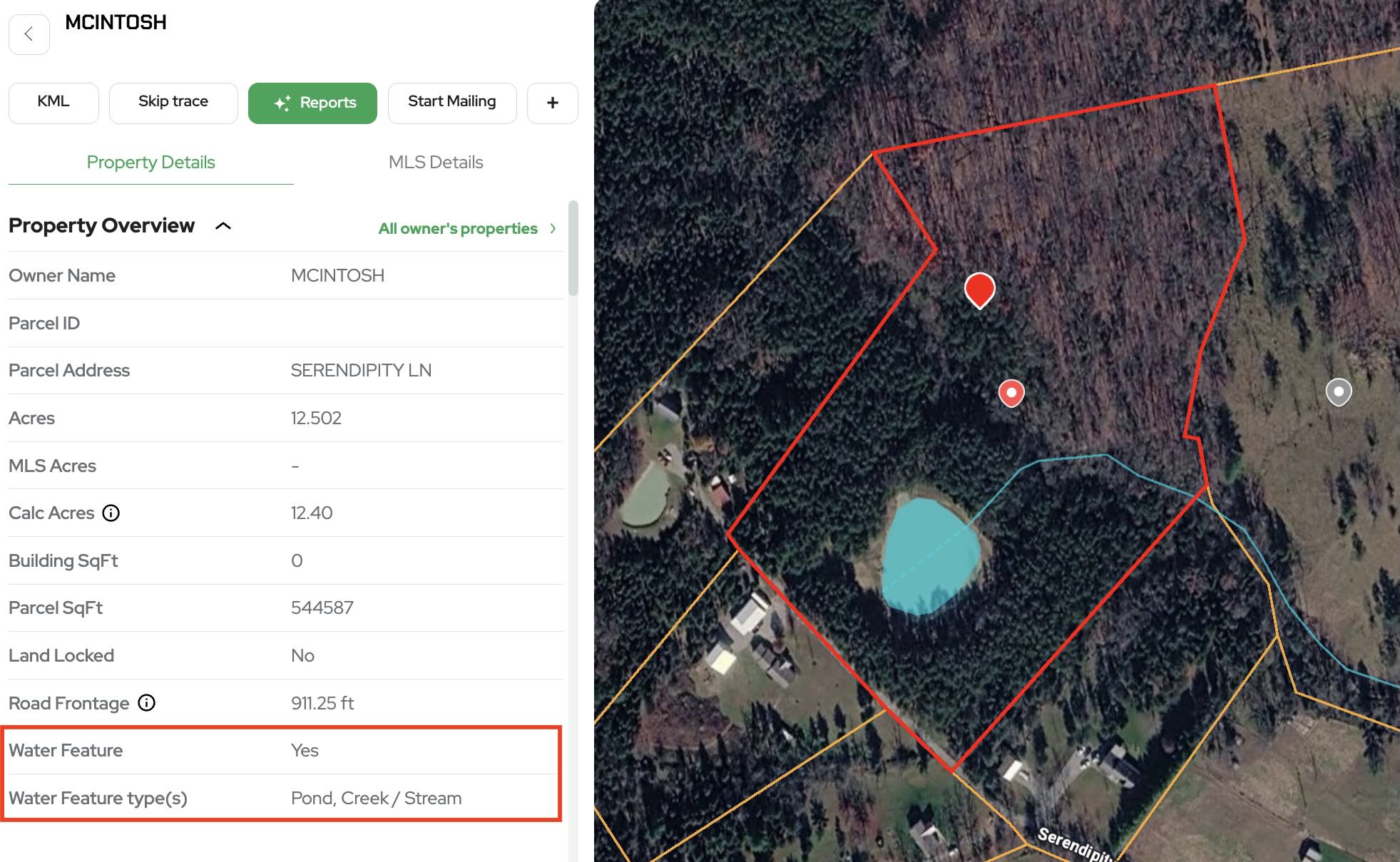
When viewing a property card, Land Portal displays whether a water feature exists and identifies the type of water feature associated with the parcel.
This allows you to quickly understand what makes the property unique without manually researching each parcel.
9. Export Your Data
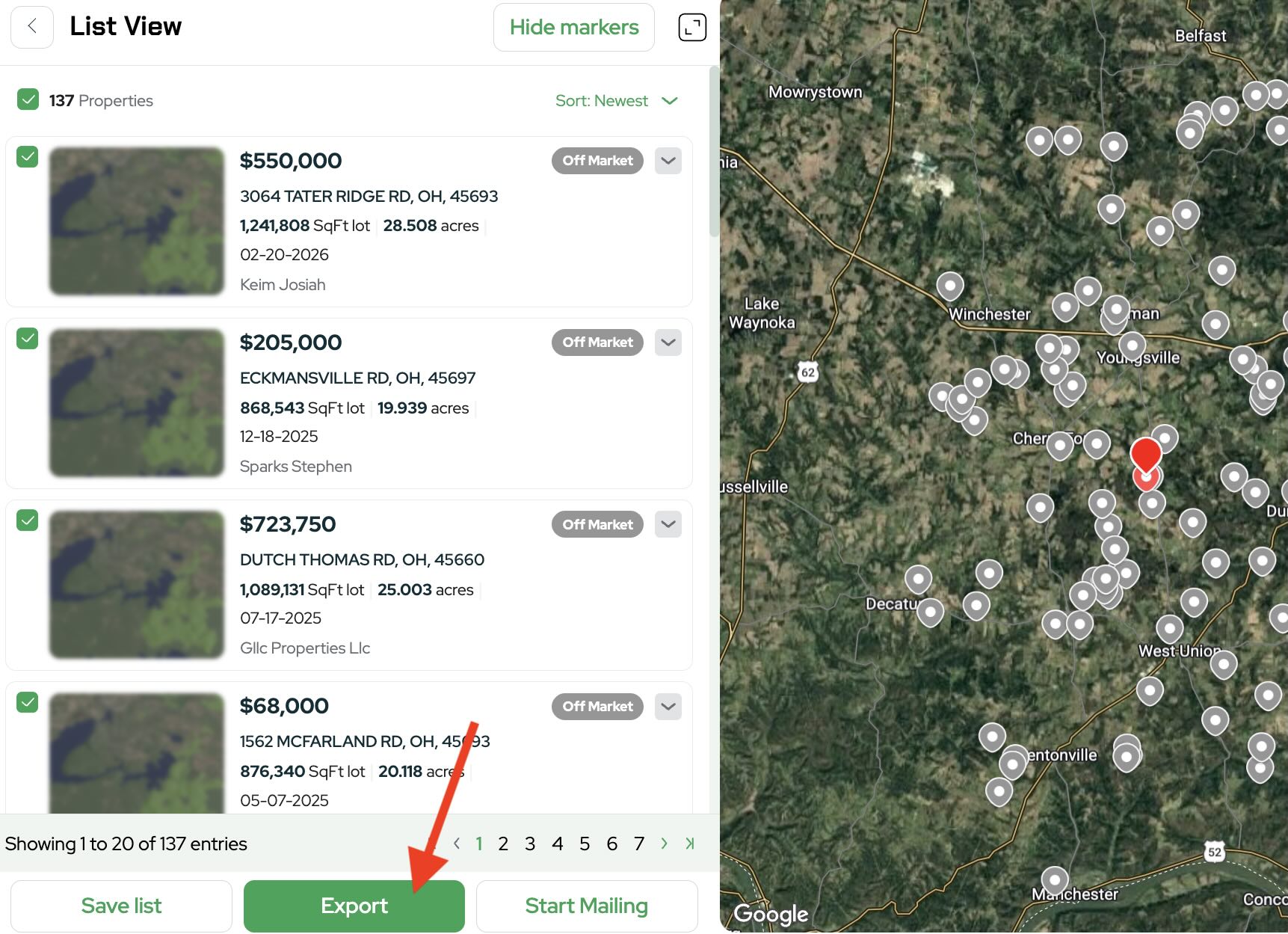
Once you've finalized your search, export your results.
The exported dataset includes water feature information, allowing you to sort, organize, and prioritize properties after export.
For example, you may decide to:
- Prioritize properties with ponds
- Offer more aggressively on parcels with desirable water features
- Create separate marketing campaigns for different property types
Practical Ways to Use the Water Features Filter
The Water Features filter can be used for several different investing strategies:
Recreational Land
Target hunting, fishing, and outdoor recreation properties that buyers actively seek.
Rural Residential Properties
Find parcels with attractive natural features that may increase buyer demand.
Higher Value Marketing Lists
Build premium seller lists focused on land with unique characteristics.
Segmented Direct Mail Campaigns
Customize your offers and marketing messages based on the specific water features found on each property.
The Water Features filter gives land investors a powerful way to locate highly desirable properties that would otherwise require extensive manual research.
By combining water features with filters such as acreage, buildability, road access, wetlands, floodplain, and city limits, you can quickly build targeted lists of properties that match your exact investment criteria.
If you're ready to start finding properties with ponds, creeks, streams, and other valuable water features, log in to Land Portal and start building your next targeted land list today.