
How to Use Claude AI with Land Portal for Due Diligence
AI is becoming a powerful tool for land investors because it can help organize information, review parcel data, and speed up parts of the due diligence process.
By combining Claude AI with Land Portal data, you can create a workflow that helps analyze properties, review comparable sales, evaluate land characteristics, and generate organized reports much faster than doing everything manually.
This does not replace proper due diligence, title work, surveys, or property inspections, but it can help investors research deals more efficiently and stay organized during the evaluation process.
In this article, we’ll walk through how to use Claude AI alongside Land Portal for land due diligence.
Step by step walkthrough
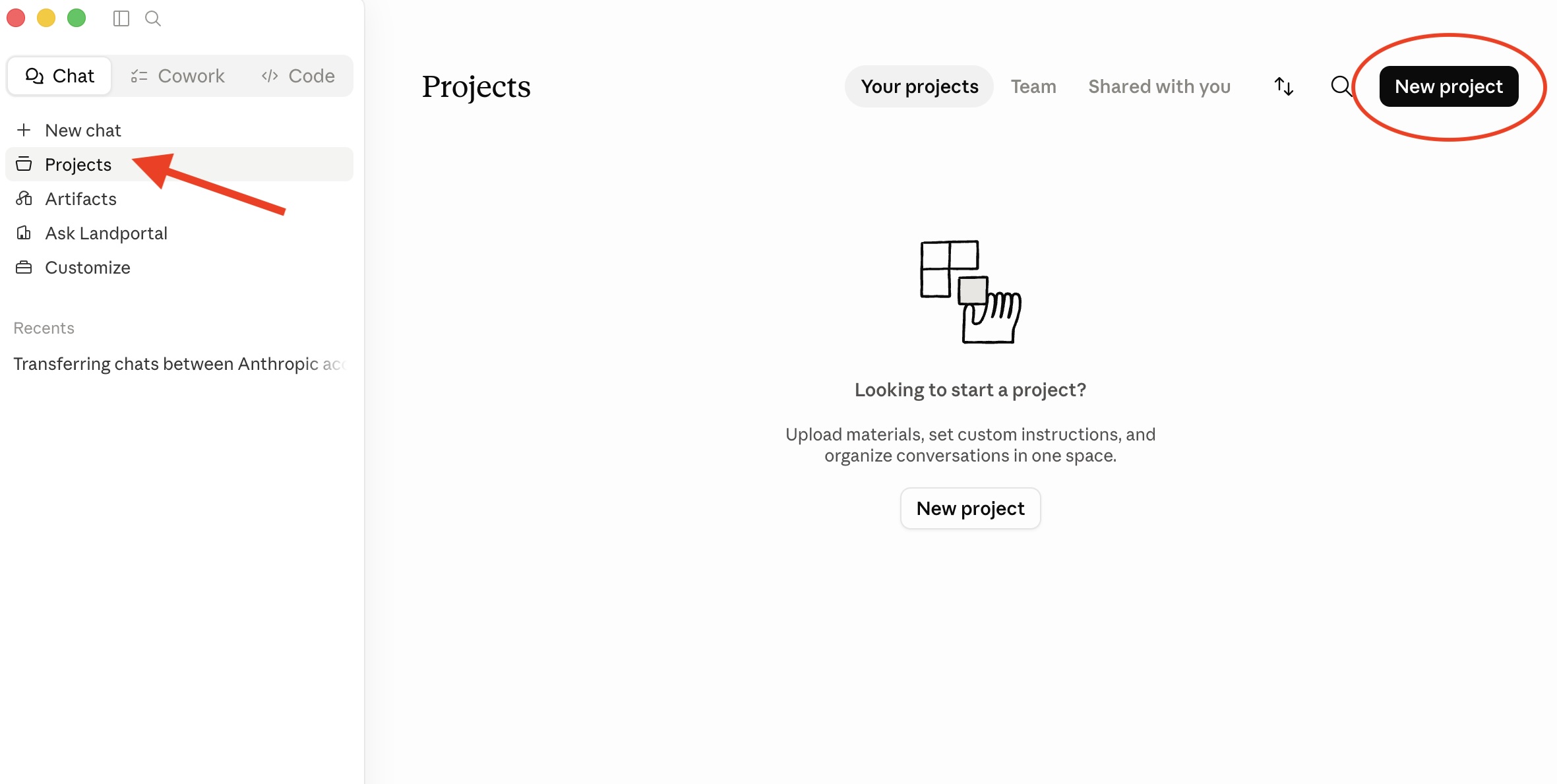
- Create a Claude Account and Project
Start by creating a Claude account and downloading Claude Desktop if desired.
Inside Claude, create a new Project that will act as your land due diligence workspace.
This project is where you can organize your prompts, parcel research, and AI generated reports.
- Access Your Land Portal API Key
Inside Land Portal, click Profile and navigate to the API section.
Generate your API key if you have not already created one.
Your API key allows Claude to securely access parcel data from your Land Portal account.
If you have not generated your API key yet, see:
How to Access Your Land Portal API Key and Documentation
Once your API key has been generated, return to this article and continue with the setup process.
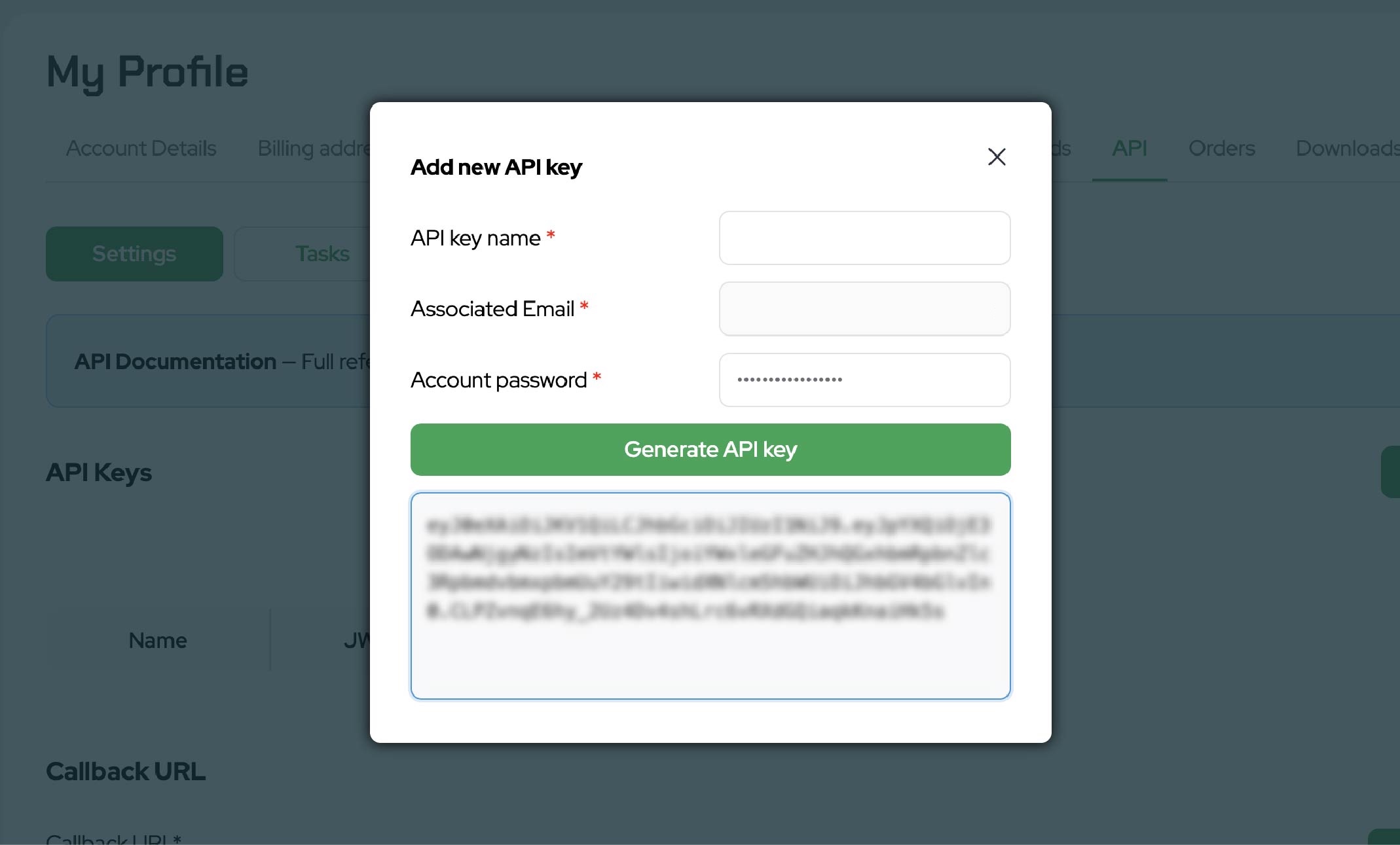
Important: Keep your API key private and never share it publicly.
If you need further instructions on how to find this
- Download the Claude Due Diligence Setup Files
Download the Claude Due Diligence Setup ZIP file provided by Land Portal.
This ZIP file contains the skills, instructions, memory files, and supporting resources Claude uses to evaluate properties and generate due diligence reports.
Download the setup files here:
Download the Claude Due Diligence Setup Files
- Upload the Setup Files to Claude
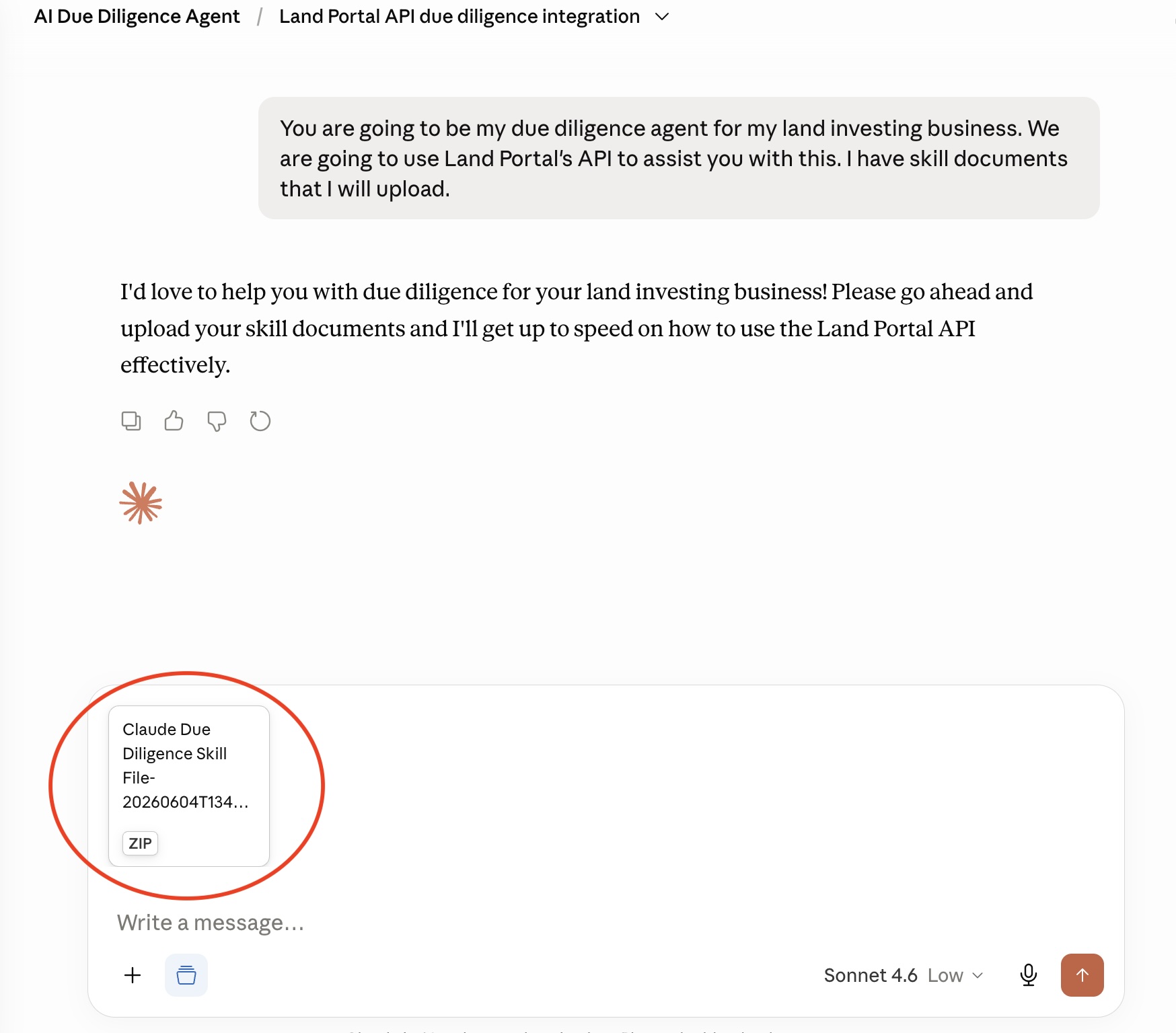
Inside your Claude Project, click Add Files and upload the Claude Due Diligence Setup ZIP file.
Once uploaded, Claude will begin reviewing the files and learning the due diligence workflow.
The uploaded files provide the framework Claude uses to analyze land deals, review comparable sales, evaluate property characteristics, and generate reports.
- Connect Your Land Portal API Key
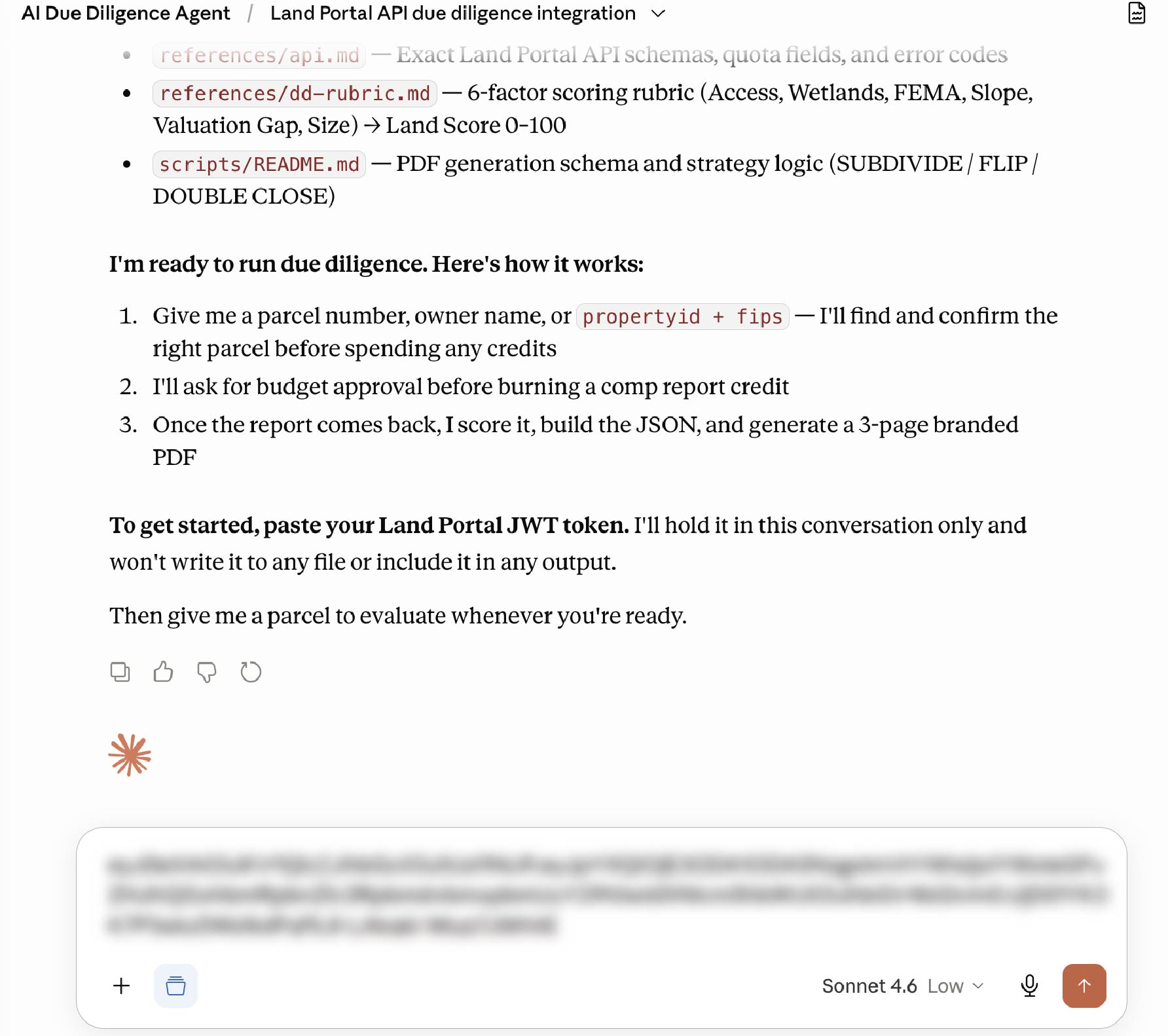
After the setup files have been uploaded, Claude may ask for your Land Portal API key.
Paste your API key when prompted.
This allows Claude to securely access parcel data from your Land Portal account and use that information when generating due diligence reports.
Important: Keep your API key private and never share it publicly.
- Submit a Parcel for Review
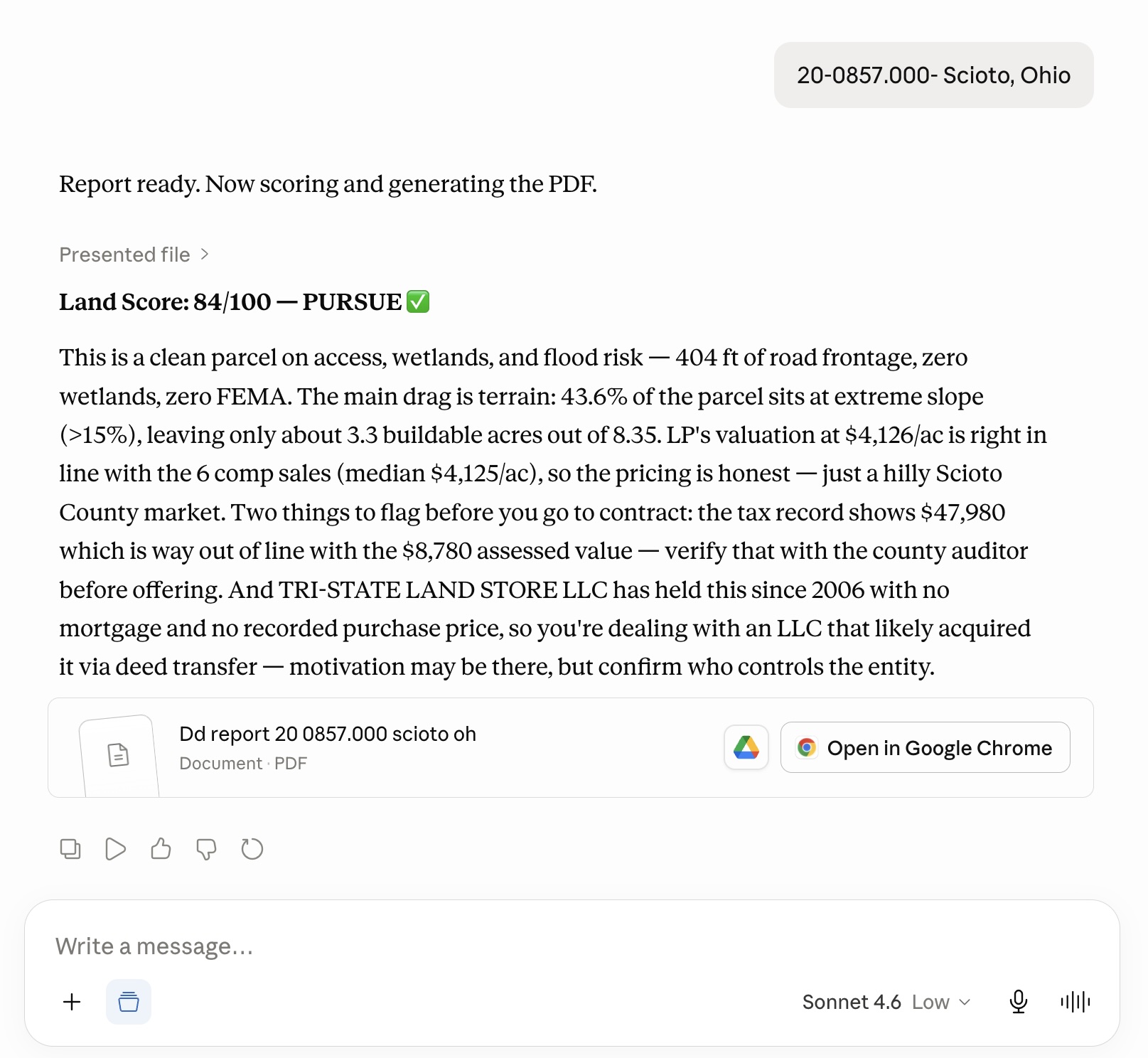
With the setup complete, enter a parcel number into Claude and ask it to review the property (Example: APN, county, state).
Claude can use Land Portal data to generate a detailed due diligence report that may include:
• Estimated value ranges
• Comparable sales analysis
• Road frontage evaluation
• Wetlands coverage
• FEMA flood zone information
• Slope and buildability observations
• Property strengths and weaknesses
• Investment strategy recommendations
This can significantly reduce the amount of time spent manually gathering information on a property.
- Review the Due Diligence Report
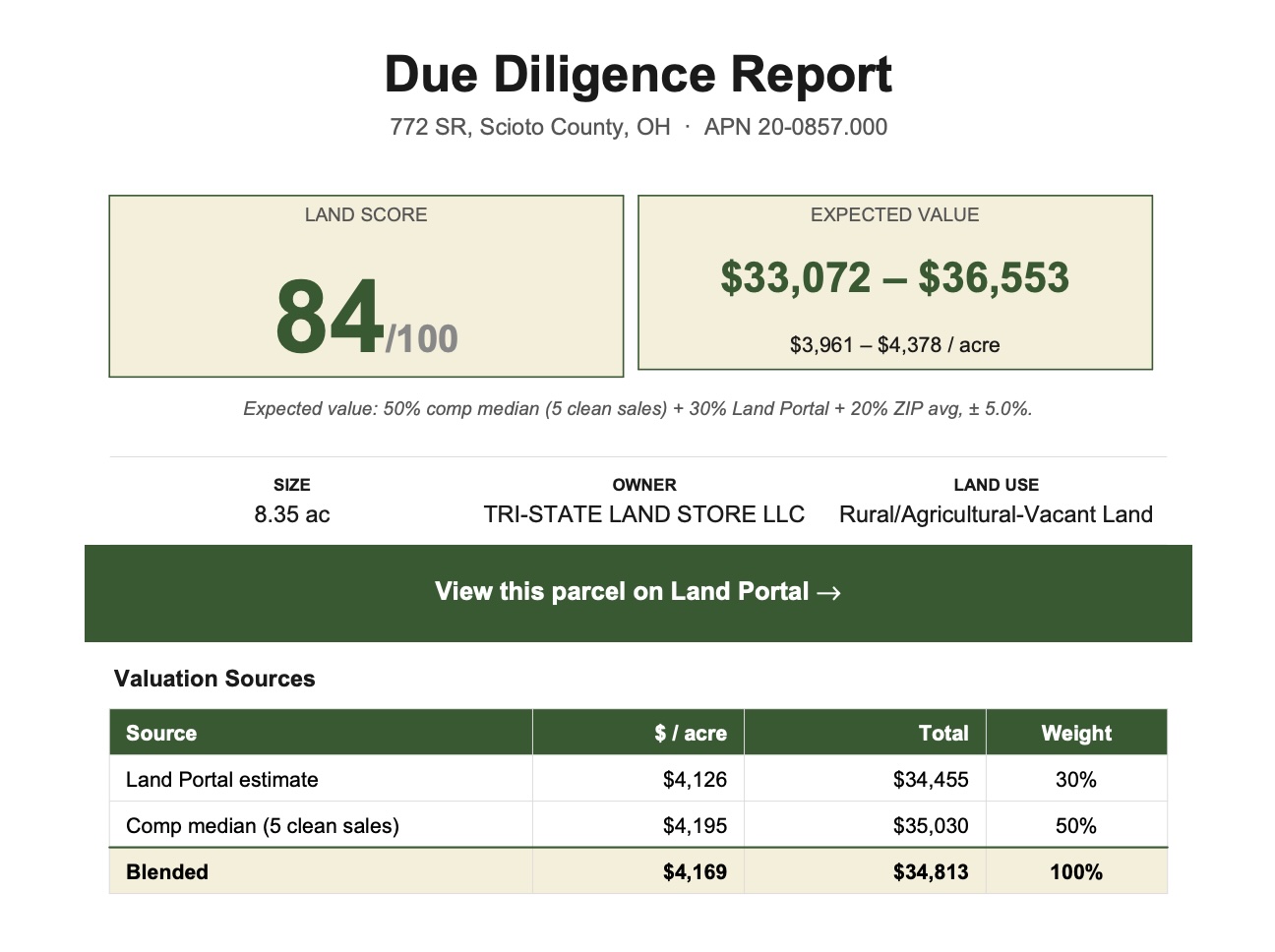
Claude organizes the information into a structured report that is easier to review and understand.
Depending on the parcel, the report may include:
• Land score
• Estimated value range
• Comparable sales
• Property overview
• Red flags
• Positive attributes
• Suggested next steps
• Potential flip opportunities
• Potential subdivide opportunities
The goal is to help investors quickly understand the strengths and weaknesses of a property before moving further into the due diligence process.
- Customize the Workflow for Your Business
One of the most powerful features of Claude is the ability to customize the workflow over time.
As you evaluate more properties, you can adjust the instructions and criteria to better match your investment strategy.
For example, you may want Claude to:
• Prioritize subdivide opportunities
• Focus on strong road frontage
• Avoid steep terrain
• Look for owner finance opportunities
• Flag properties with limited access
• Require higher profit margins on certain deal types
As your business evolves, Claude can continue adapting to your preferred acquisition criteria and decision making process.
Important Notes About AI and Due Diligence
Claude should be used as a research assistant, not as a replacement for proper due diligence.
Always manually verify:
• Physical access
• Title and ownership
• Zoning and land use
• Utility availability
• Survey information
• Local regulations
• Property condition
AI can help organize information, identify opportunities, and save time, but the final evaluation should always be completed by the investor.
Using Claude alongside Land Portal can help land investors review properties faster, stay organized, and evaluate more deals with greater consistency.
If you're looking for a powerful way to combine AI with parcel data, Land Portal and Claude can help streamline your due diligence process and make property research more efficient.