
How to Find Your API Key in Land Portal
The Land Portal API allows you to connect Land Portal data with other tools and workflows outside of the platform.
Whether you're using AI tools like Claude, building custom automations, connecting a CRM, or creating your own applications, the API gives you access to Land Portal data and functionality without needing to work directly inside the platform.
In this article, we'll show you how to access the API documentation and generate your API key.
Step by step walkthrough
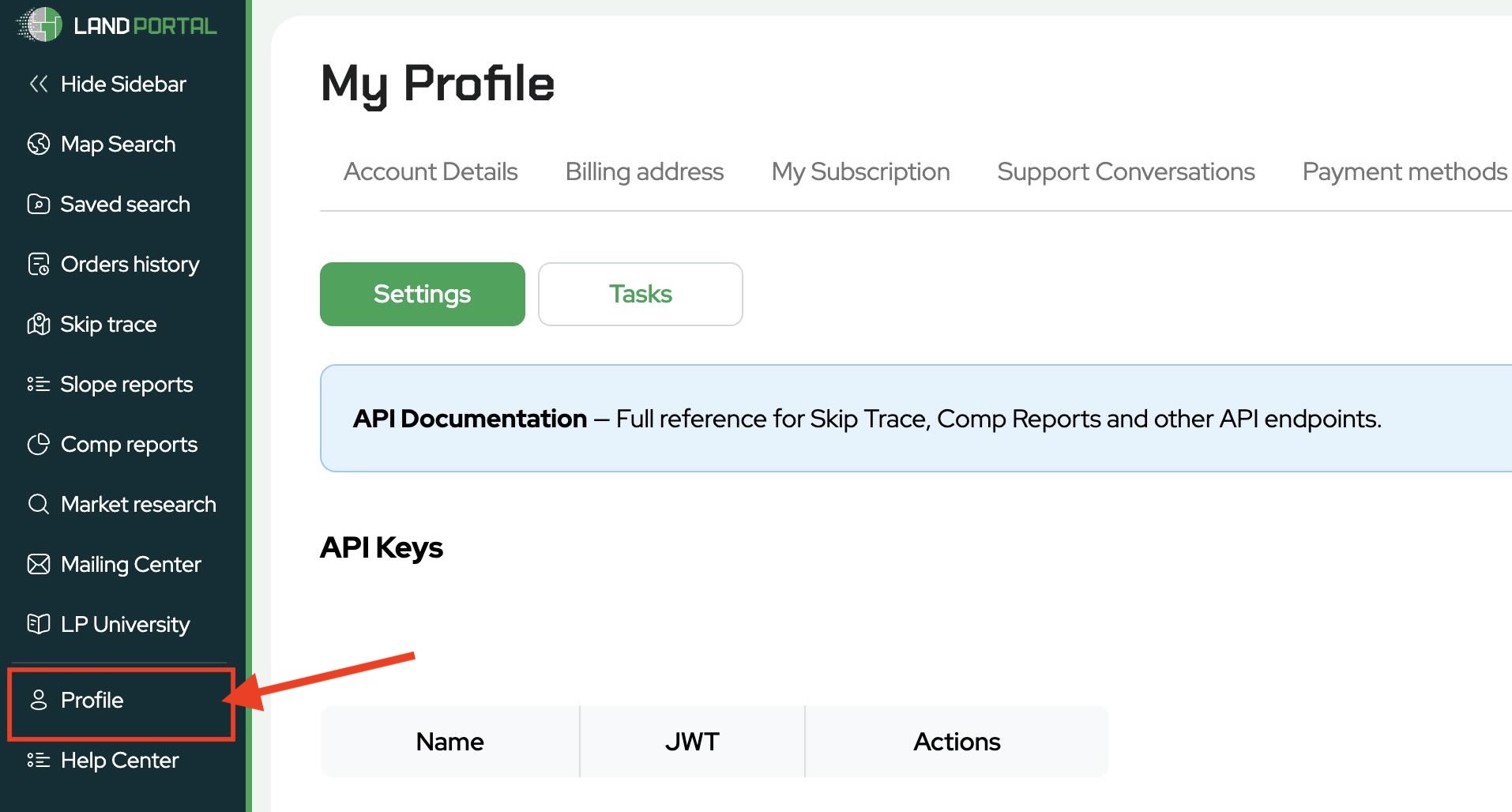
Once logged in, navigate to the left side menu and click Profile.
- Open the API Section
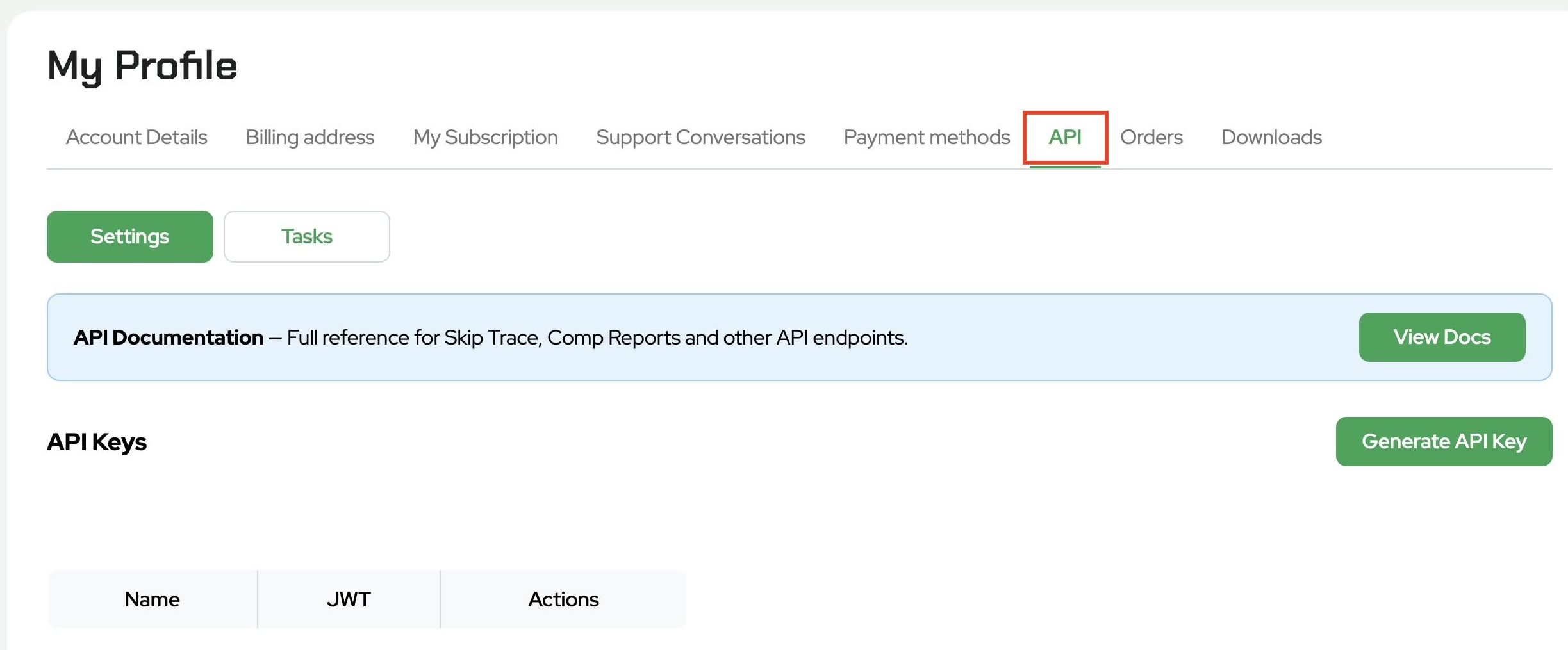
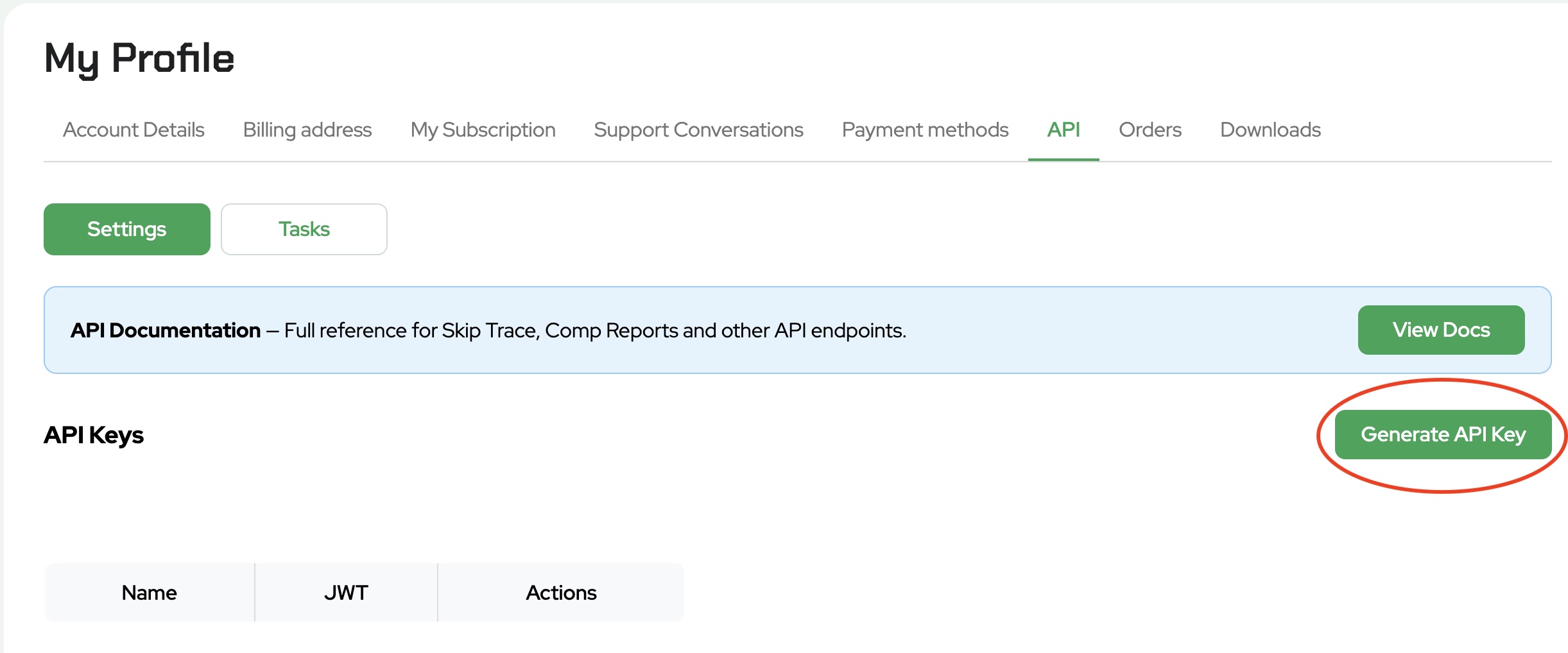
At the top of the Profile page, click the API tab.
This section contains your API documentation and API key management tools.
- View the API Documentation
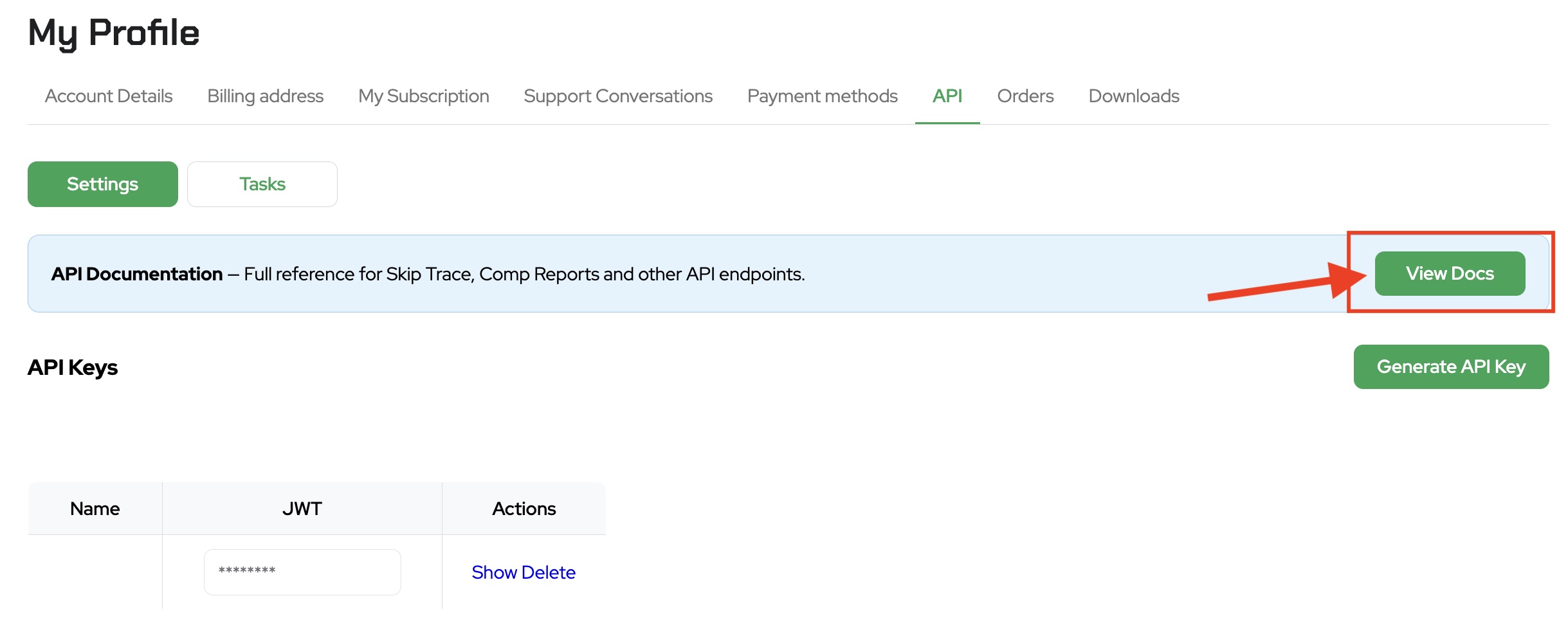
Click View Docs to open the Land Portal API documentation.
The documentation contains information about available endpoints and functionality that can be used with external applications and integrations.
The API can be used for tasks such as:
• Property searches
• Comparable sales reports
• Property filtering
• Data exports
• Skip tracing
• Property detail retrieval
You can also use the documentation when connecting Land Portal to AI tools, custom applications, or CRMs.
- Download the API Documentation
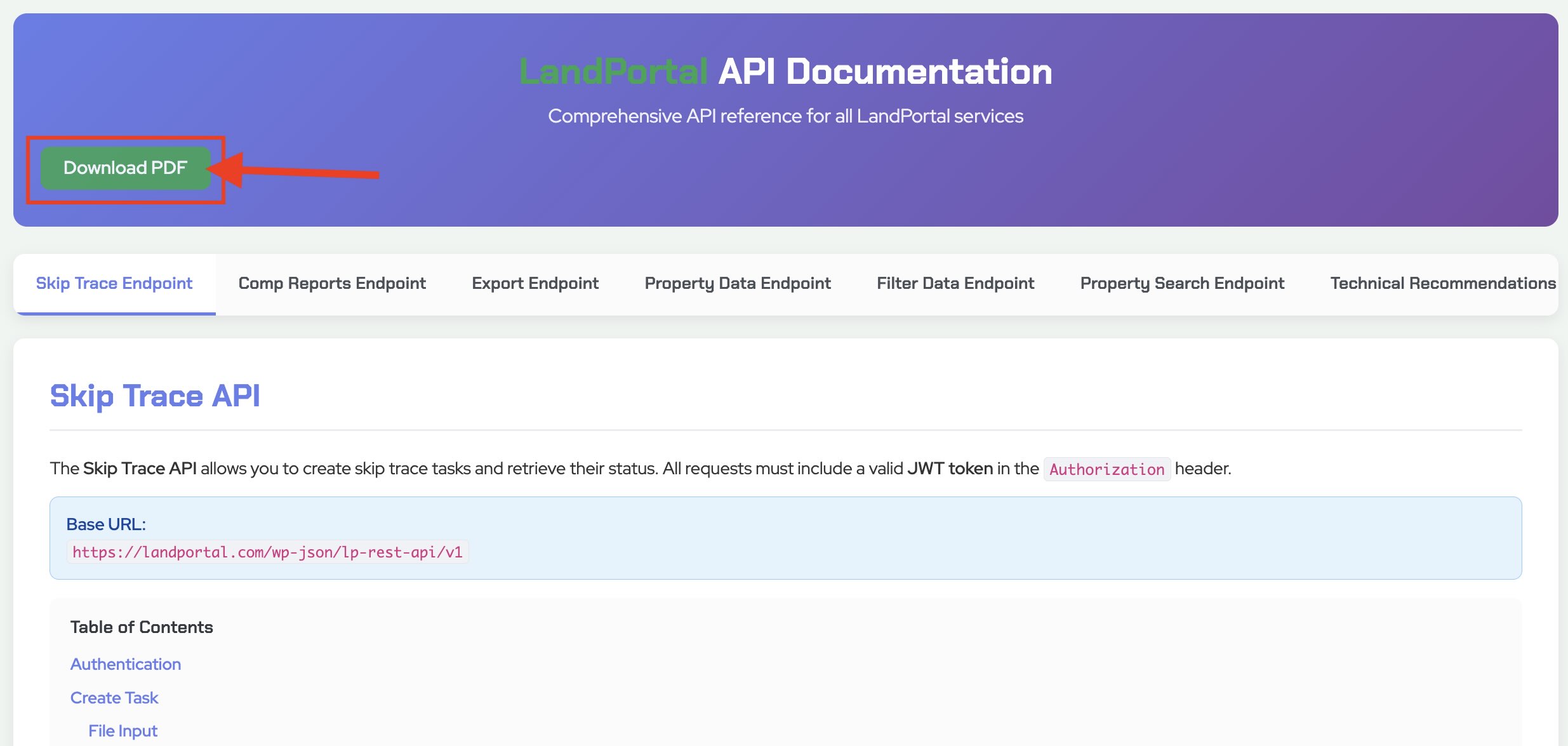
Inside the documentation page, click Download PDF.
This will download a copy of the API documentation that can be referenced later when setting up integrations and workflows.
- Generate an API Key
Return to the API section within Land Portal.
Click Generate API Key.
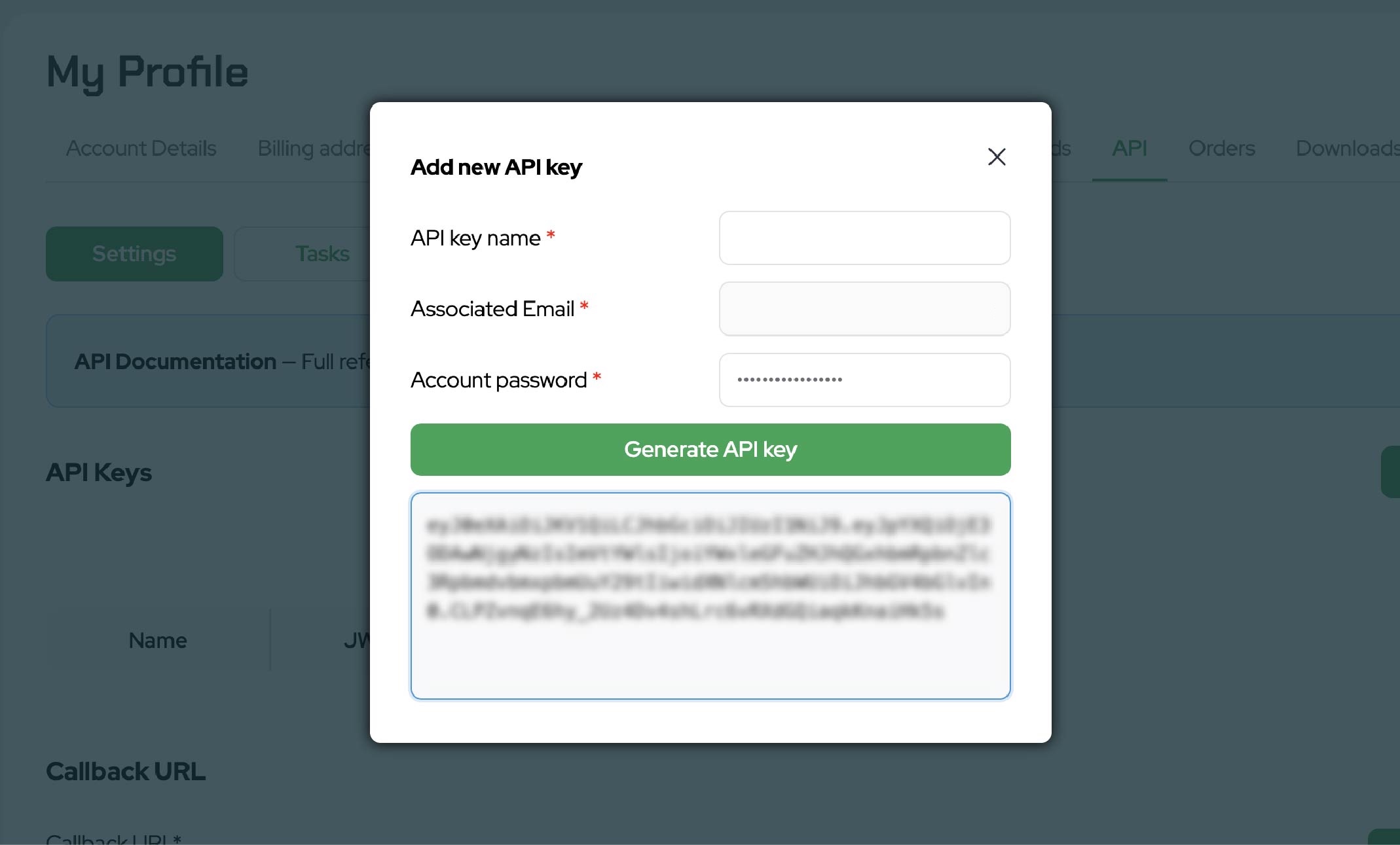
You can optionally give the key a name to help identify its purpose.
After confirming your password, Land Portal will generate a unique API key for your account.
- Copy and Save Your API Key
Once generated, copy your API key and store it in a secure location.
Important: Your API key should remain private and should never be shared publicly.
This key is connected to your Land Portal account and is used to authorize API requests.
Understanding API Usage
Each API key is tied to your Land Portal account and usage limits.
Depending on the requests being made, API activity may consume available quotas and may also utilize export or skip trace tokens when applicable.
If you are connecting Land Portal to AI tools, automations, or third party software, it is important to monitor your account usage and understand how those requests interact with your available resources.
Important Notes
Keep your API key secure at all times.
Do not:
• Share your key publicly
• Include your key in screenshots
• Upload your key to public repositories
• Send your key through unsecured channels
If you believe your API key has been compromised, generate a new key immediately.
The Land Portal API opens the door to powerful integrations, automations, AI workflows, and custom applications built around your land investing business.
If you're ready to start building with Land Portal data, log in to your account and generate your API key today.