
How to Use the Drawing & Measurement Tools
Land Portal includes built-in drawing and measurement tools that make it easy to measure distances, calculate acreage, and plan potential subdivides directly on the map.
These tools are especially useful when evaluating road frontage, estimating setbacks, or sketching parcel layouts before talking with a surveyor or realtor.
Accessing the Drawing Tools
Once you open a property in Land Portal, click the wrench icon in the bottom-right corner of the map to access the drawing and measurement tools.
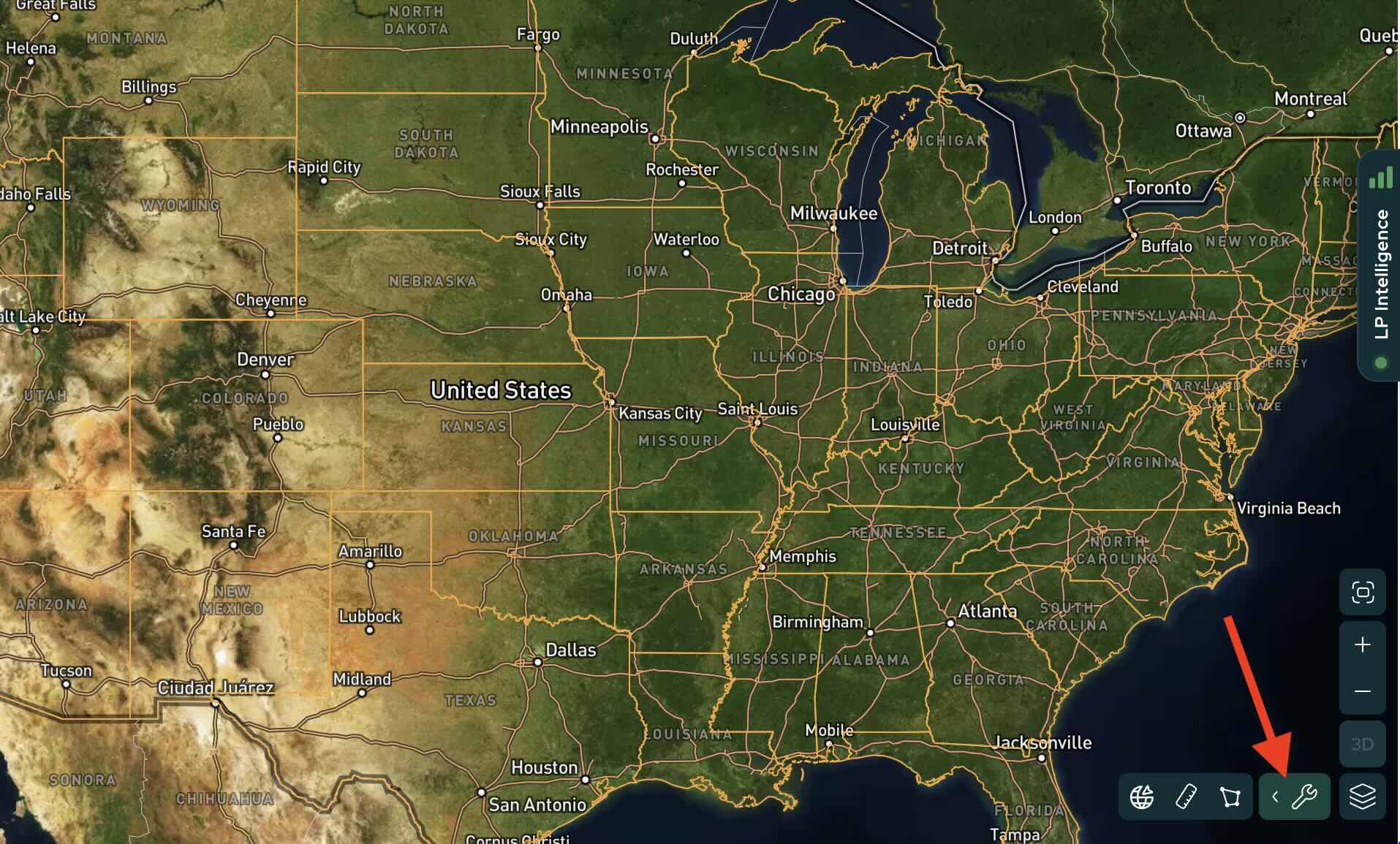
The tool cluster includes three options:
- Georeference – Used for importing GIS files, overlaying site plans, and working with geographic data. Learn more in our How to Use Saved Maps article.
- Measurement – Used for measuring property boundaries, checking road frontage, estimating setbacks, and measuring distances across roads or between points.
- Polygon Drawing – Used for drawing custom parcel shapes, calculating acreage, and planning potential subdivides.
How to Use the Measurement Tool
Step By Step Walkthrough
- Login to Land Portal.
- Open a property on the map.
- Click the wrench icon and select the Measurement tool.
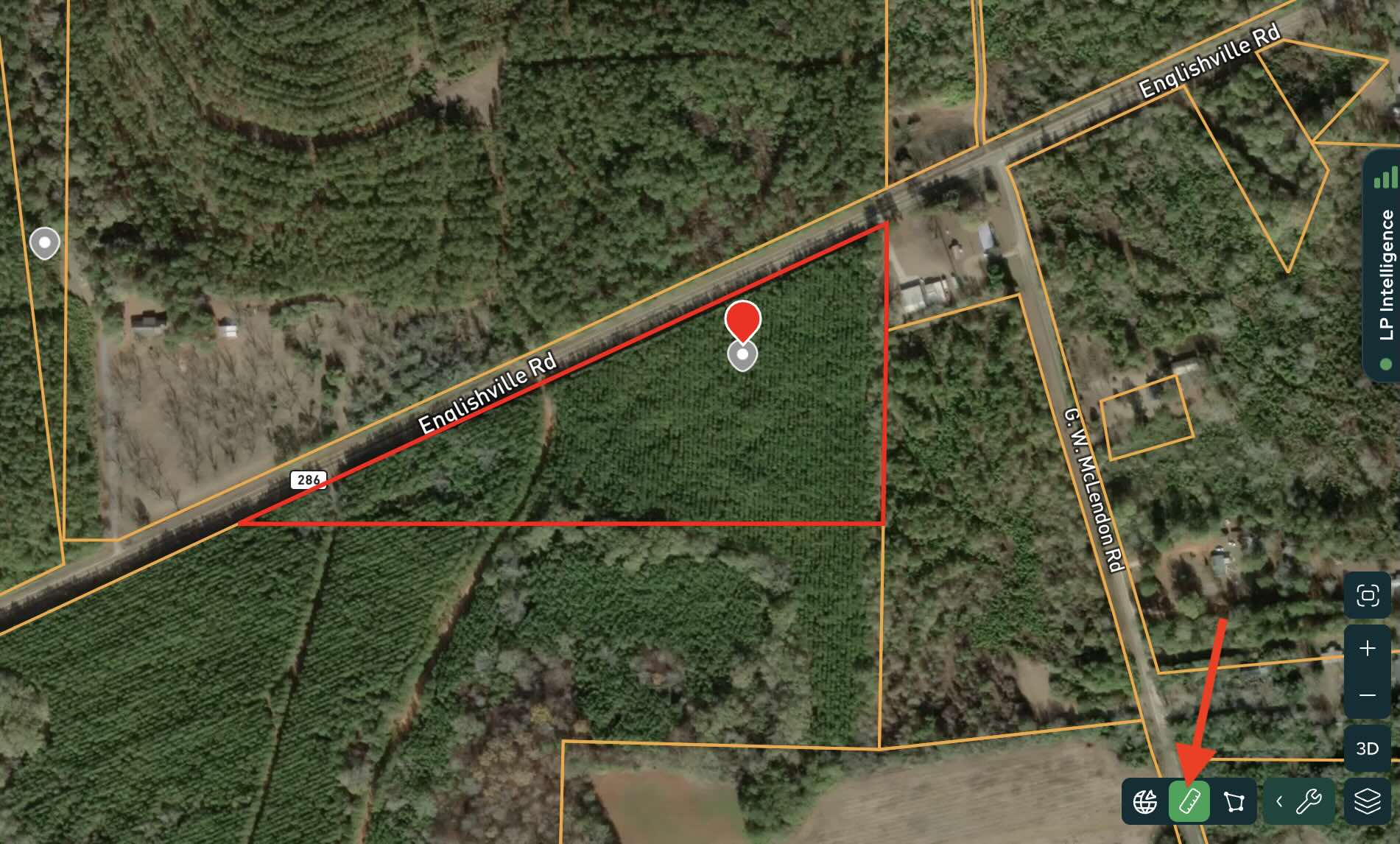
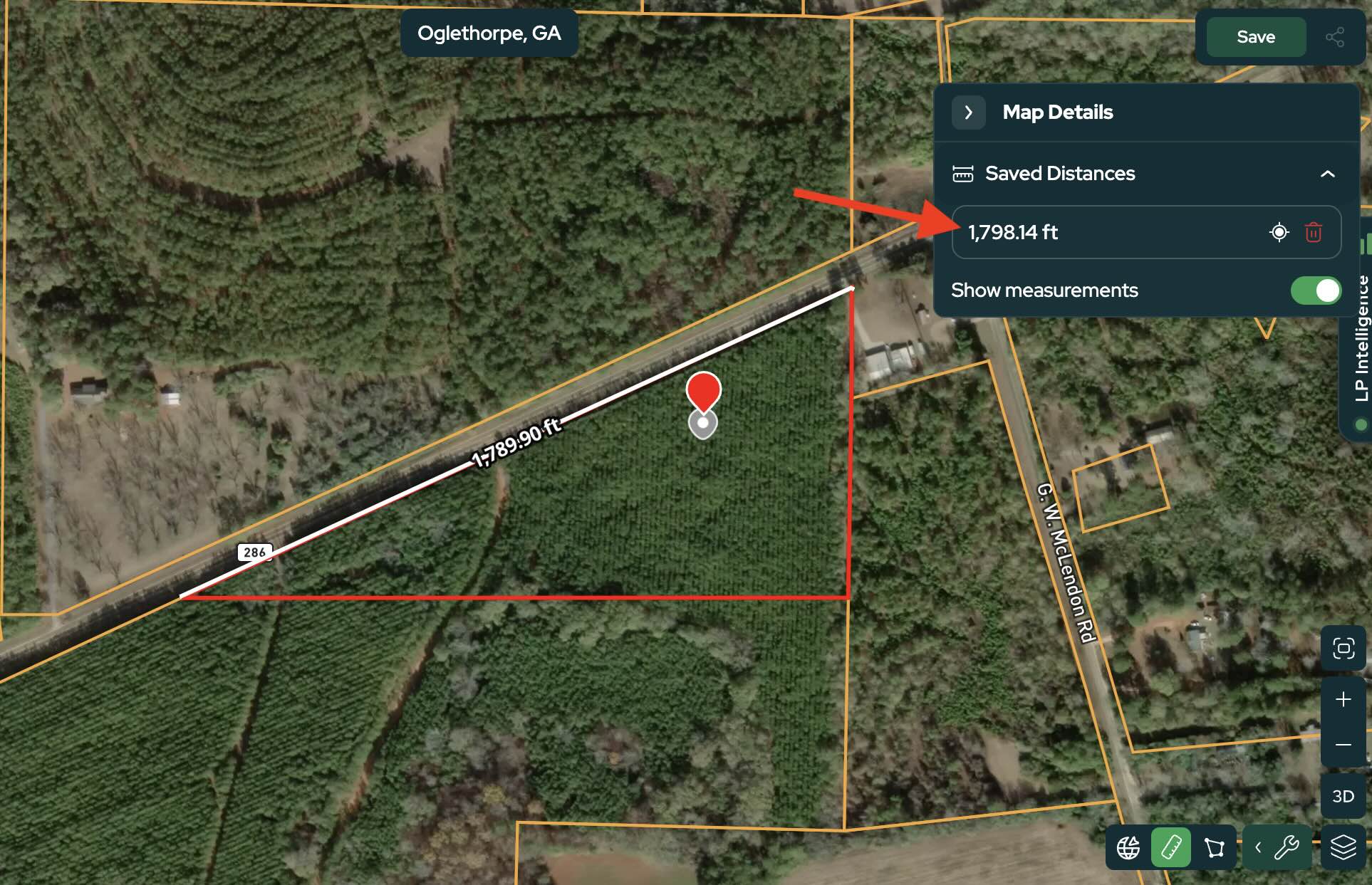
- Click your starting point on the map and drag your cursor to the desired length.
- Press Enter to finish the measurement.
As you place points, Land Portal displays the measurement in real time so you can quickly verify distances.
Using the Polygon Drawing Tool
The Polygon Drawing tool allows you to draw custom parcel shapes while automatically calculating acreage as you move around the property.
This is especially useful for:
- Planning subdivides
- Creating conceptual parcel layouts
- Splitting road frontage evenly
- Estimating acreage before surveying
How It Works
- Open your selected property and choose Polygon Drawing from the bottom-right tool cluster.
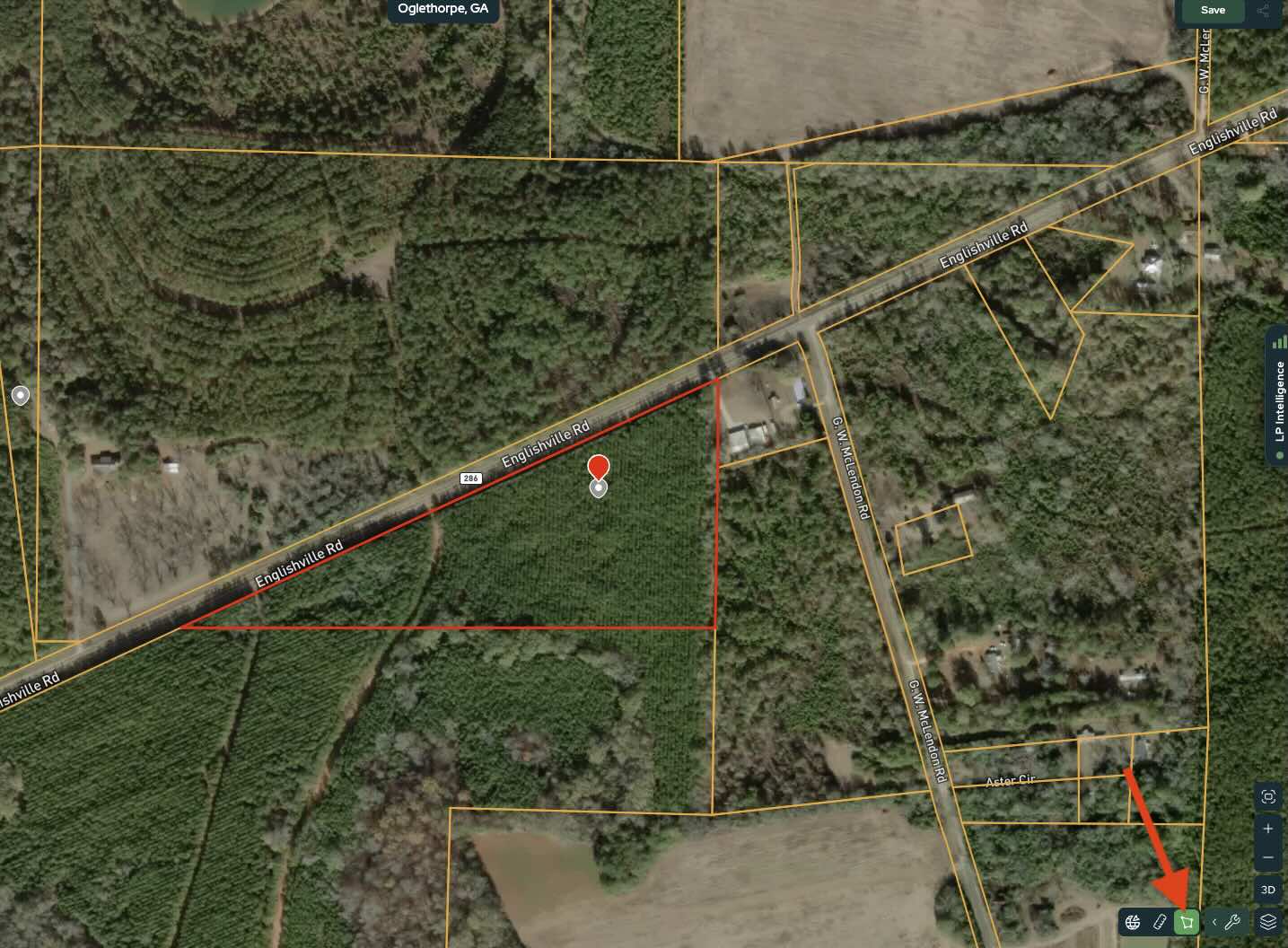
- Click points around the property to draw a shape.
- Press Enter to save the shape.
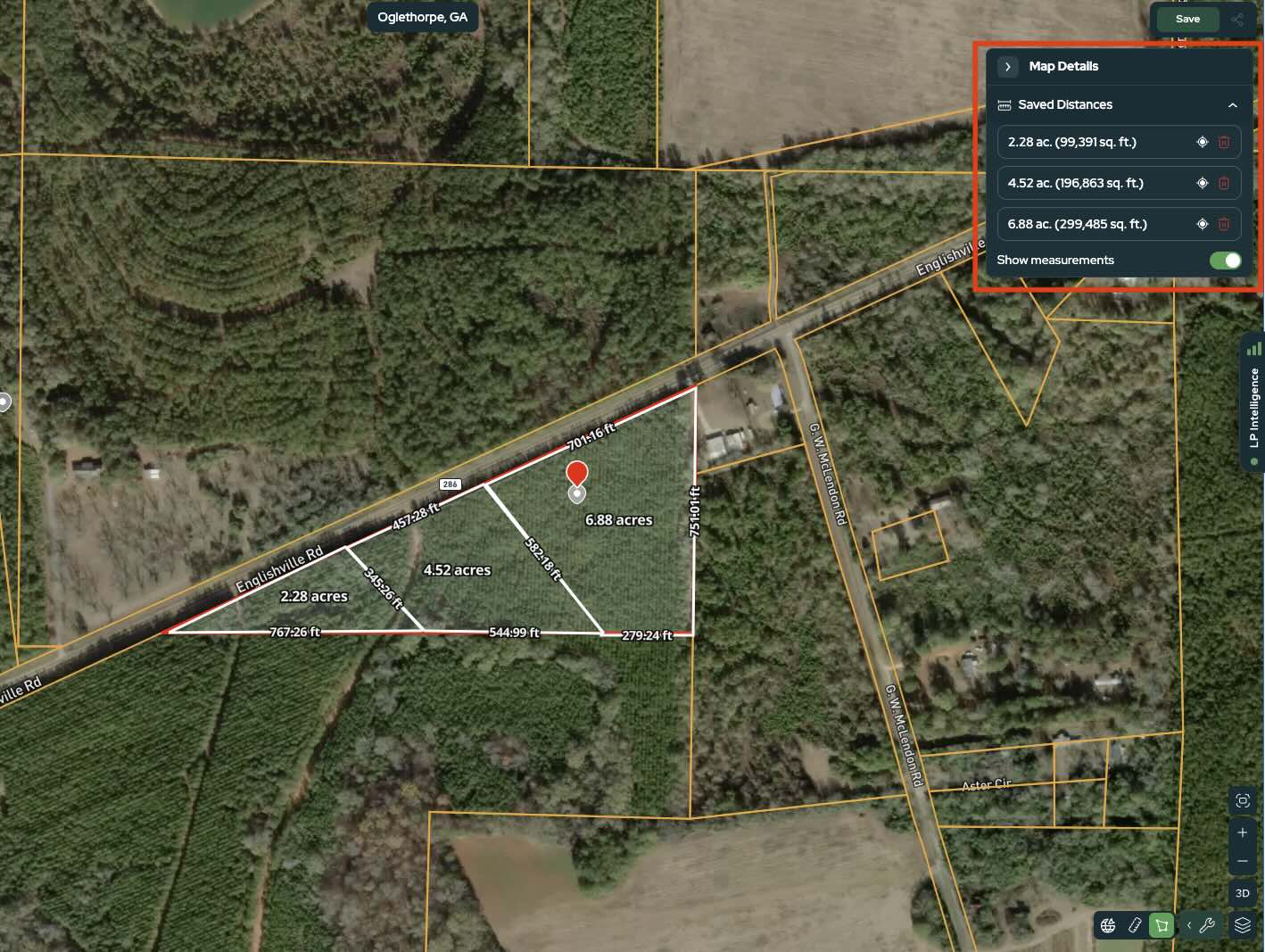
Watch the acreage update live as you move your cursor.
Continue adjusting or adding more shapes until you reach your desired acreage.
One of the biggest advantages of this tool is the live acreage display, which updates in real time while drawing. This allows you to create preliminary parcel layouts for planning subdivides without guessing.
Saving or Sharing Your Layout
After creating your parcel layout, you can:
Save your drawings in a Saved Map to revisit them later.
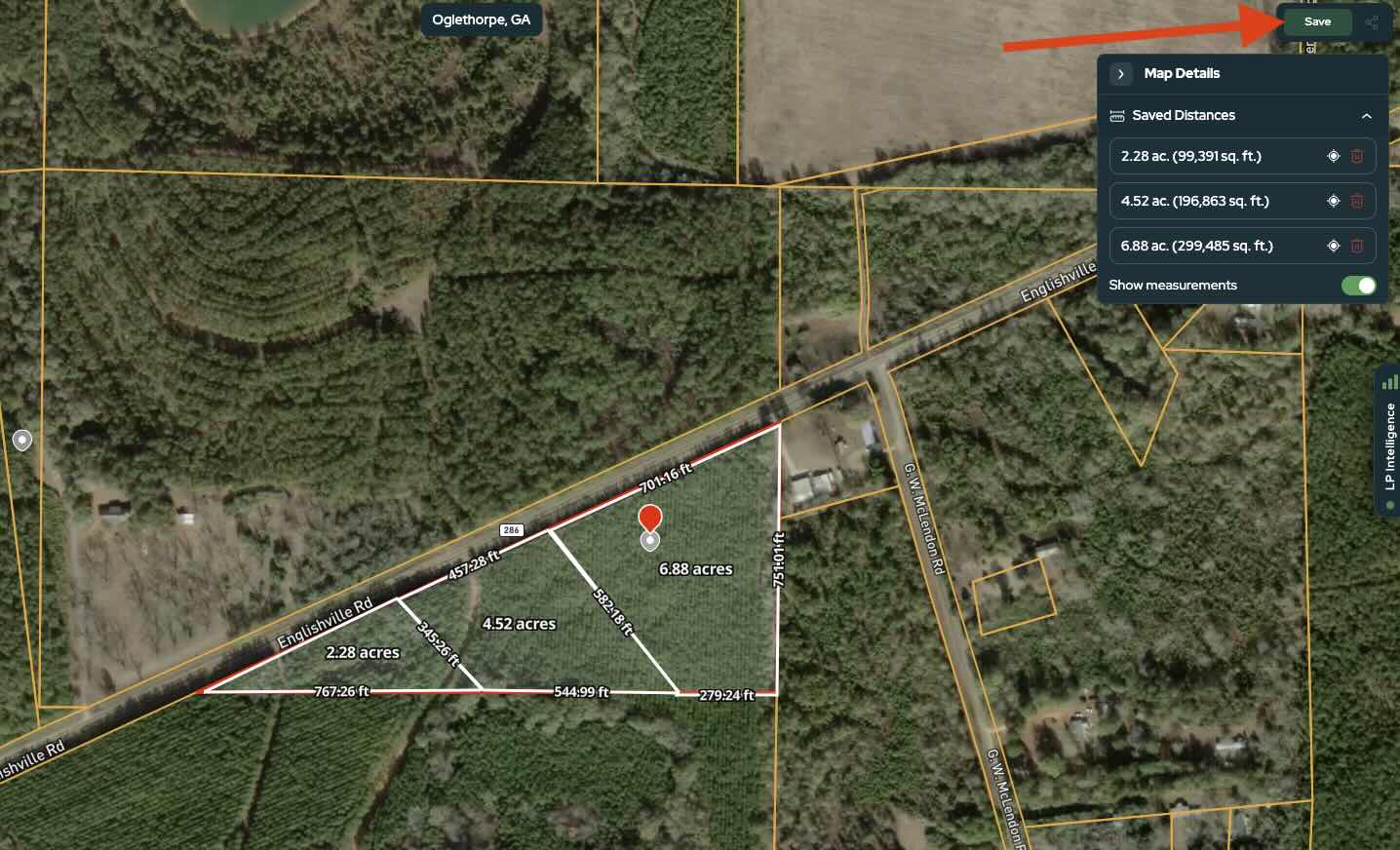
Generate a shareable link to send your layout to buyers, partners, or surveyors.
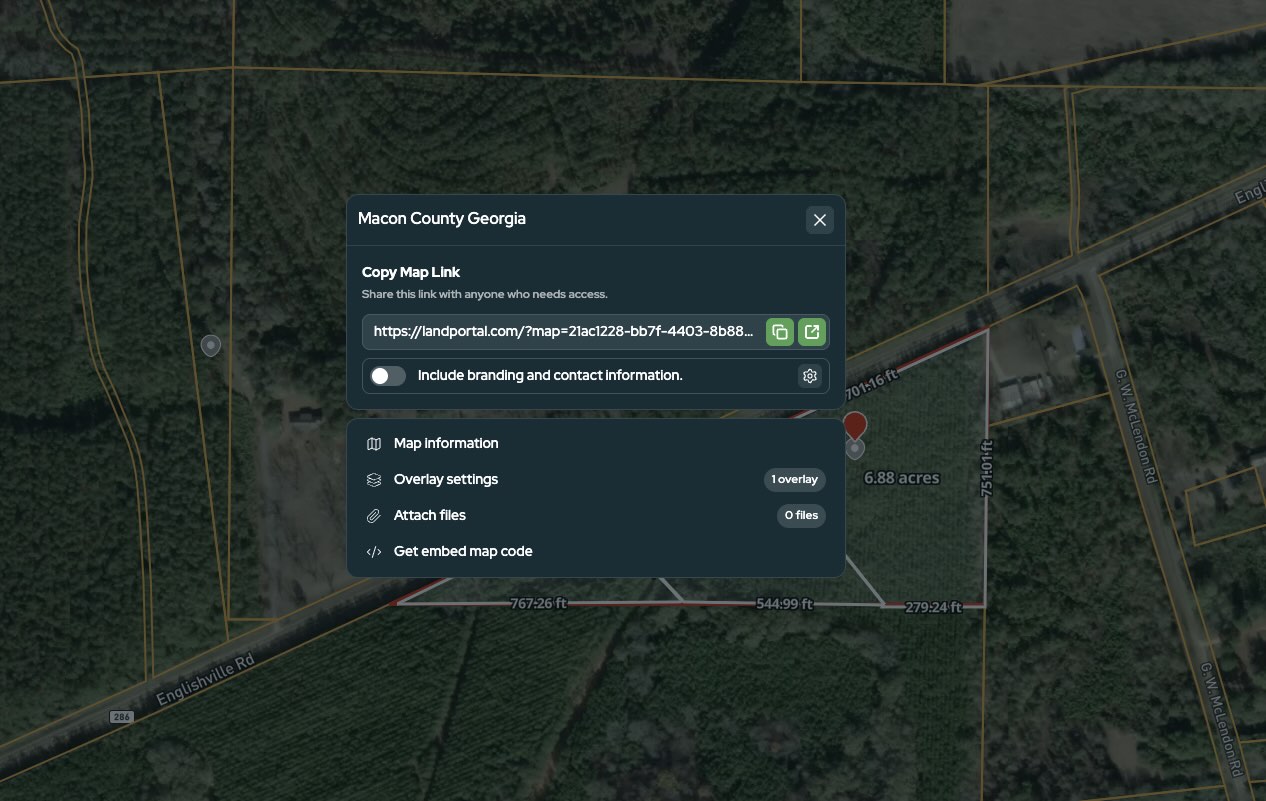
Share subdivision concepts with a realtor or other professionals.
With Saved Maps, you can keep your drawings and property research organized in one place instead of starting over each time.
For more information, check out our How to Use Saved Maps article.
The drawing tools provide a fast way to visualize a subdivide concept before investing in formal survey work.
Tips for Best Results
- Zoom in before drawing for more accurate measurements.
- Use the live acreage display to fine-tune parcel size.
- Combine both tools together for better planning.
- Measure road frontage before splitting to keep lots consistent.
Final Thoughts
The drawing and measurement tools in Land Portal are designed to make property analysis faster and easier. Whether you're checking road frontage, estimating acreage, or planning a future subdivide, these tools give you real-time visual feedback directly on the map.
By combining distance measurements with live acreage calculations, you can quickly test different parcel layouts, compare lot sizes, and create rough concepts before moving into formal surveying or development planning.
Open a property in Land Portal and start experimenting with the drawing tools to see how quickly you can measure, map, and visualize your next deal.