
How to Use the LP Estimate Price Filters
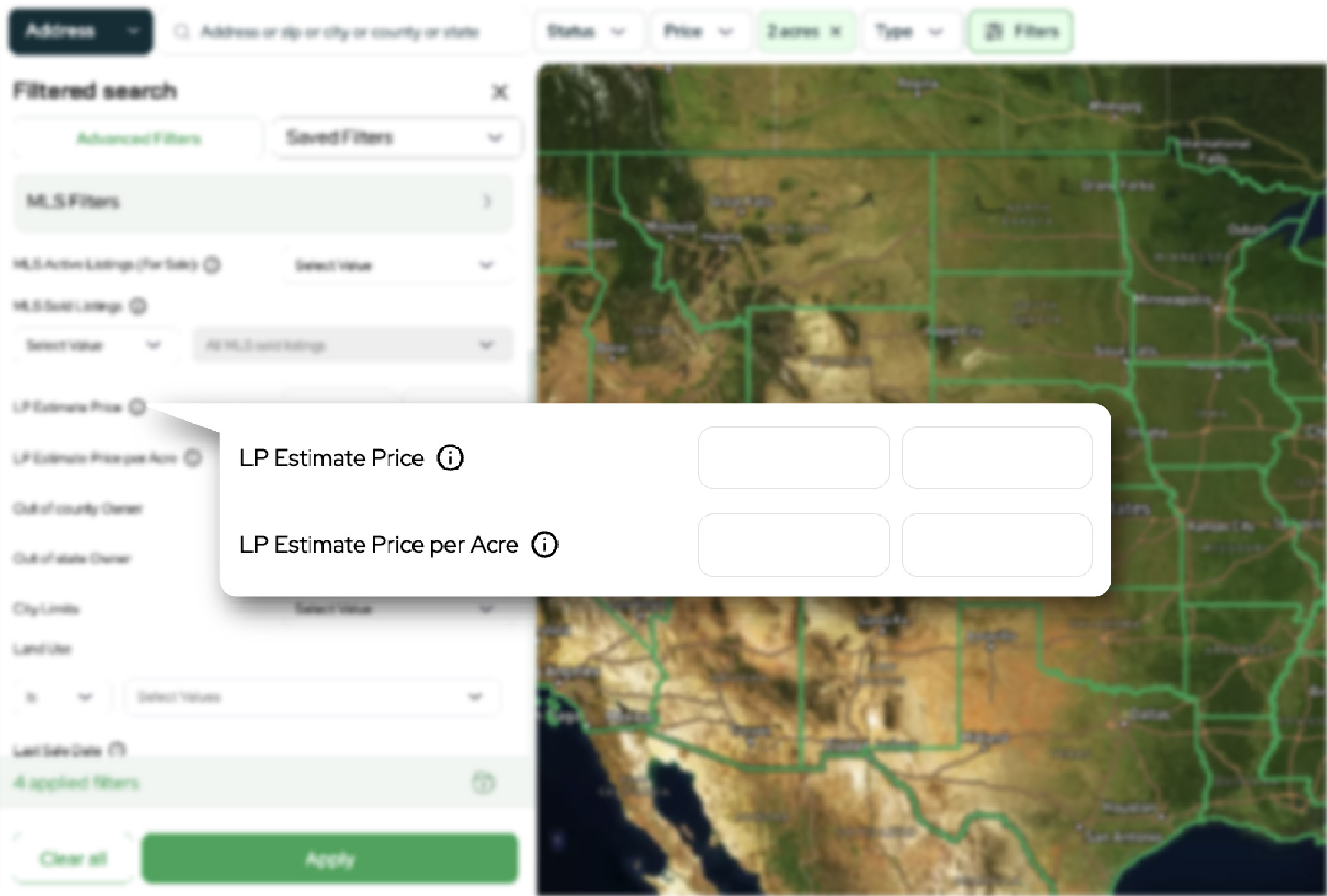
When you’re land investing, speed matters, but accuracy matters even more.
The LP Estimate tools in Land Portal help you quickly narrow down properties by AI estimated value, so you can spend less time sorting through listings and more time reviewing the deals that fit your buying criteria.
Instead of hunting manually through hundreds or thousands of parcels, you can filter for a target value range and instantly focus your search on properties that are more likely to match your budget and strategy.
In the walkthrough below, you’ll learn what LP Estimate Price and LP Estimate Price Per Acre mean, when to use each filter, and how to apply them step by step inside Land Portal.
What is LP Estimate Price?
LP Estimate Price is Land Portal’s AI estimated total value for a property.
The LP Estimate Price filter lets you search for properties that fall within a specific estimated price range, for example, Min twenty thousand dollars and Max sixty thousand dollars.
Why it’s useful:
- Quickly aligns your search with your budget or resale target
- Helps you avoid spending time on properties that are far outside your price range
- Works well when paired with acreage, county, owner, and land use filters to tighten your buy box
Pro-tip: LP Estimate is a starting point for deal analysis, not a guaranteed market value or appraisal. Always verify using comps, local market knowledge, and due diligence.
What is LP Estimate Price Per Acre?
LP Estimate Price Per Acre, also called PPA, is the AI estimated value per acre for a property. This is especially helpful because total price can be misleading when acreage varies.
Why it’s useful:
- Makes it easier to compare parcels of different sizes using a consistent metric
- Helps you find value pockets where price per acre looks favorable
- Useful in markets where land is commonly evaluated on a per acre basis
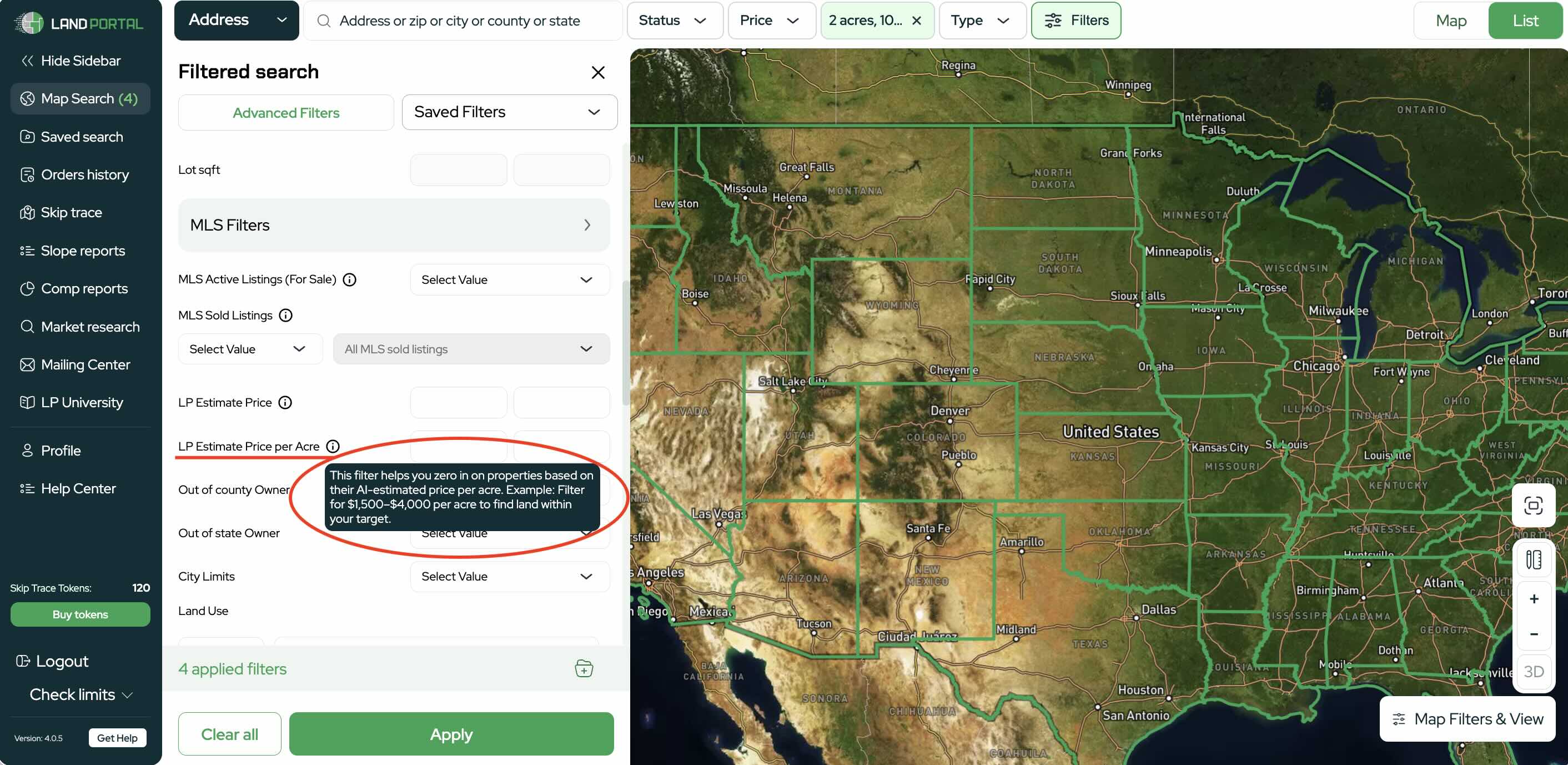
Example use case, you want to find properties estimated around one thousand five hundred to four thousand dollars per acre, regardless of whether the parcel is two acres or twenty acres.
Step by step walkthrough
- Log in to Land Portal & open the Map Search
From the left sidebar, click Map Search to begin filtering for land opportunities.

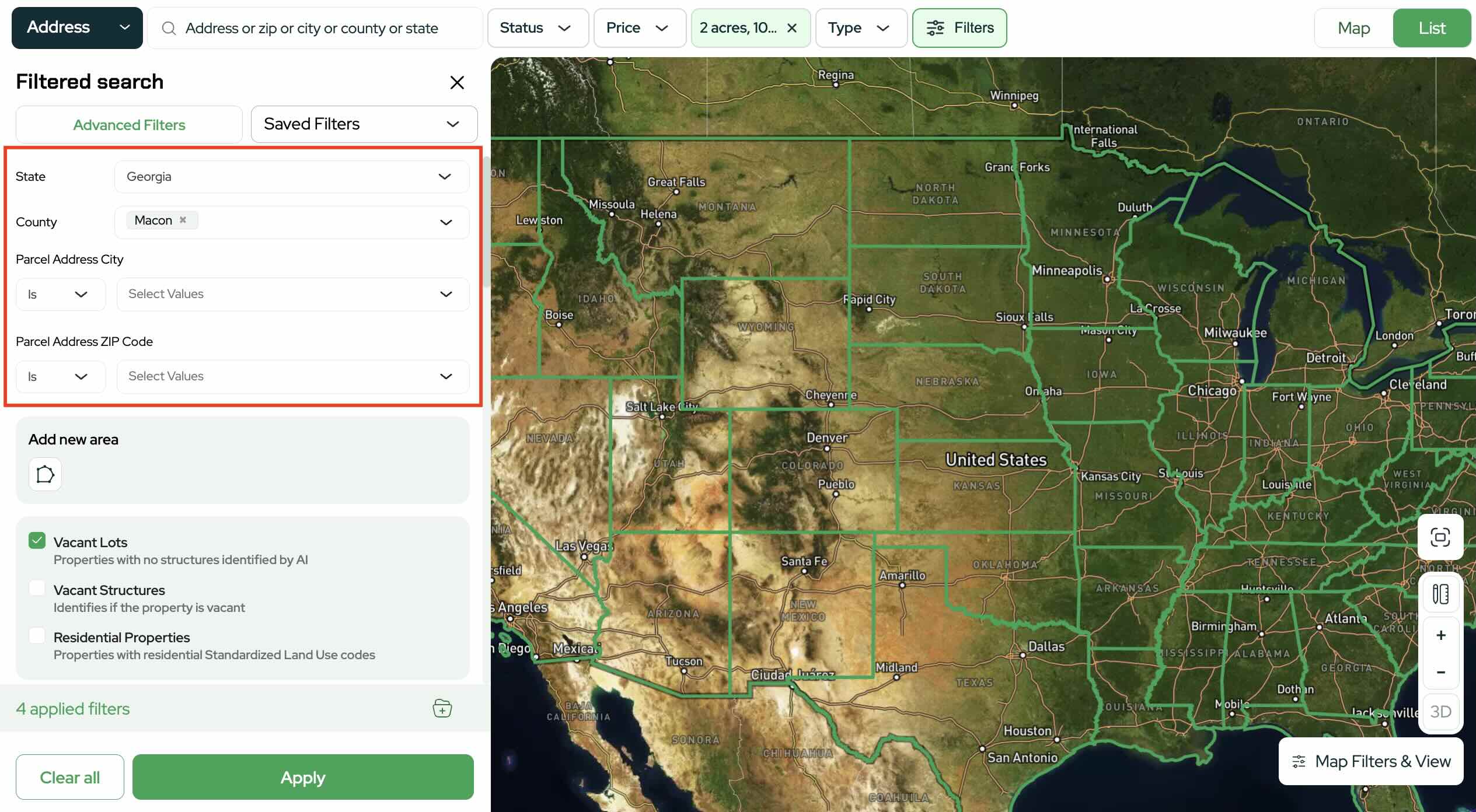
- Choose your search area
Use the location filters to choose where you want to search, such as:
- State
- County
- City/ZIP (optional, if applicable)
Estimates are most effective when focused on a specific market.
- Add additional filters
Choose the criteria that match what you’re looking for. For this example, you might set:
- Acreage range (your preferred lot size)
- Property type: Vacant Land
- Any other filters you want (price range, status, land use, etc.)

- Locate LP Estimate Price Filter
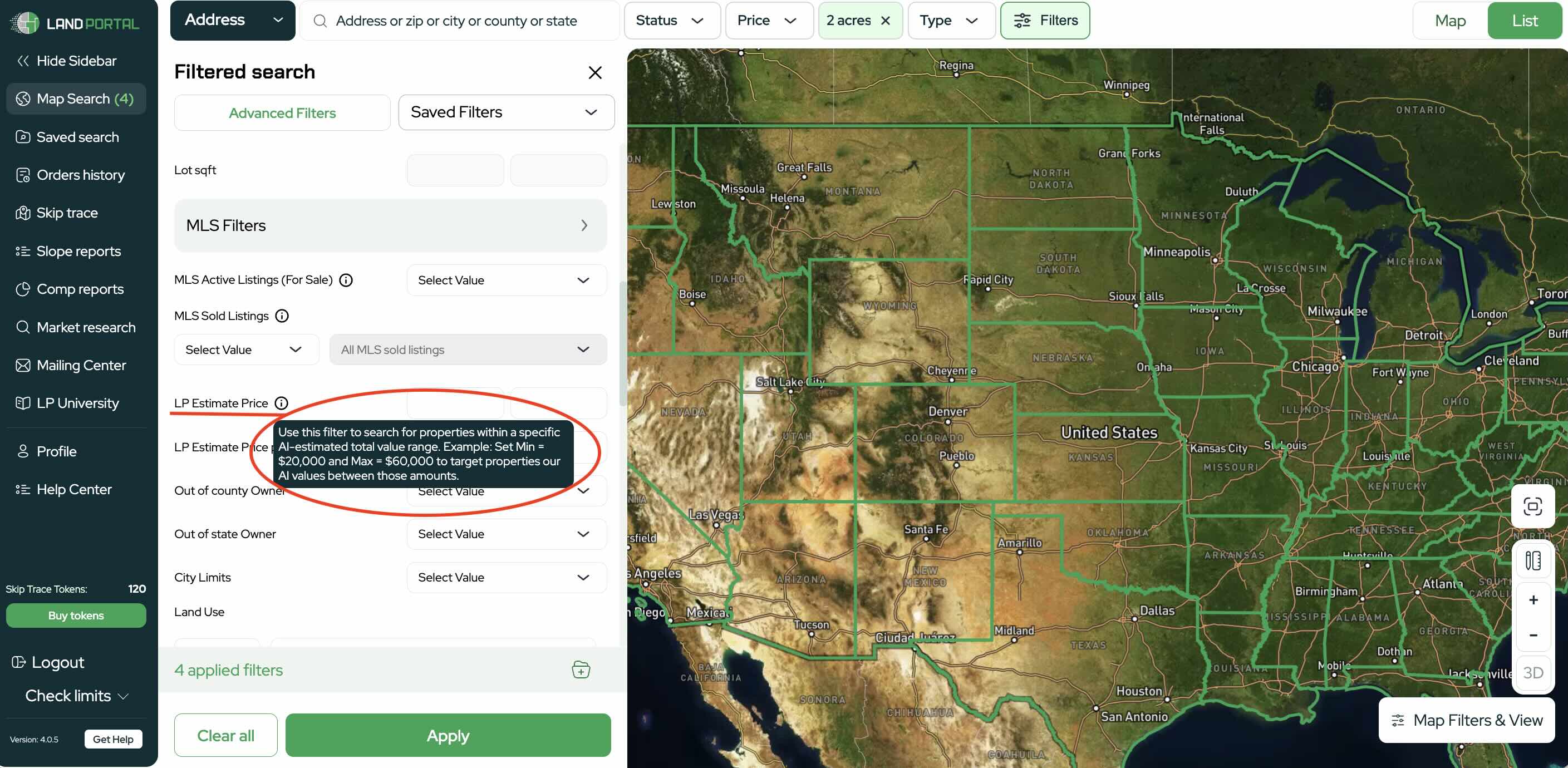
Scroll until you see LP Estimate Price. You can click the info icon next to the filter to review how it works.
Note: Some tools and filters are only available on certain plans. See Plans & Pricing for what’s included in your subscription.
LP Estimate Price:
LP Estimate Price per Acre:
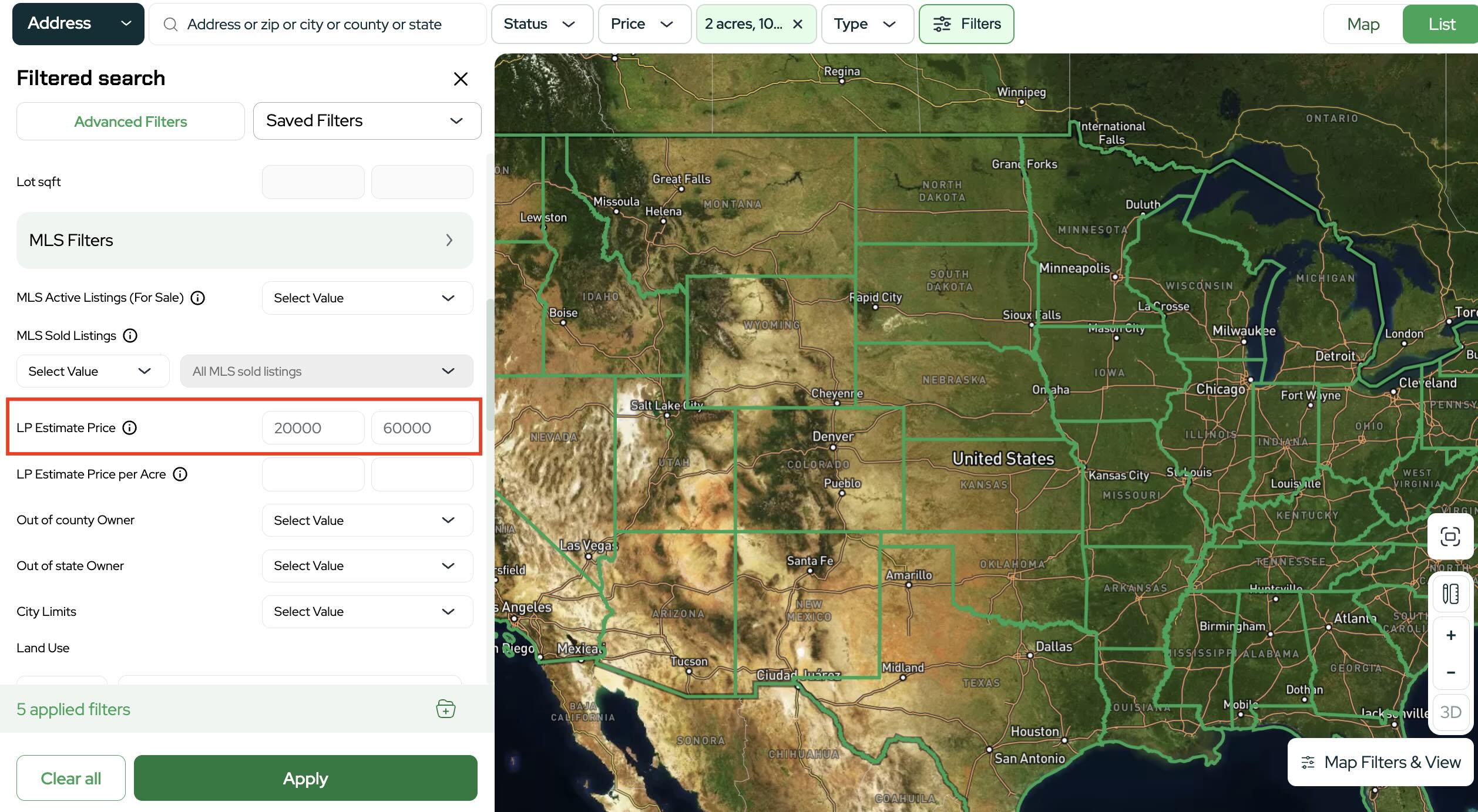
- Enter your minimum and maximum estimated price
Type your target range into the two fields.
- Minimum equals the lowest estimated total value you want
- Maximum equals the highest estimated total value you want
Example: Minimum 20,000, Maximum 60,000.
- Apply the filter
Click Apply to update your results based on the estimated price range you entered.
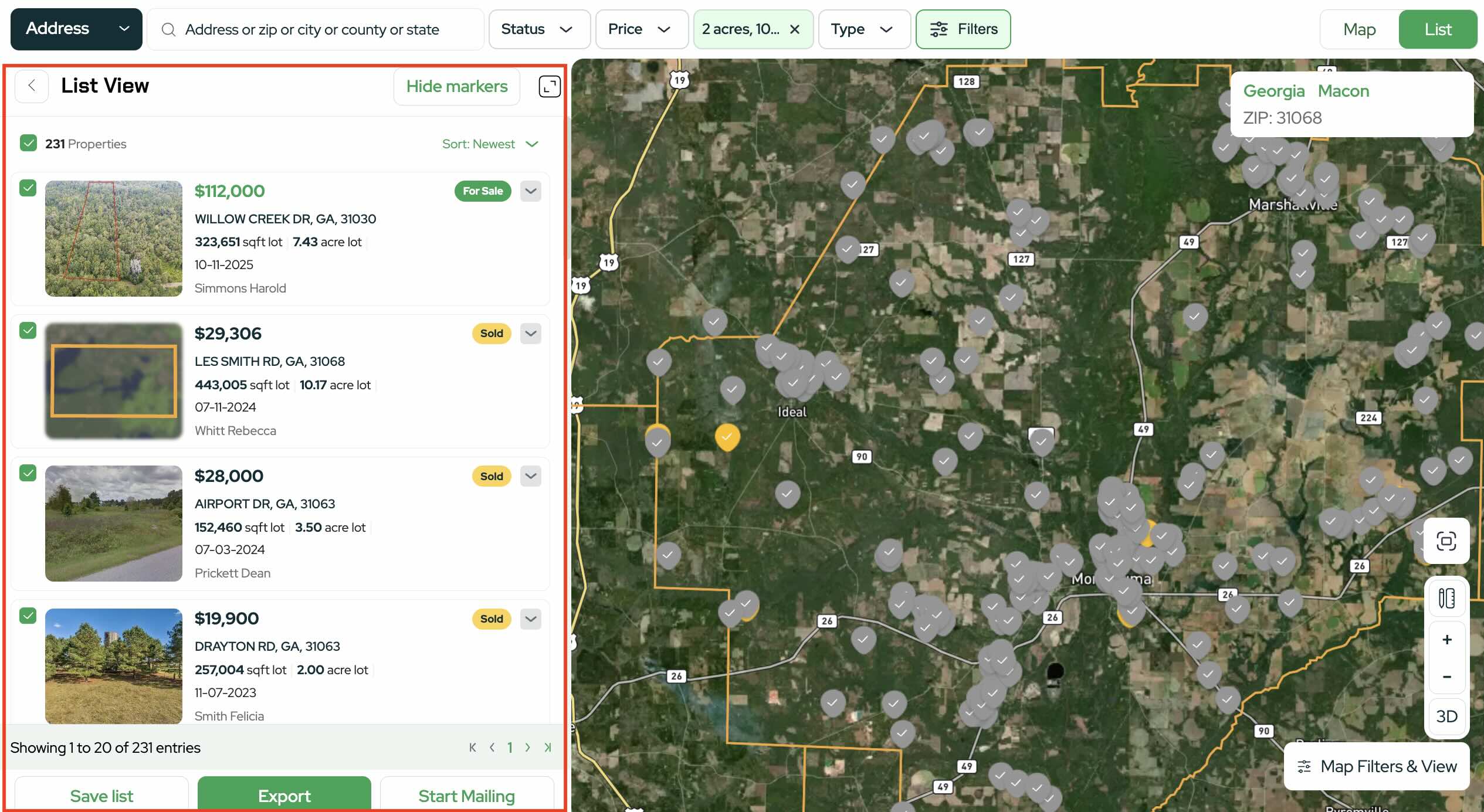
- Review results in Map view or List view
Once the filter is applied, review results in Map view to visualize locations or List view to quickly scan and compare properties.
- Open a property and review the LP Estimate section
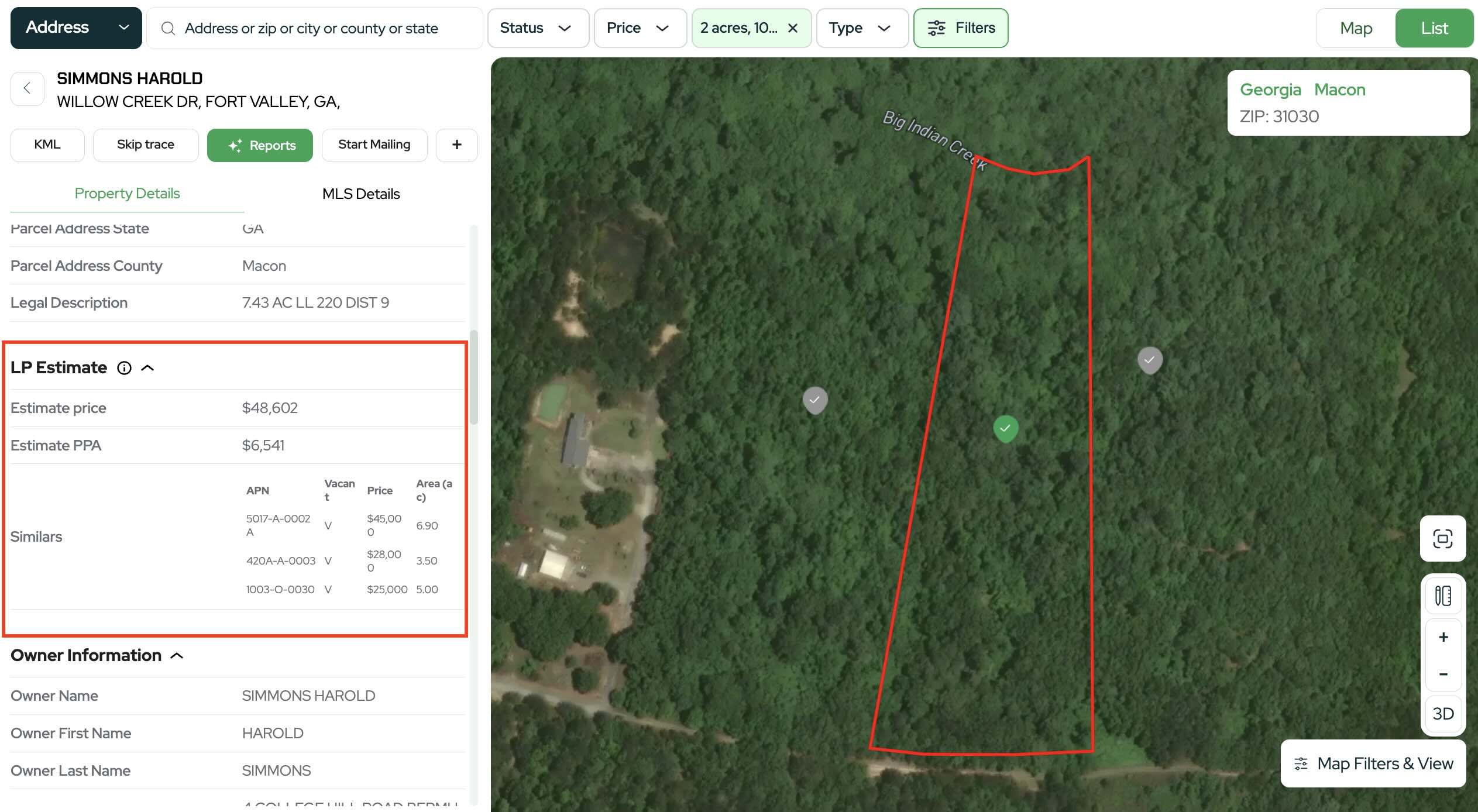
Click a property to open its details. In the LP Estimate section, you may see information for:
- Estimated price
- Estimated price per acre
- Similar properties used to support the estimate
- Use the estimate to guide your due diligence
After identifying a potential deal:
- Compare the estimate with nearby properties
- Review acreage, access, zoning, land use, and terrain
- Confirm your offer price leaves room for profit after costs
How to use LP Estimate Price Per Acre in your strategy
Best times to use Price Per Acre
- When parcels vary widely in size
- When you want to avoid properties that appear cheap overall but are expensive per acre
- When you follow a strict per acre buying strategy
Recommended approach
- Apply an acreage filter first, such as two to ten acres
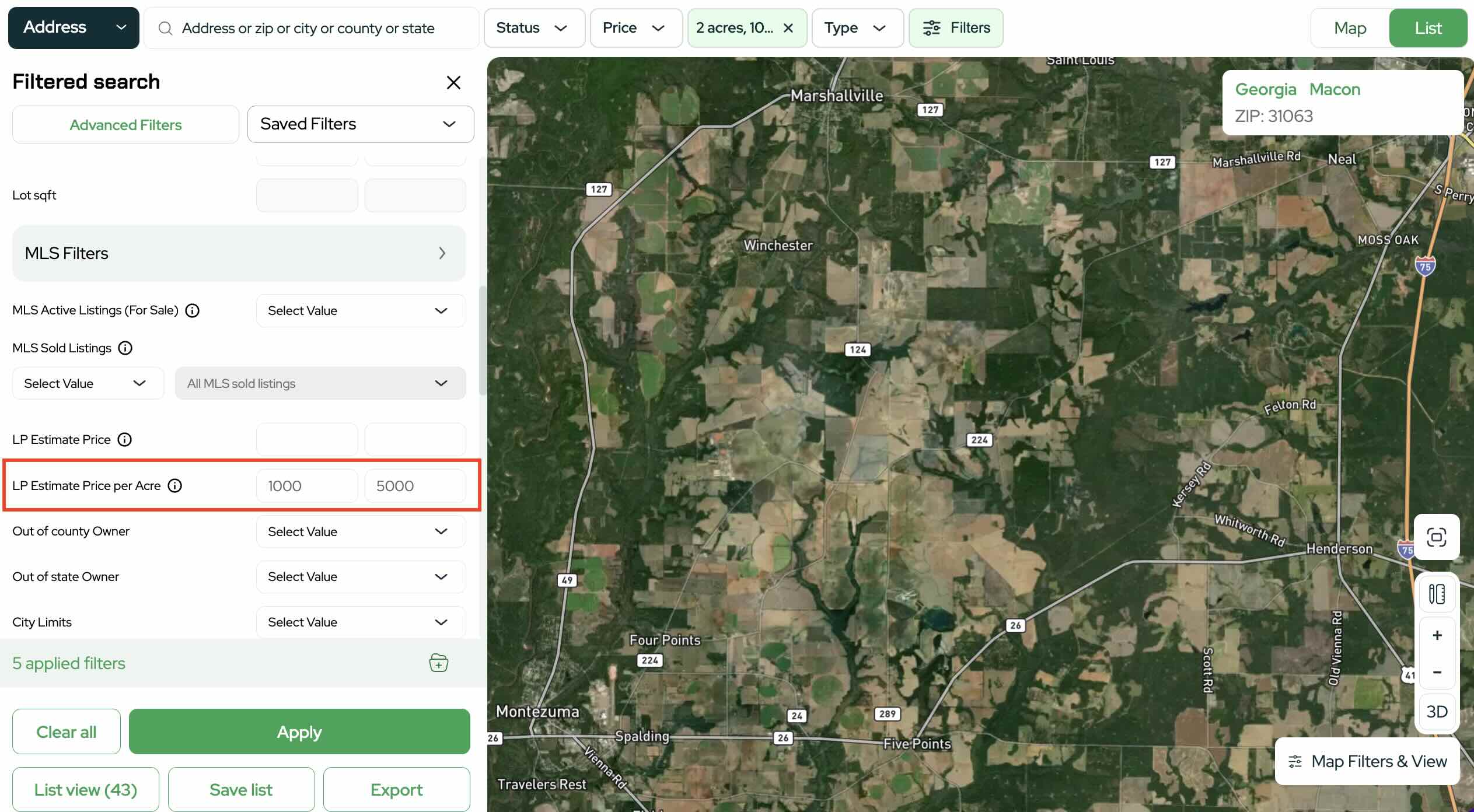
- Set the LP Estimate Price Per Acre filter to your target range (example: $1,000 - $5,000)
- Apply filters and review results in List view for easier comparison
This approach helps prevent situations where a small parcel looks affordable but is overpriced per acre, or a large parcel has a fair per acre value but exceeds your total budget.
Pro tips for better results
- Stack filters intentionally by combining LP Estimate filters with acreage, land use, owner, or city limits
- Start with a wider price range, then narrow it as you see how the market responds
- Review similar properties inside each listing to check the estimate
- Be aware that some properties may not have an available LP Estimate and may not appear when filters are applied.
Start using LP Estimate filters to find better land deals faster
The LP Estimate Price and LP Estimate Price Per Acre filters are powerful tools designed to help land investors focus on realistic value targets and eliminate wasted time reviewing out of range properties.
Use LP Estimate Price when you want to stay within a total budget and use Price Per Acre when you want consistent comparisons across different parcel sizes.
Log in to Land Portal, open Map Search, and start using LP Estimate Price and LP Estimate Price Per Acre today to find your next land deal with confidence.