
How to Find Land Realtors with the Realtor Dashboard
Finding a realtor is easy. Finding one who actually understands land and is active in the market you’re working in can be much harder.
The Realtor Dashboard inside Land Portal Market Research helps you find realtors based on actual land listing and sales activity. You can compare agents by properties sold, active listings, sales volume, days on market, and recent activity to quickly identify realtors with experience in your target market.
Instead of relying on referrals or searching through realtor profiles one by one, you can use real market data to narrow down your options and find agents worth contacting.
Step by step walkthrough
- Login to Land Portal
Log in to your Land Portal account.
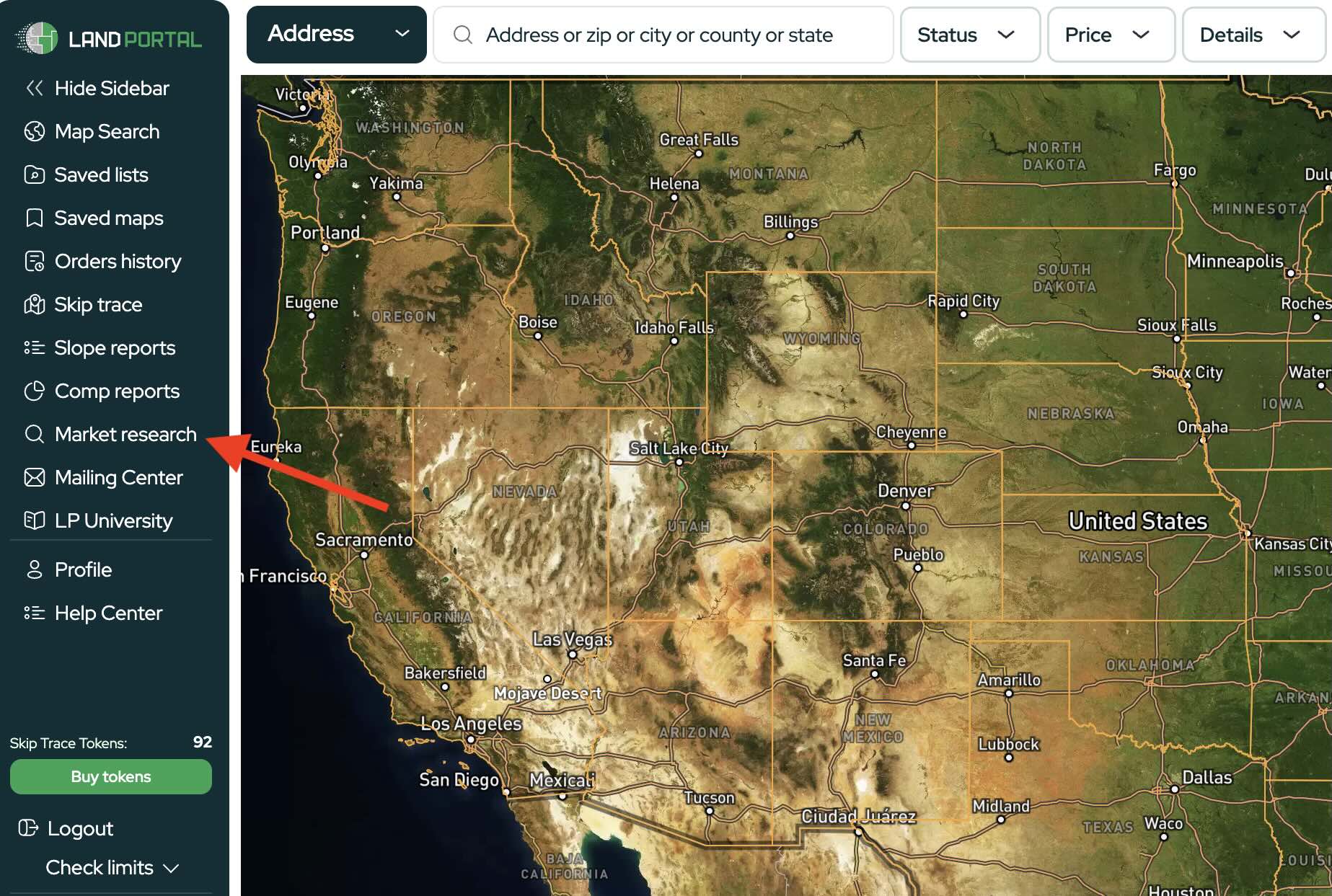
- Open Market Research
From the left-hand menu, click Market Research.
Note: Some tools and filters are only available on certain plans. See Plans & Pricing for what’s included in your subscription.
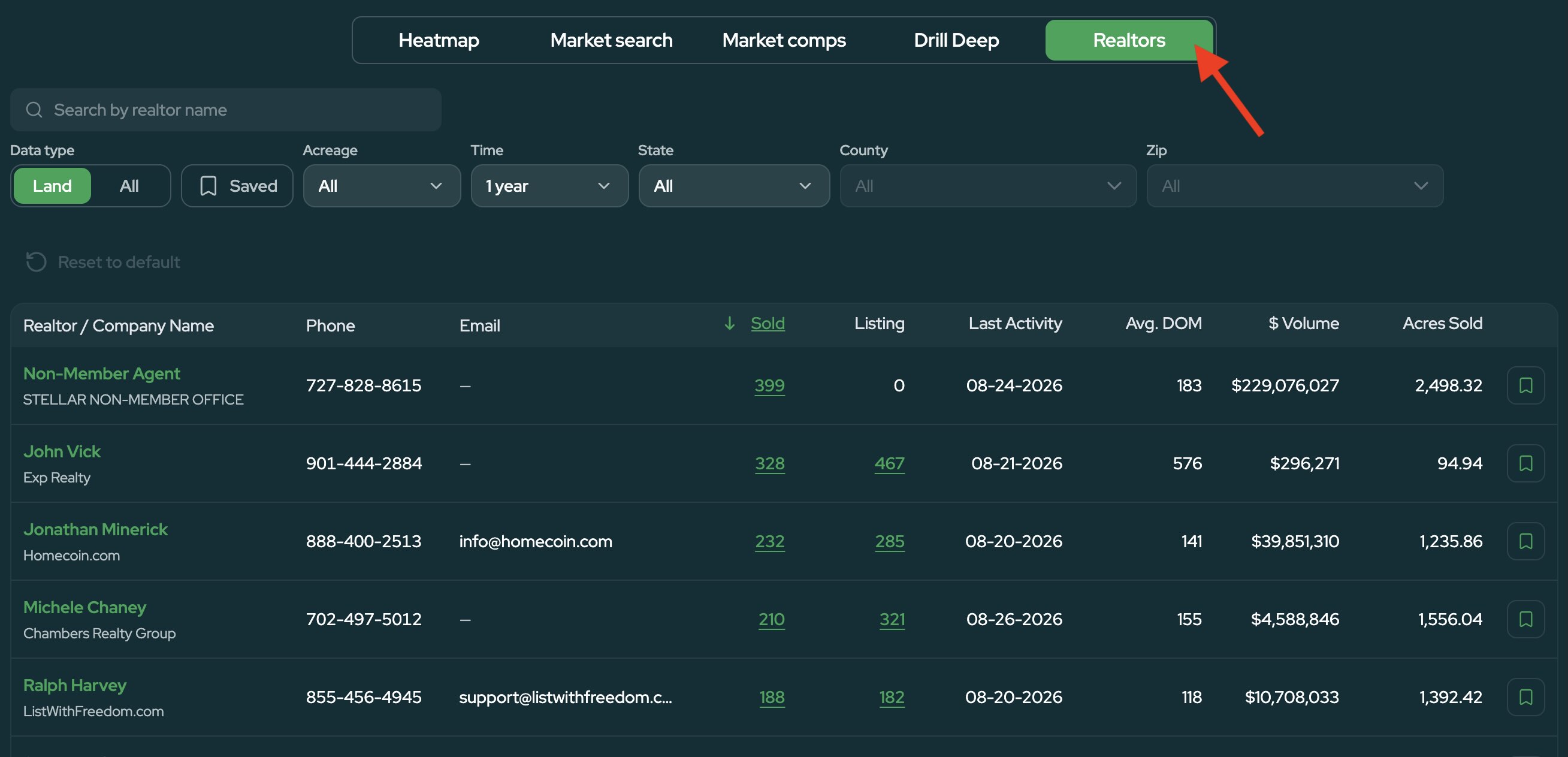
At the top of the Market Research dashboard, select the Realtors tab.
This opens the Realtor Dashboard, where you can research realtors based on their land activity.
- Select Your Market
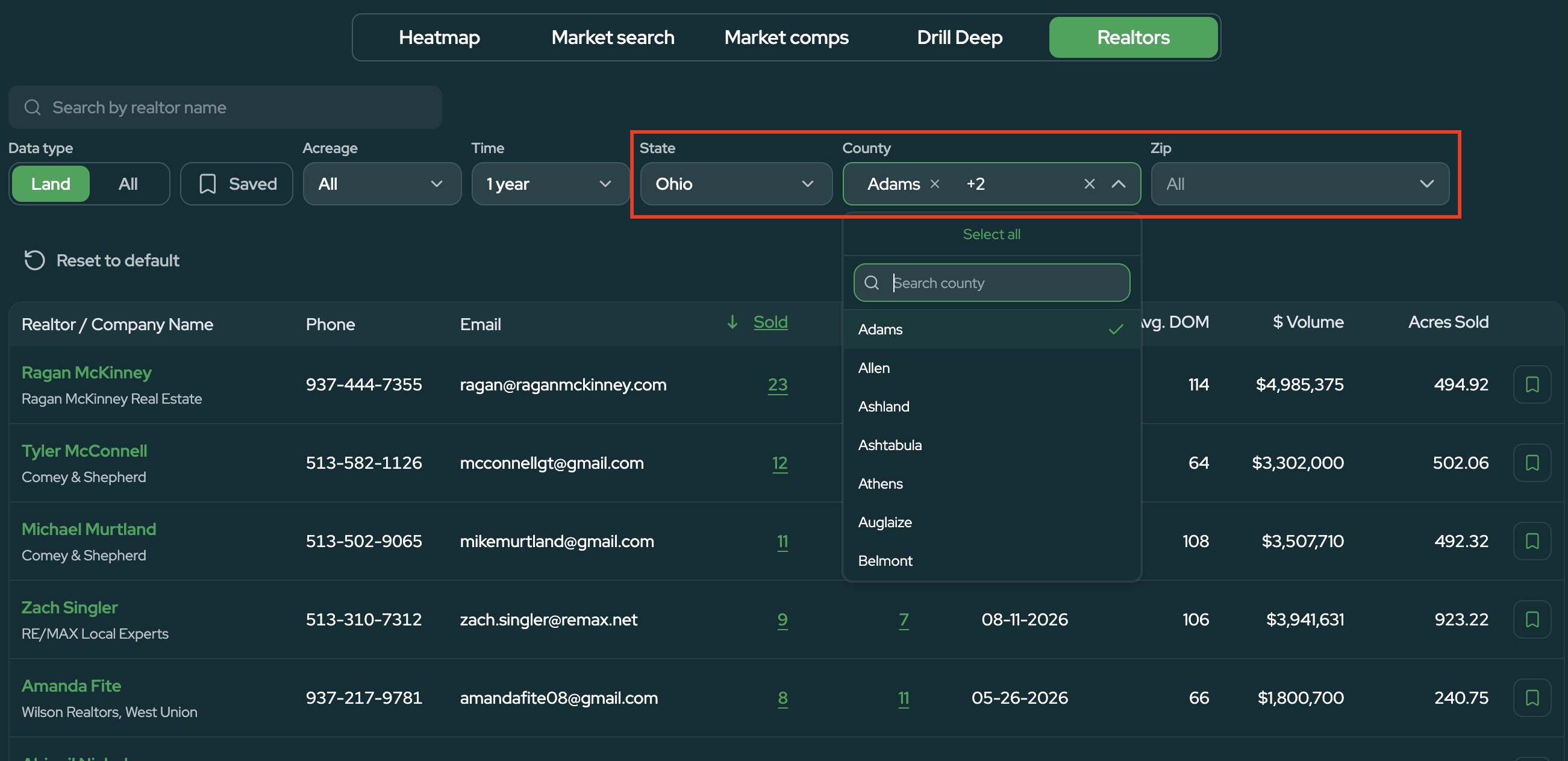
Choose the location you want to research.
You can search by:
- State
- County
- ZIP code
You can also select multiple counties at once. This can be especially useful when researching a broader market since many land realtors work across neighboring counties rather than staying within a single county.
- Adjust Your Search
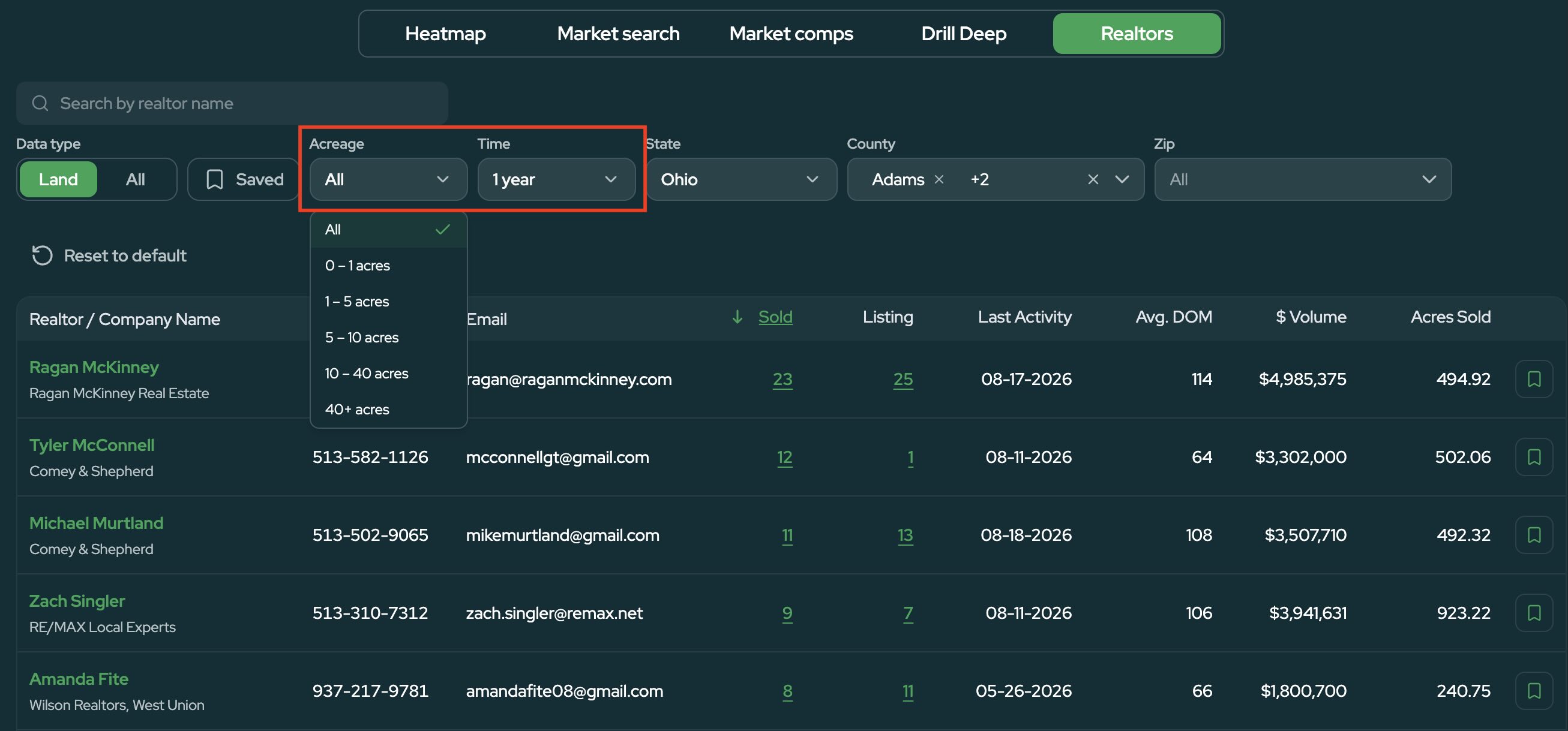
Use the available filters to narrow down the type of realtor activity you want to see.
For example, you can adjust the time frame or filter by acreage if you want to find realtors who have experience selling properties similar in size to yours.
Keeping the acreage range broad can give you a larger picture of the most active land realtors in a market, while narrowing it down can help you find agents with experience selling a specific type of property.
- Compare Realtor Activity
The Realtor Dashboard gives you several data points to help evaluate each realtor, including:
- Properties sold
- Properties currently listed
- Dollar volume
- Average days on market
- Last activity
- Brokerage
- Phone number and email
You can use these metrics together to determine which realtors may be a good fit.
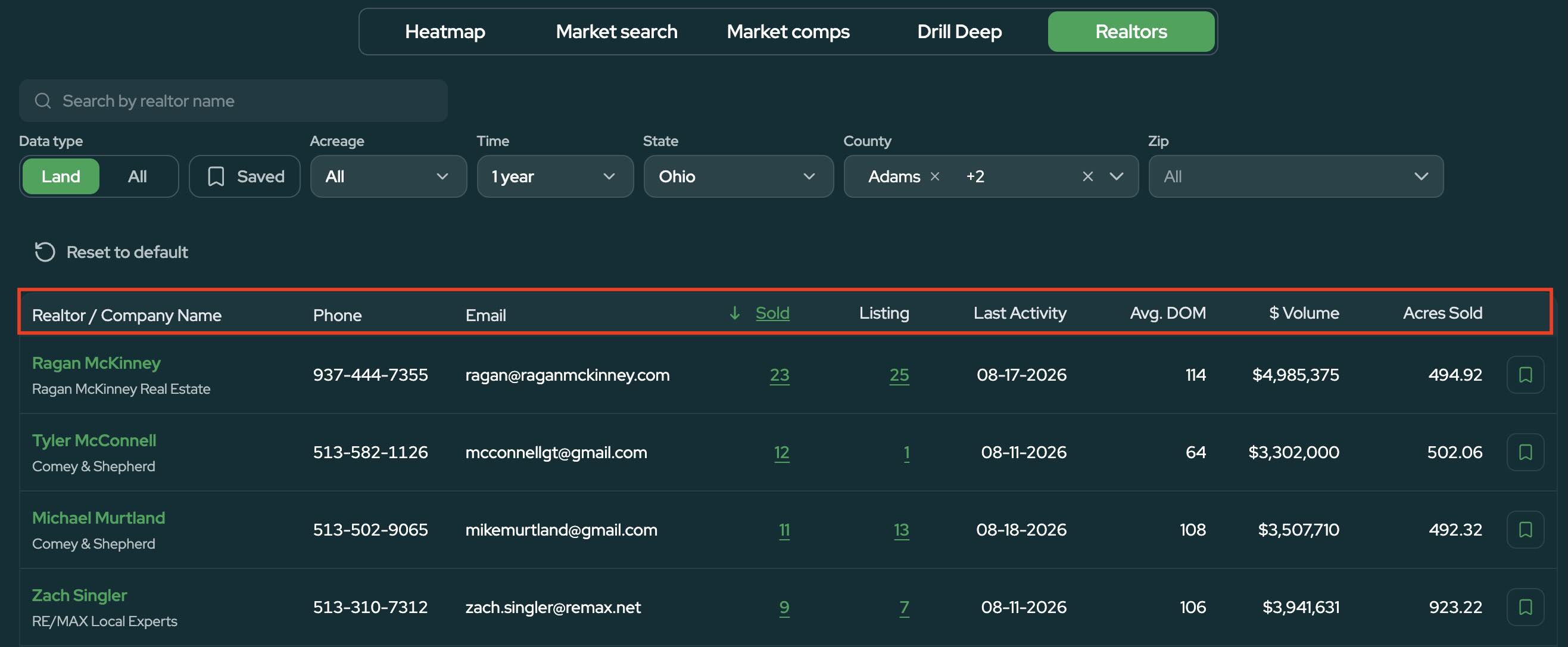
The realtor with the highest sales volume isn't necessarily the only person worth contacting. An agent with fewer transactions may still have strong experience in your market and could potentially provide more attention to your property.
A good approach is to identify several promising realtors and contact them before deciding who you want to work with.
- Review Their Sold and Active Listings
Click the number of sold properties or active listings next to a realtor to see the properties behind their numbers.
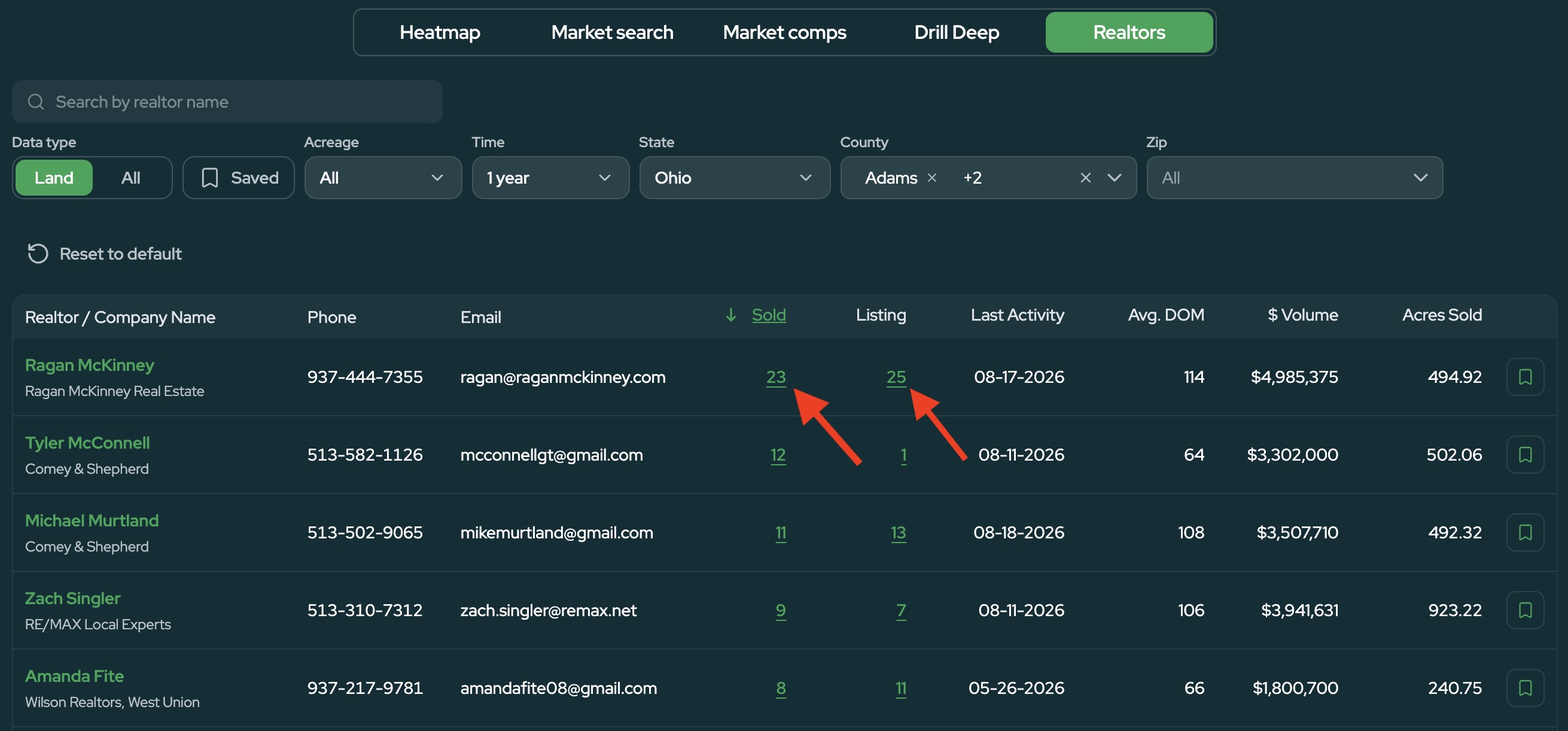
This allows you to dig deeper into the types of land they work with, including details such as acreage, price, location, and sale date.
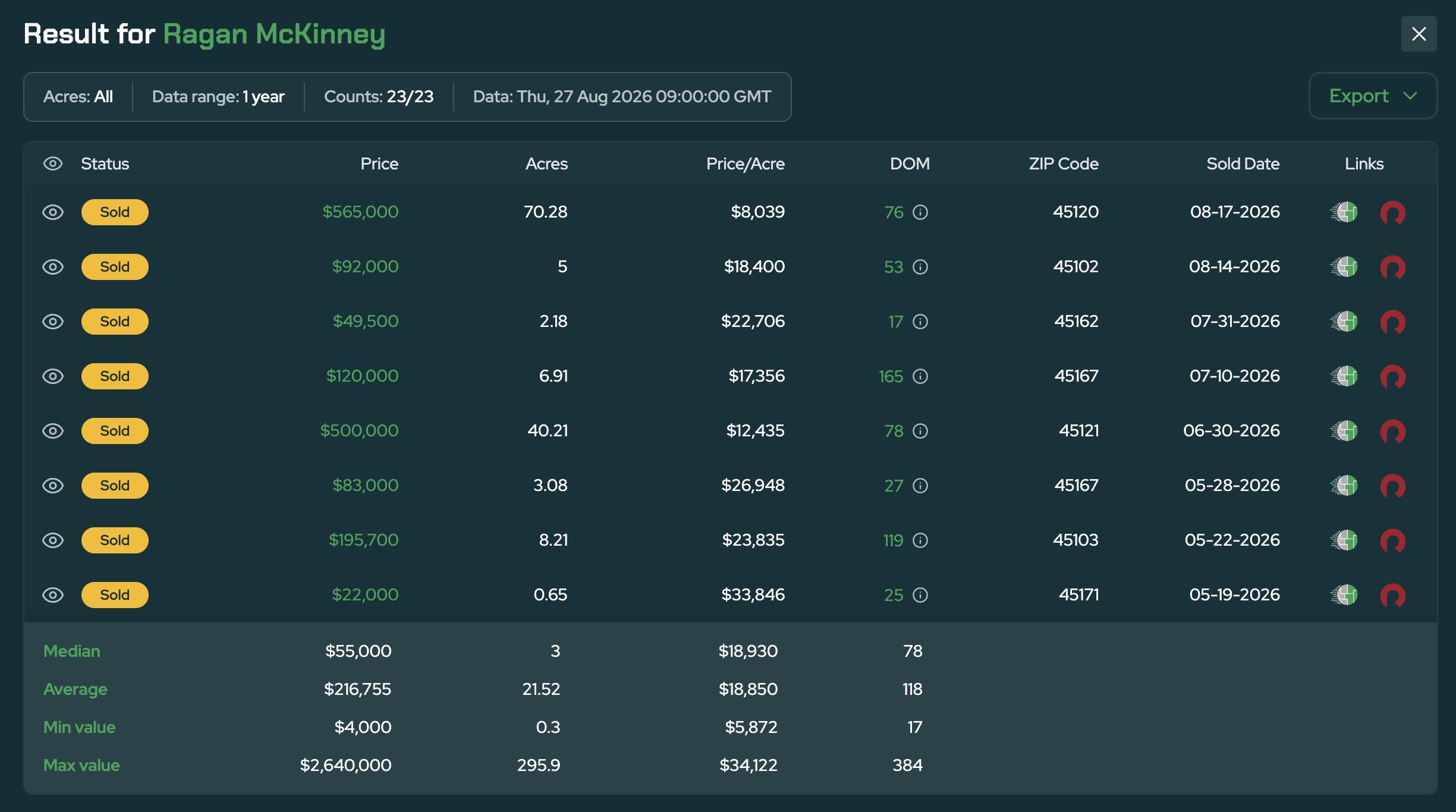
For example, if you're trying to sell a five-acre property, you can quickly see whether a realtor regularly lists or sells properties around that size.
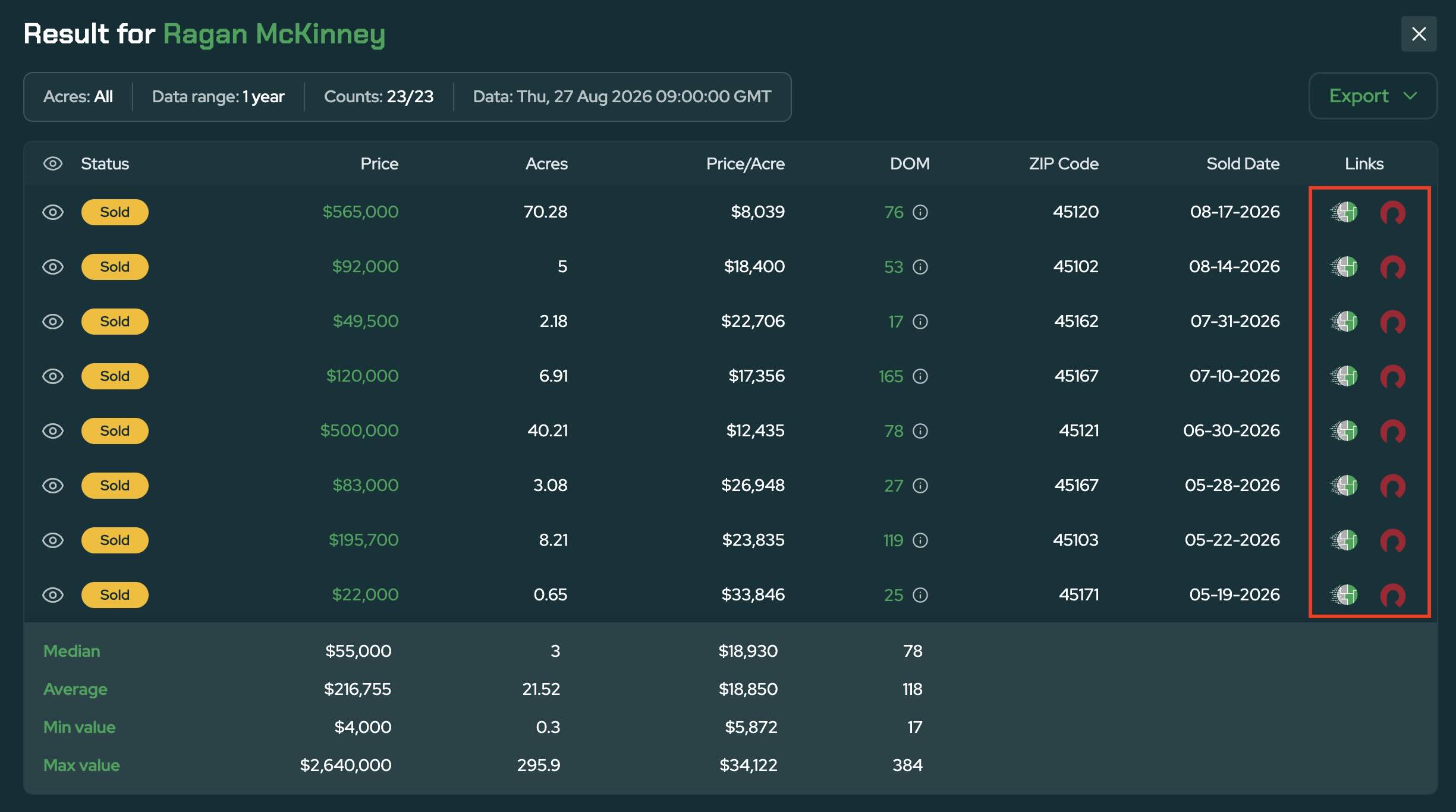
You can also open individual listings on Land Portal or Redfin when you want to review additional listing or property information.
- Check Their Recent Activity
One of the most useful metrics when evaluating a realtor is Last Activity.
This shows you how recently the realtor has listed or sold a property, helping you determine whether they are still actively working in the market.
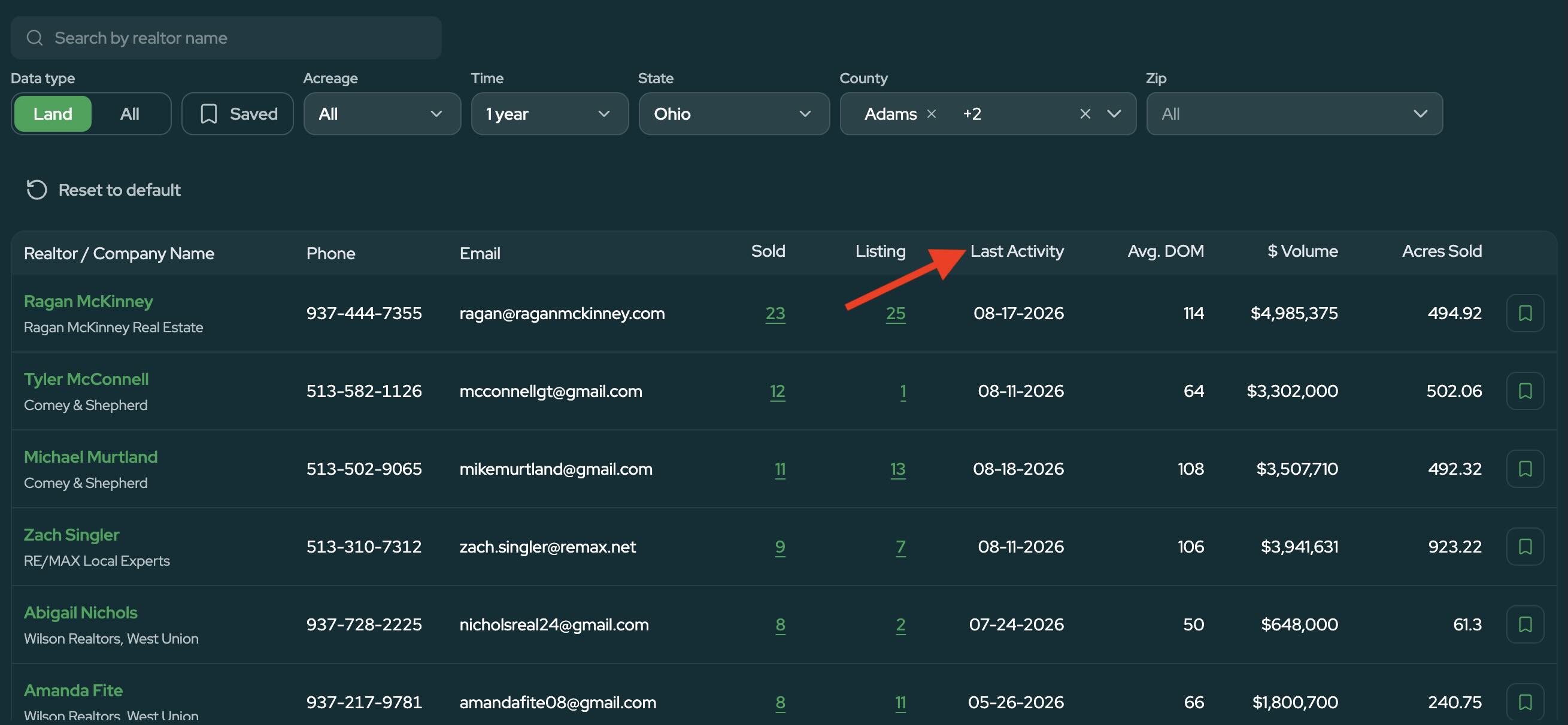
You can also review Average Days on Market to get additional context on how quickly their properties have been selling.
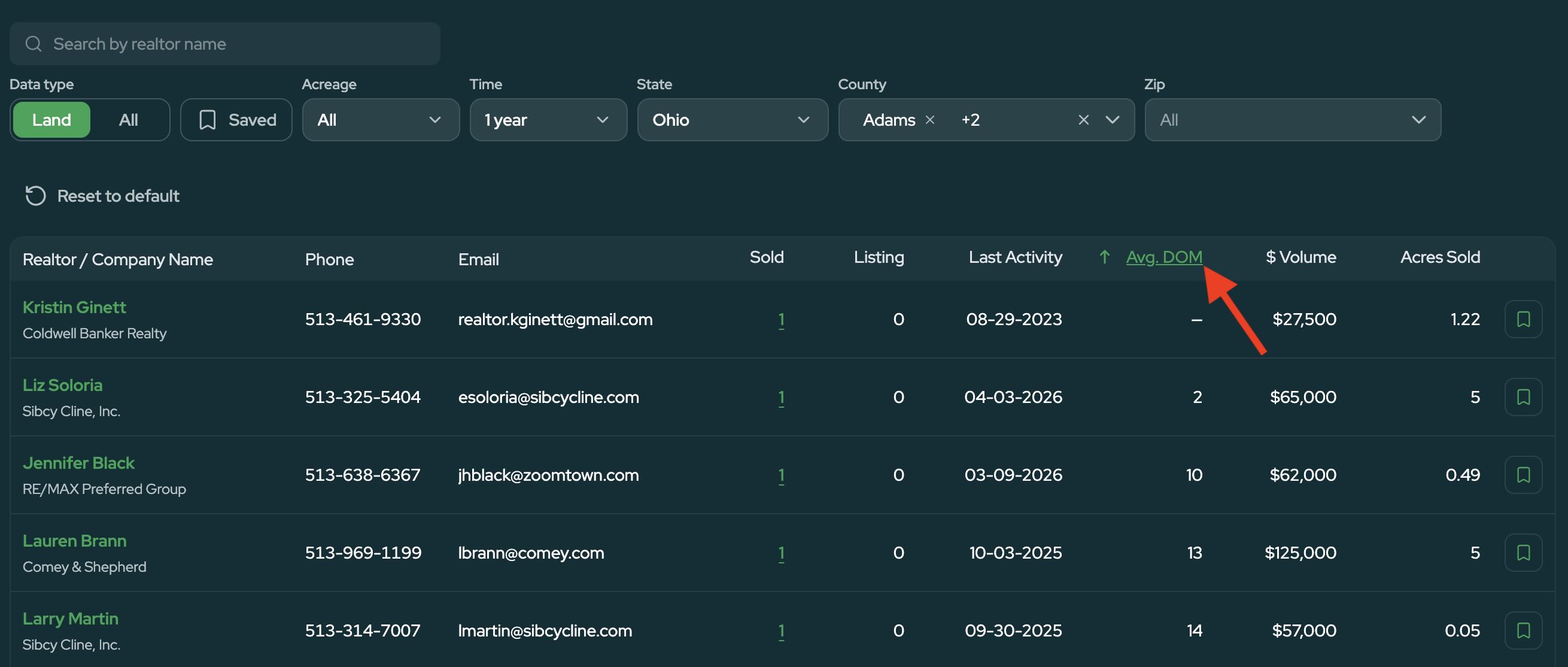
Together, these metrics can help you distinguish between someone who has historically sold land in an area and someone who is actively doing business there today.
-
Explore Their Brokerage
Click a realtor's brokerage to view other agents associated with that brokerage.
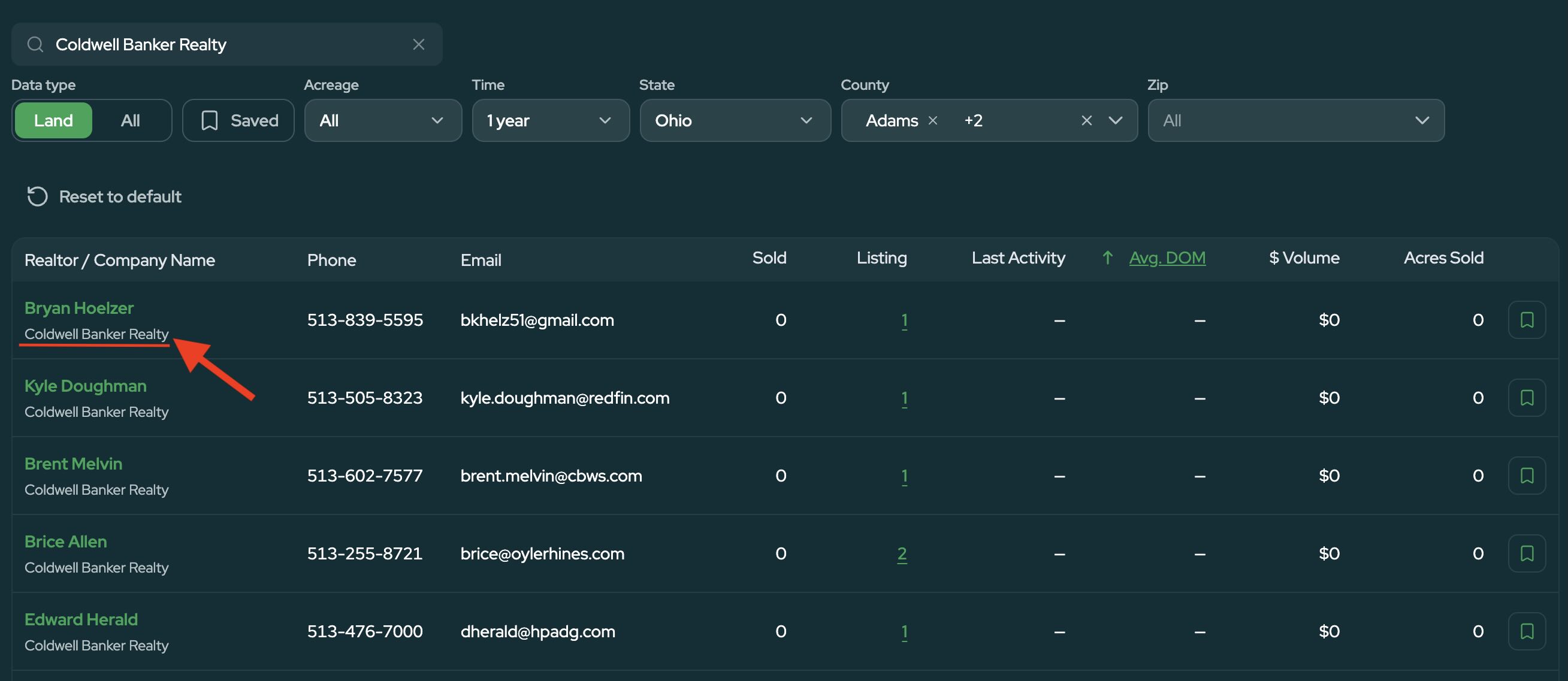
This gives you another way to discover potential realtors in the market, especially if you find a brokerage that handles a significant amount of land in the area.
- Save Realtors for Later
Once you find a realtor you may want to work with, click the Save button.
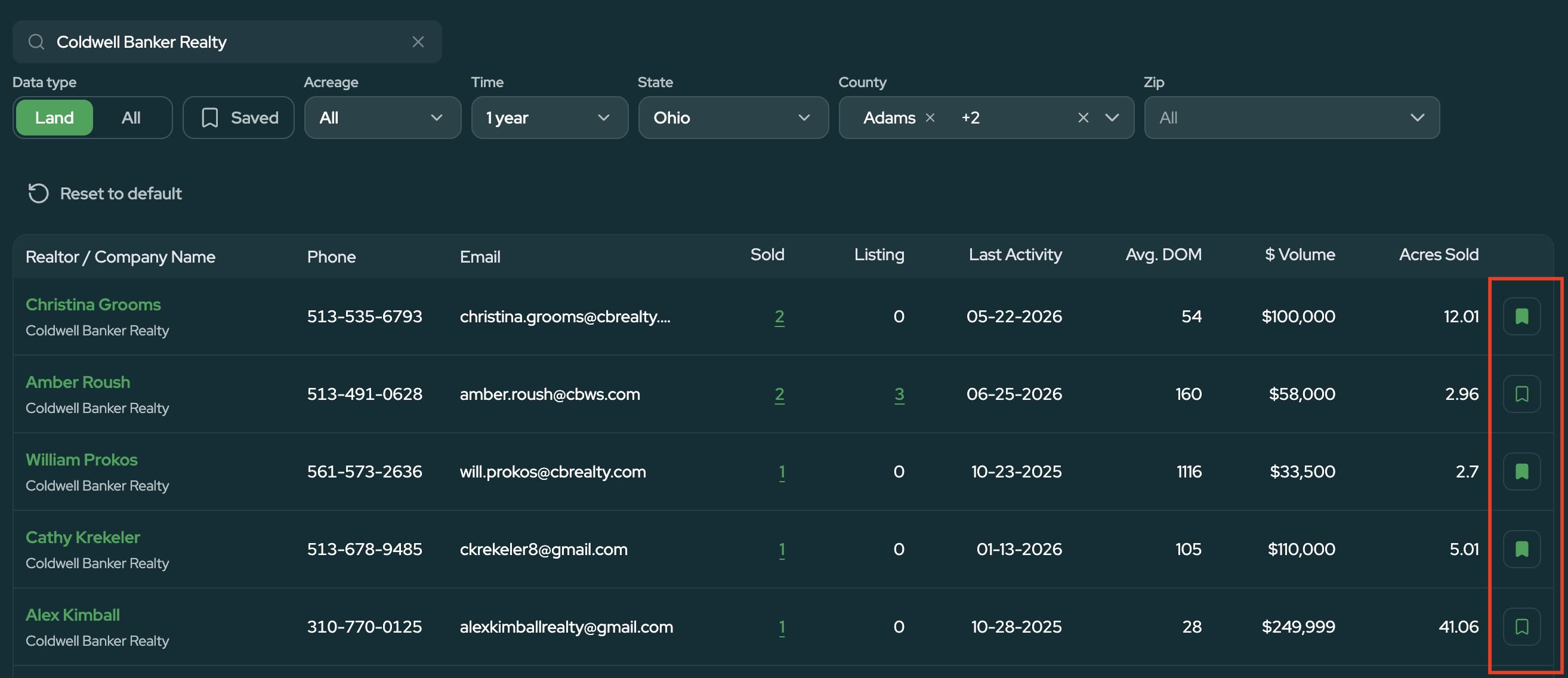
To view your saved realtors, click the bookmark icon near the top of the Realtor Dashboard.
This gives you one place to keep track of realtors you've researched or contacted, so you don't have to remember names or start your search over every time you return to a market.
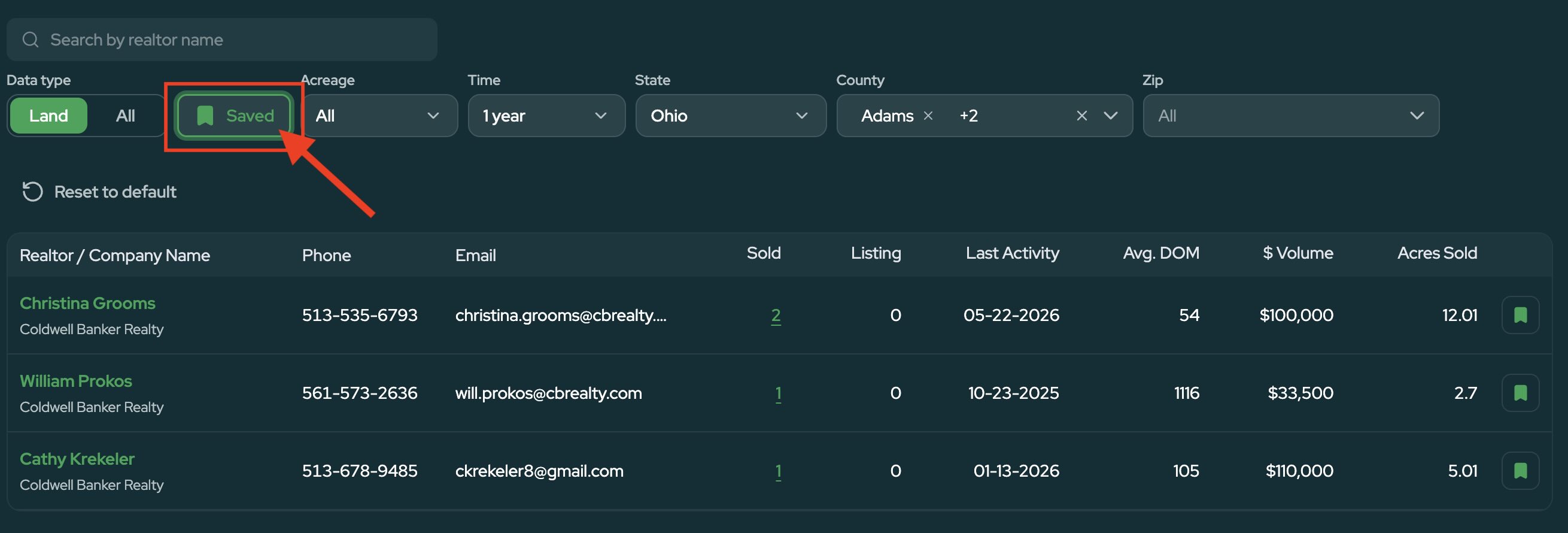
You can also remove a realtor from your saved list by clicking the Save button again.
Find the Right Realtor with Better Data
The Realtor Dashboard gives you a simple way to find land realtors based on what they're actually doing in your market.
By comparing sold properties, active listings, dollar volume, days on market, and recent activity, you can build a shortlist of experienced agents, review the properties they've worked with, and save the best options for later.
Whether you're preparing to list a property or simply building your network in a new market, Land Portal gives you the data you need to start your realtor search with more context.