
Inside the Land Portal Mobile App: Full Feature Breakdown
The Land Portal App puts nationwide property data, investor-grade analysis, and learning tools right in your pocket.
From a single map screen you can search, filter, analyze, and save properties; run AI-powered Comp and Slope Reports; jump into LP University; and manage your profile, all on mobile.
Use this guide to install the app and master each feature, fast.
Step by step walkthrough
- Install & Sign In
Download the app
- iOS (App Store): Click here to download
- Android (Google Play): Click here to download
Open Land Portal and sign in with the same email/password you use on web.
- Get Oriented: The Main Screen (Discover)
When you open the app you’ll land on Discover, the map-first home view.
What you’ll see:
- Search bar (top) with powerful filters
- Mapping filters (bottom-right)
- Map in the center; pinch to zoom until properties appear
- Bottom navigation:
- Discover – main map screen
- Favorites – properties you’ve saved
- AI Reports – your Comp & Slope Reports
- LP University – forum, software updates, and courses
- More – profile & app settings
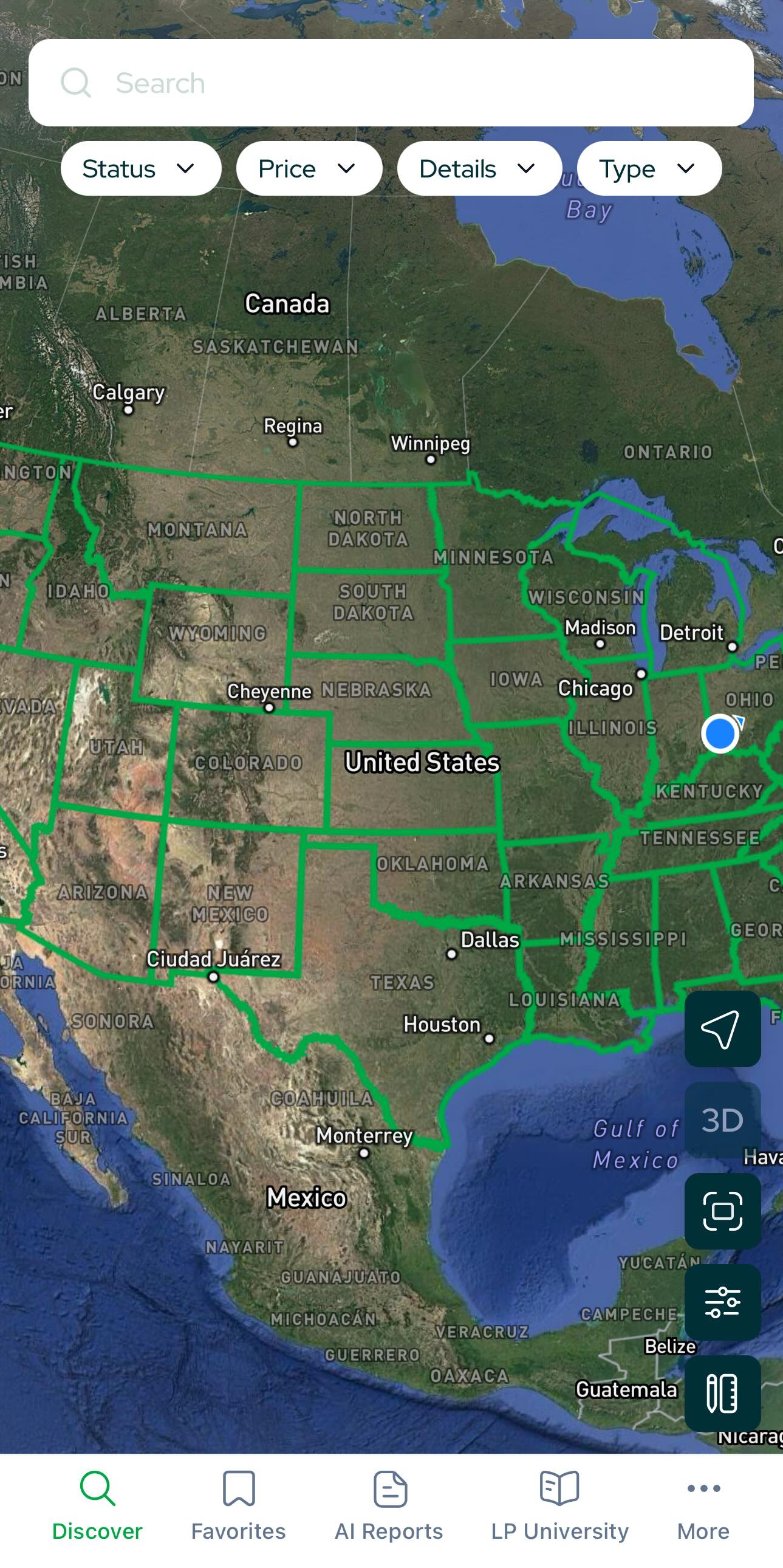
- Find Properties on the Map
- Zoom in on the map until property pins and parcel outlines appear.
- Tap a property to open its Property Card.
Tip: Long-press/drag to pan; use two fingers to tilt the map in 3D (or enable 3D via Map Filters).
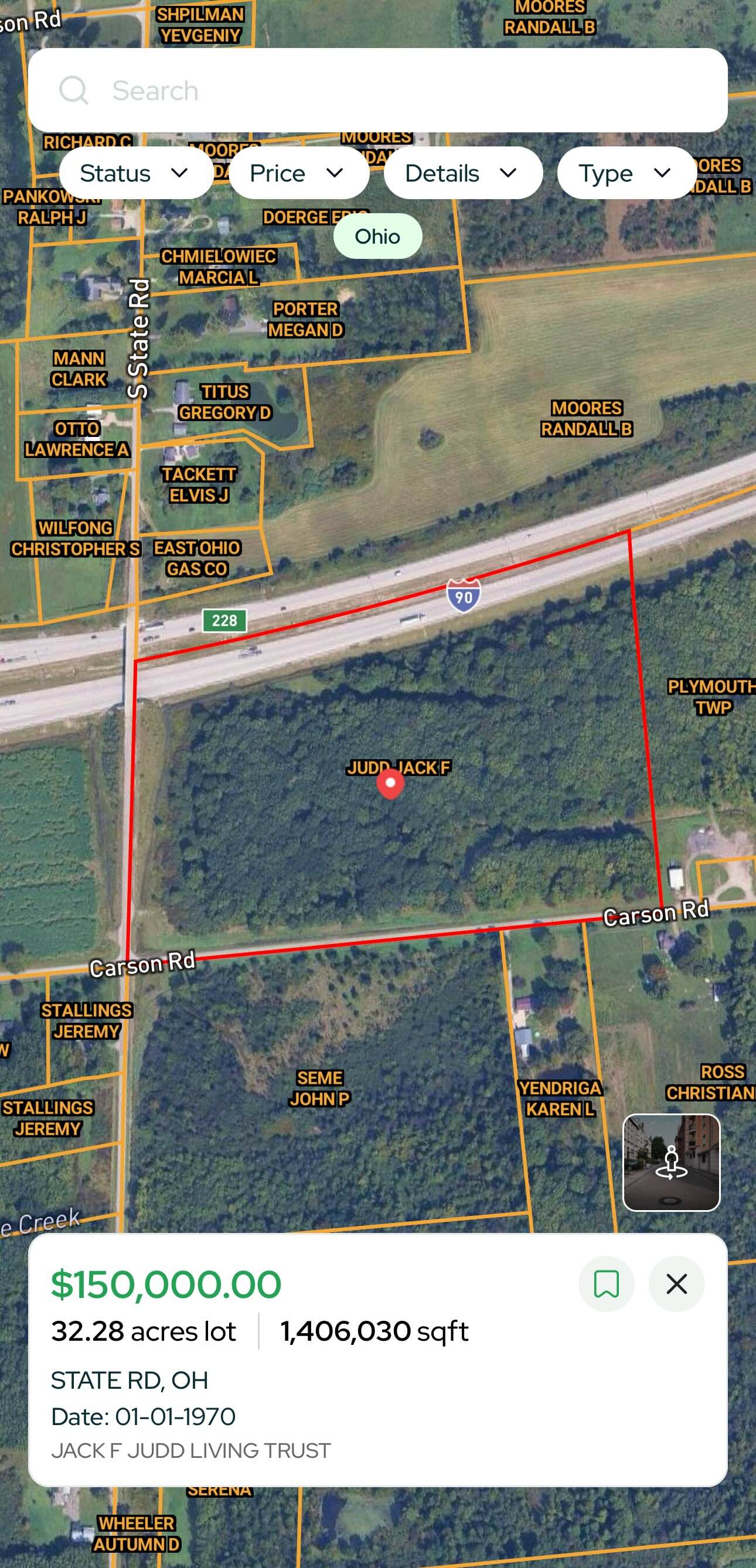
Inside the Property Card
The Property Card centralizes everything you need about a parcel:
At a glance
- Acreage, address, APN/parcel #
- LP Estimate Prices, full price & sale history
- Owner information
- Slope analysis and other parcel insights
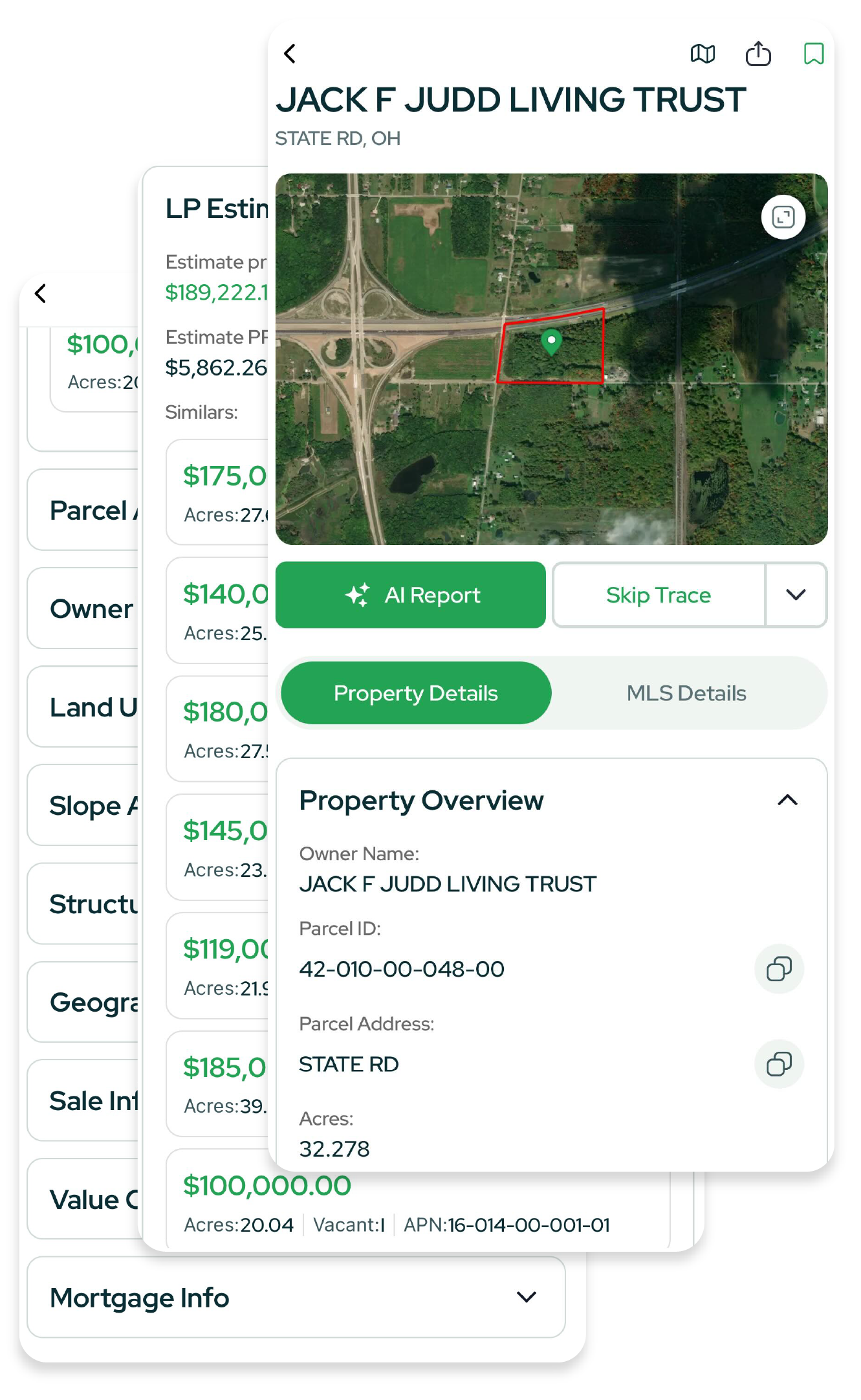
One-tap actions
- Skip Trace – instantly pull owner contact info.
- Generate Reports – create Comp Reports and Slope Reports from the card.
Note: Some tools and filters are only available on certain plans. See Plans & Pricing for what’s included in your subscription.
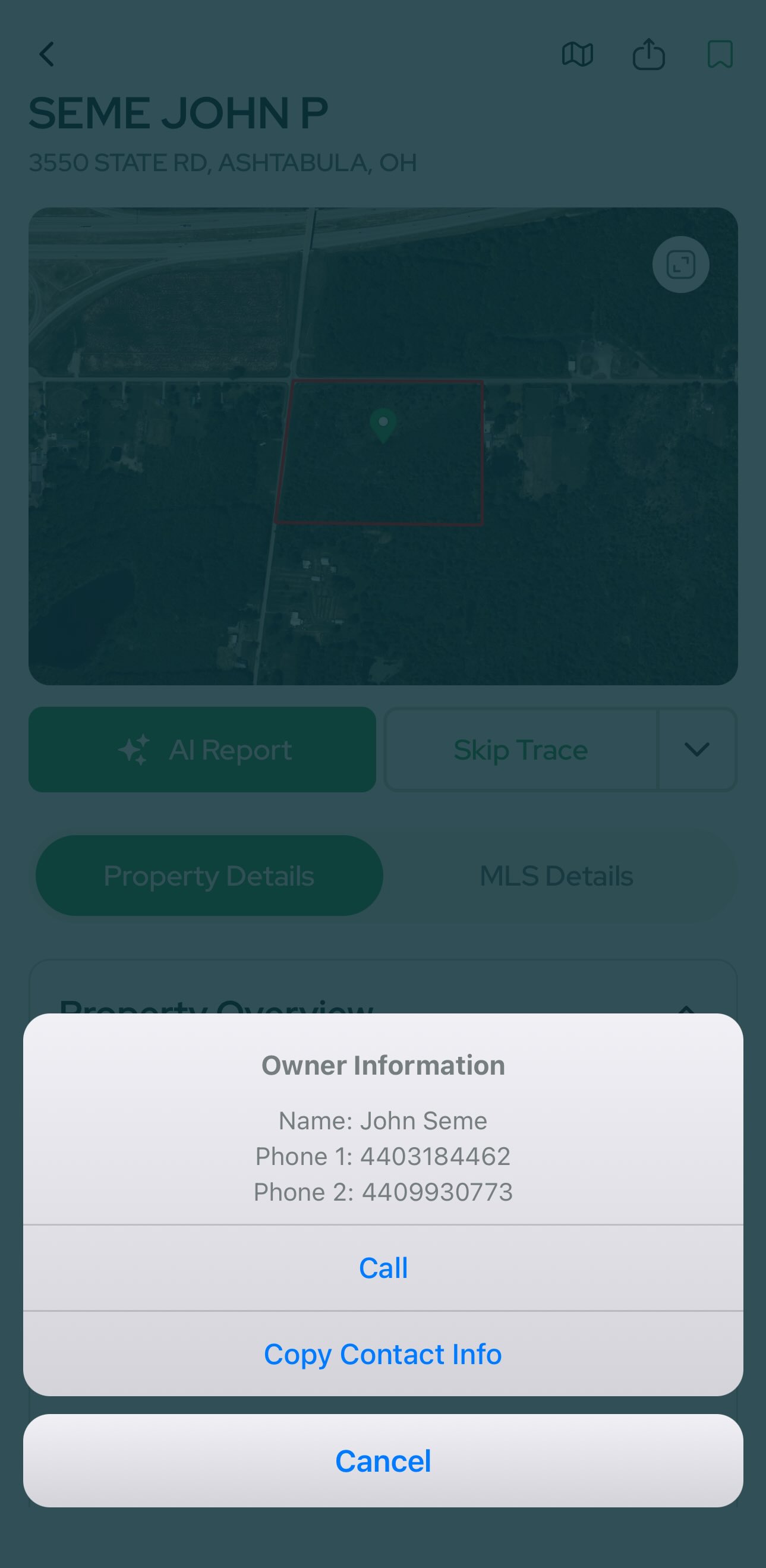
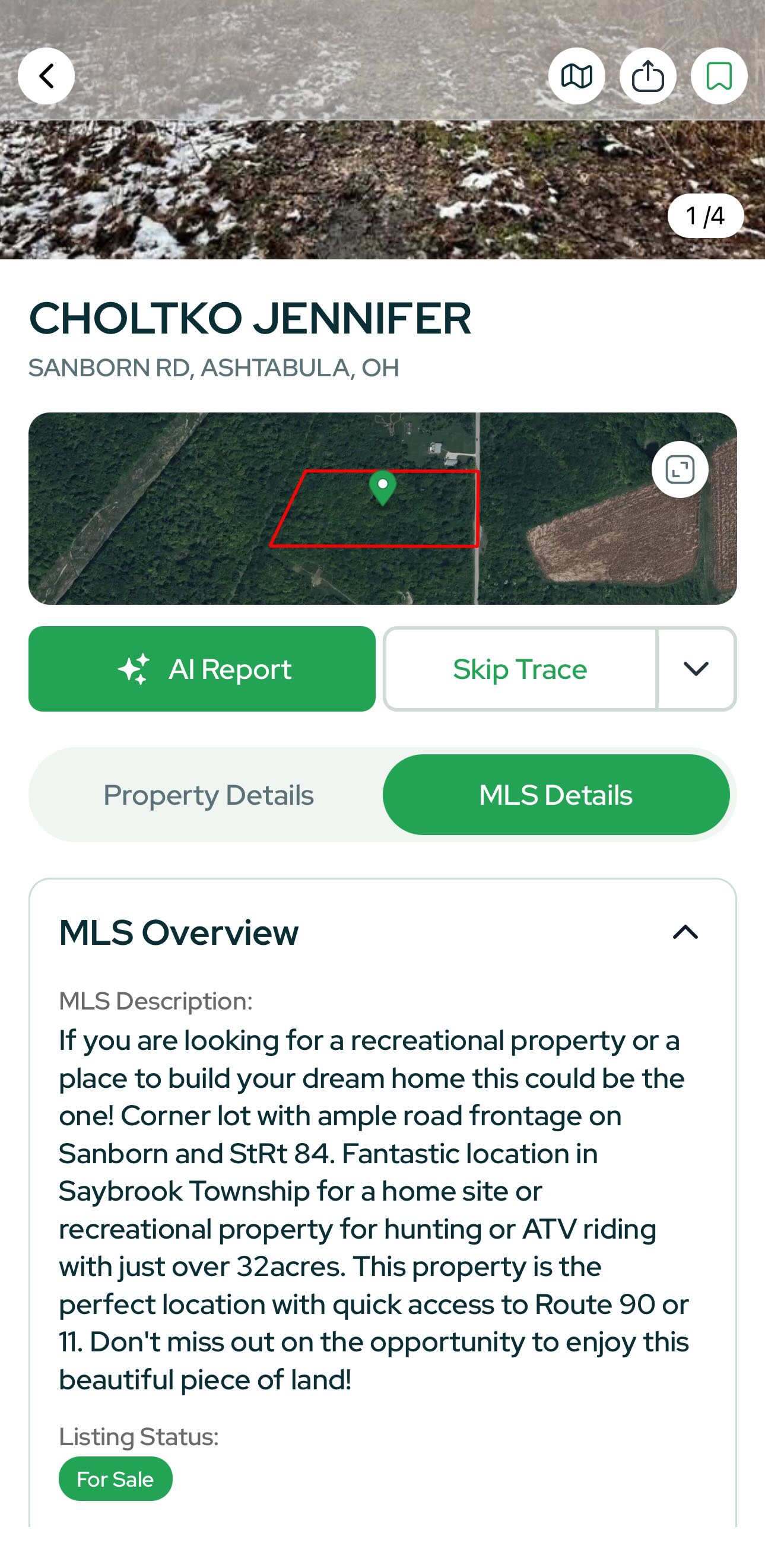
MLS tab (when listed)
- Photos, listing description
- Live listing context directly within Land Portal.
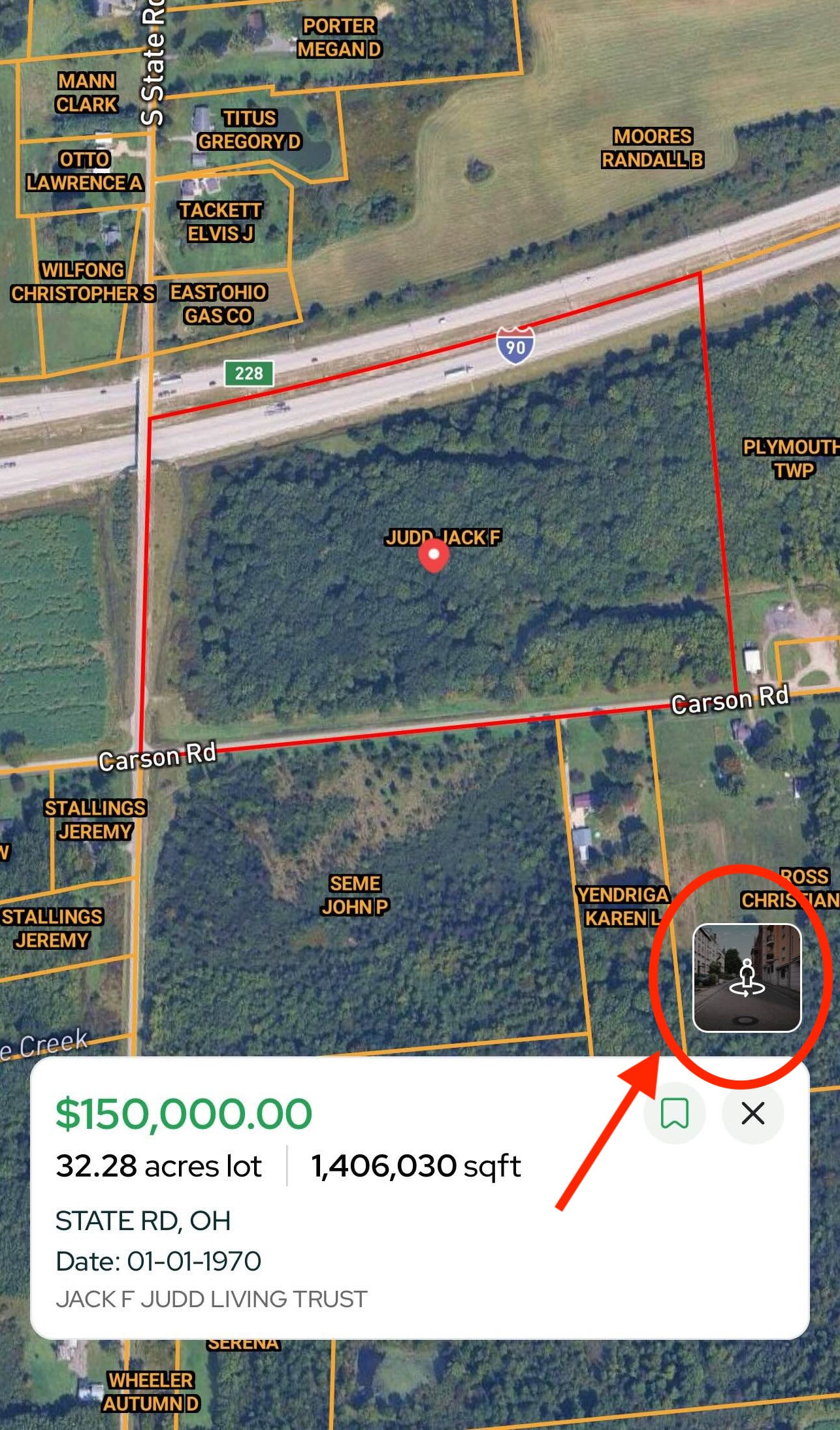
Street View
Tap the Street View icon (person within two arrows) to launch Google Street View inside the app. Click around to scout the frontage, access, and surroundings without leaving Land Portal.
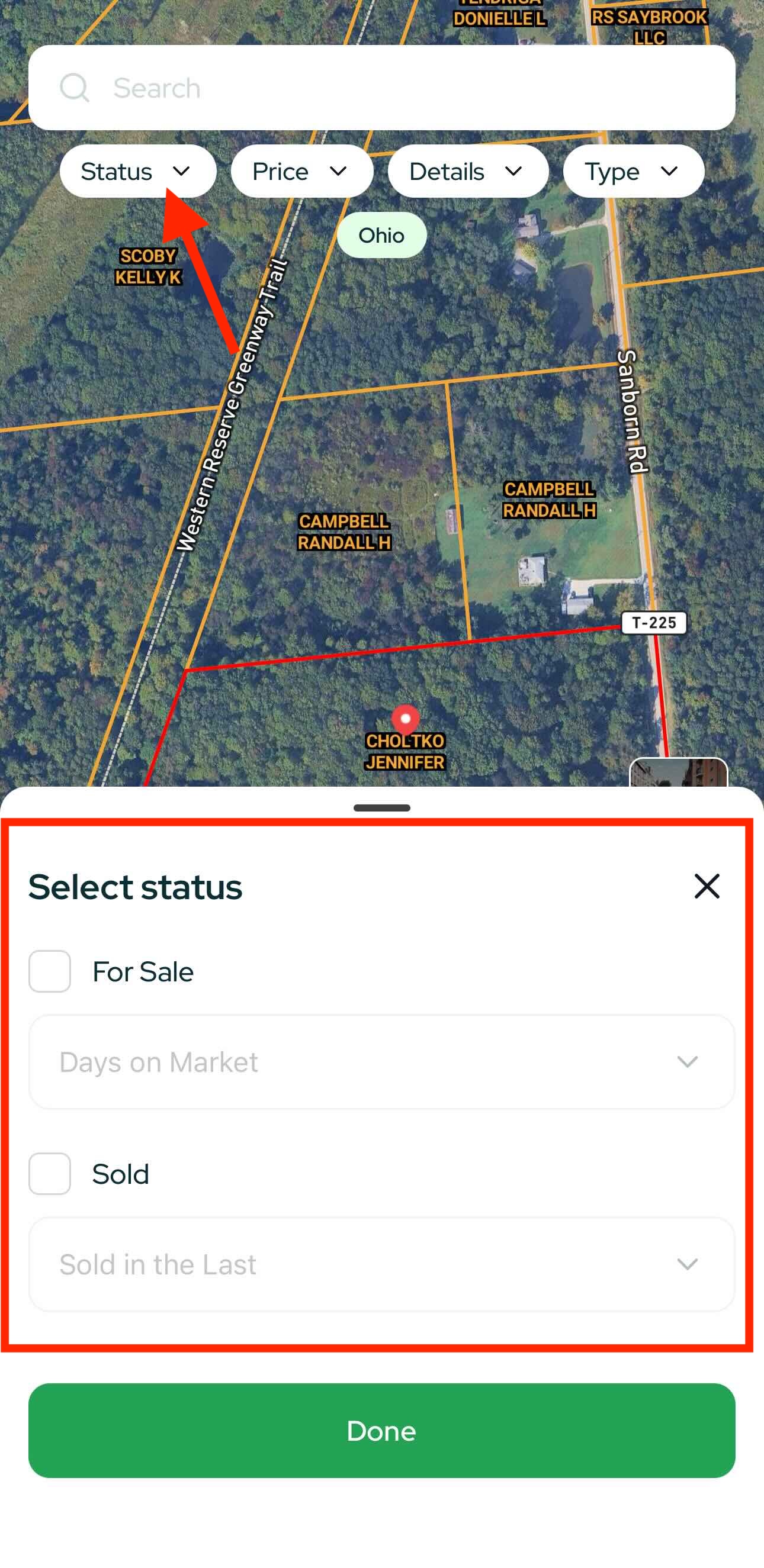
Search & Filter (Top Bar)
Refine your results before (or after) you start exploring.
Status
- For Sale (filter by Days on Market)
- Sold (filter by Sold in the last …)
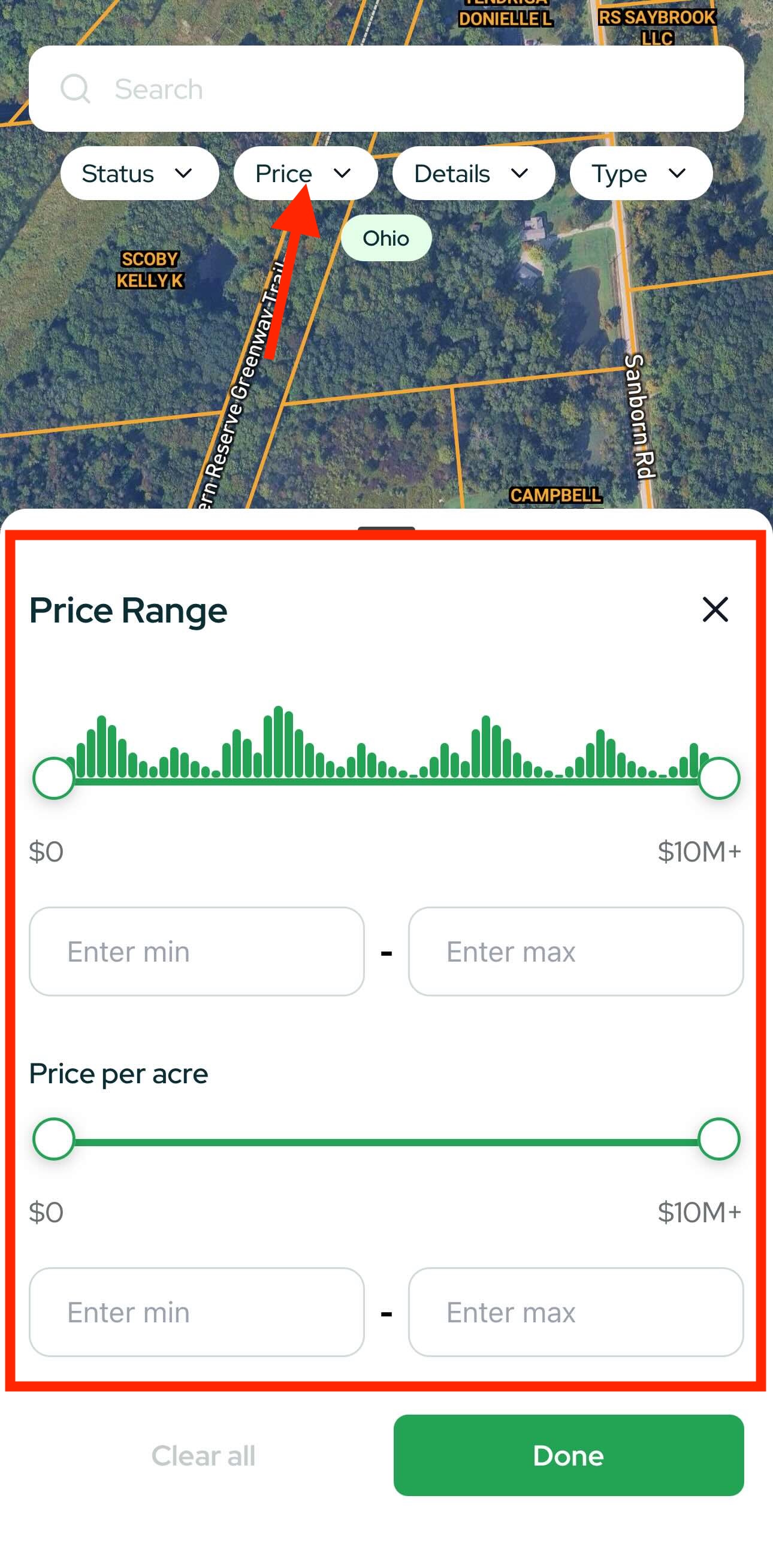
Price
- Price Range (min–max)
- Price per Acre
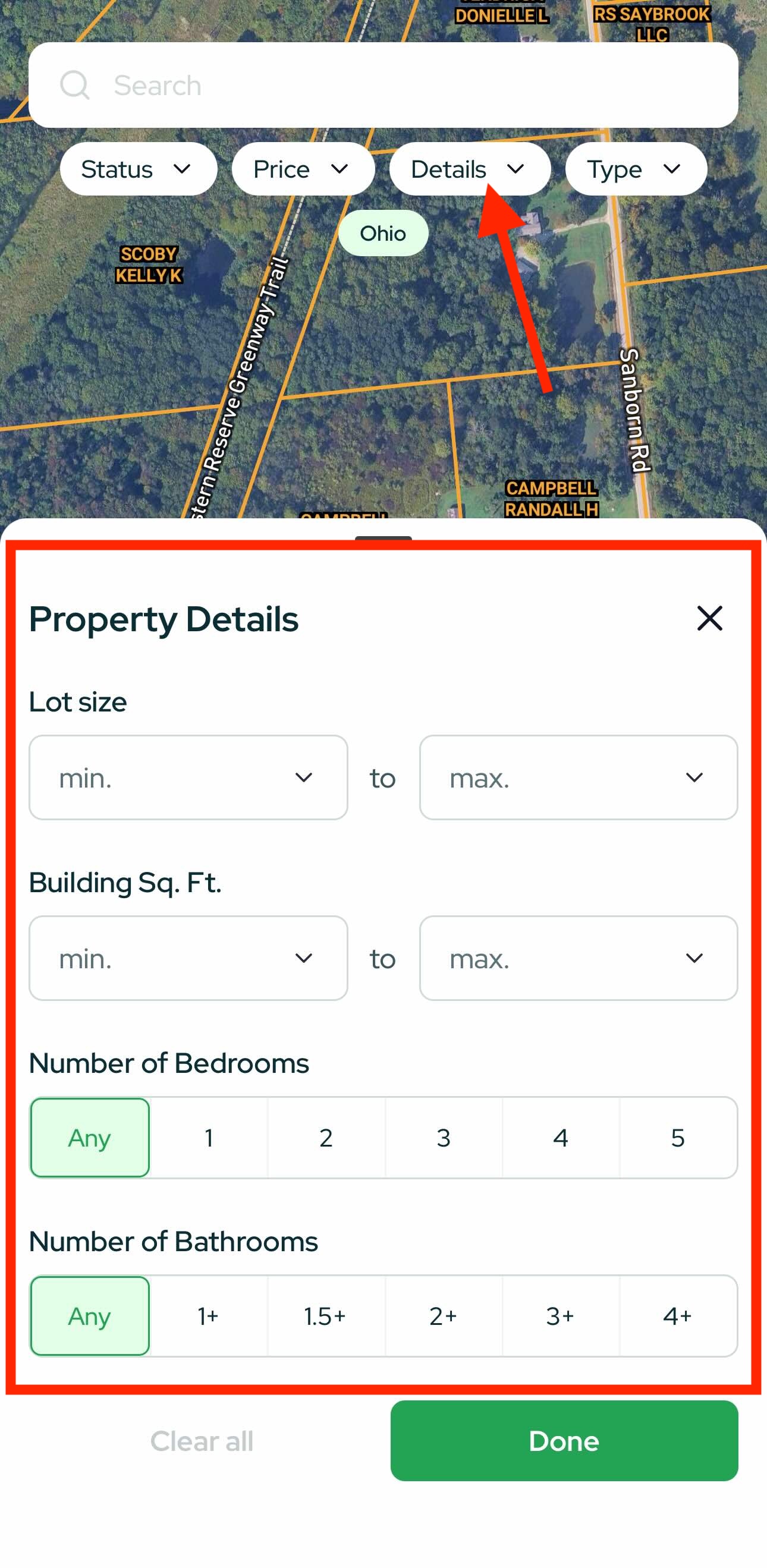
Property Details
- Lot size
- Building sqft
- Bedrooms / Bathrooms
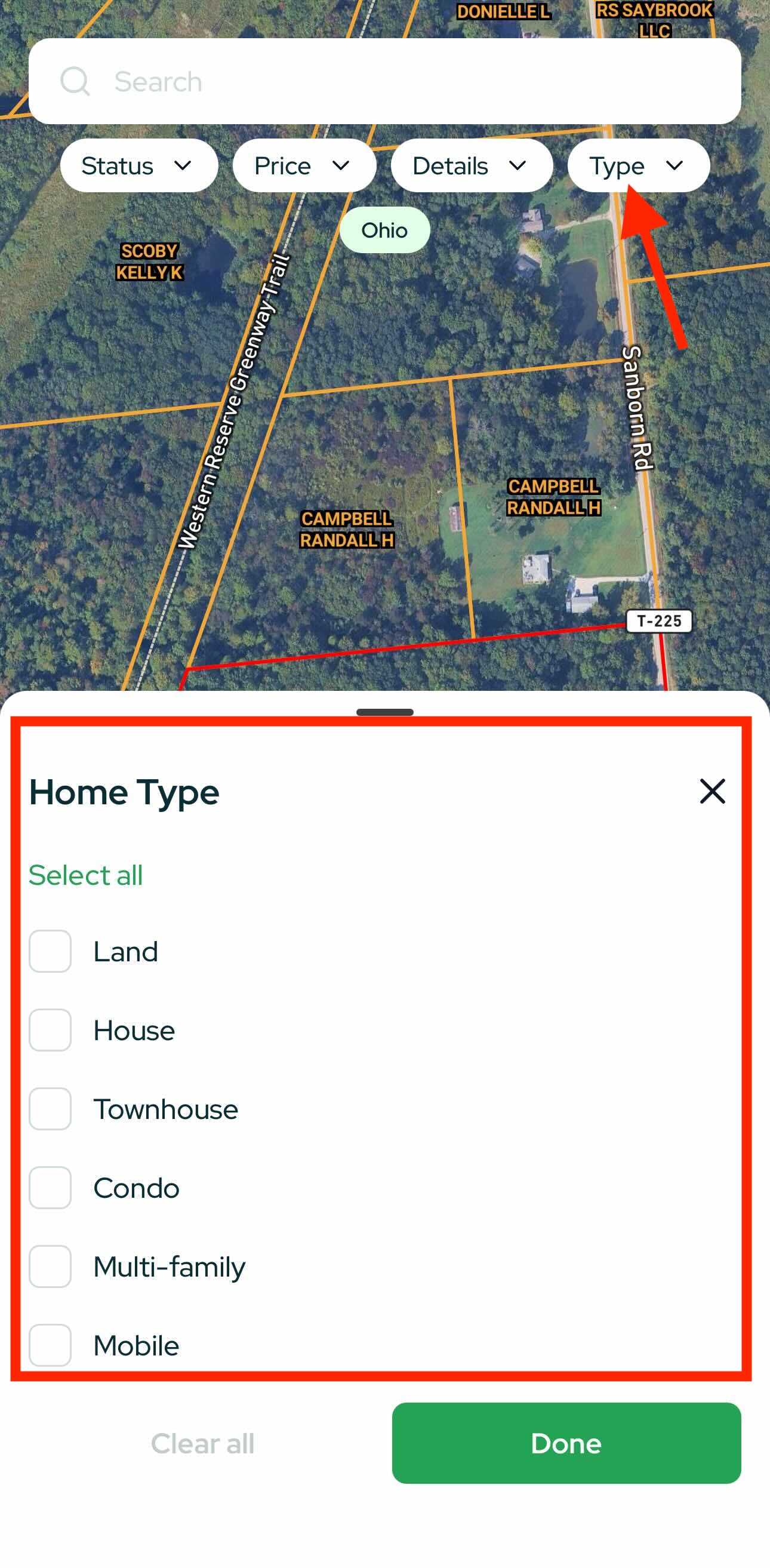
Home Type
- Land, House, Townhouse, Condo, Multi-Family, Mobile
Pro move: Combine Status + Price per Acre + Lot Size to isolate undervalued acreage quickly.
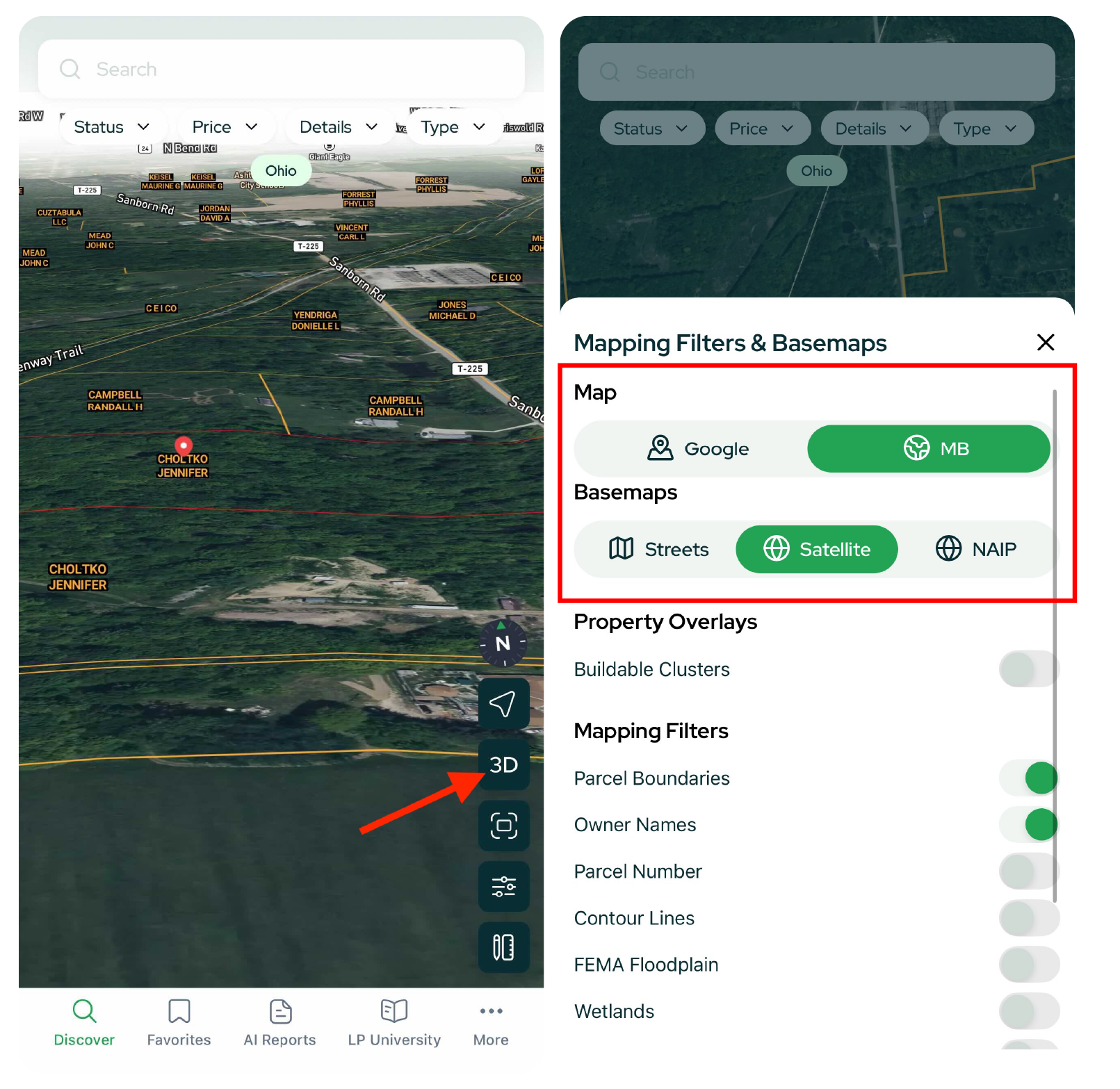
Map Filters & Overlays (Bottom-Right)
Tap Map Filters to change how the map looks and what data overlays you see.
Views
- 3D – see terrain and slope more clearly.
- Map Types – Google, MB, Streets, Satellite, NAIP (high-res aerials).
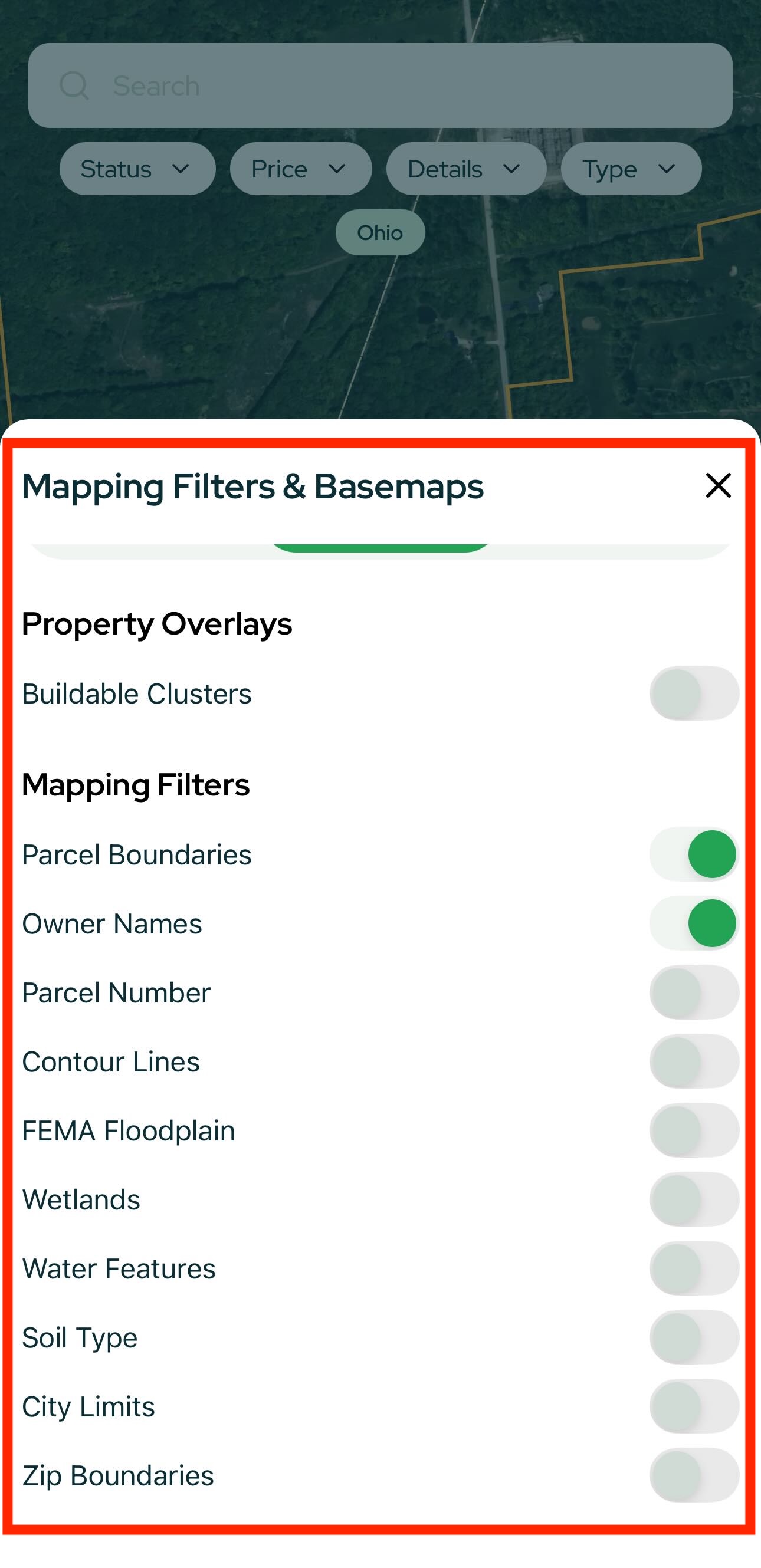
Overlays & Layers
- Buildable Clusters
- Parcel Boundaries
- Owner Names
- Contour Lines
- Wetlands
- FEMA Floodplains
- Soil Type
- …and more
Toggle layers on/off; the map updates instantly.
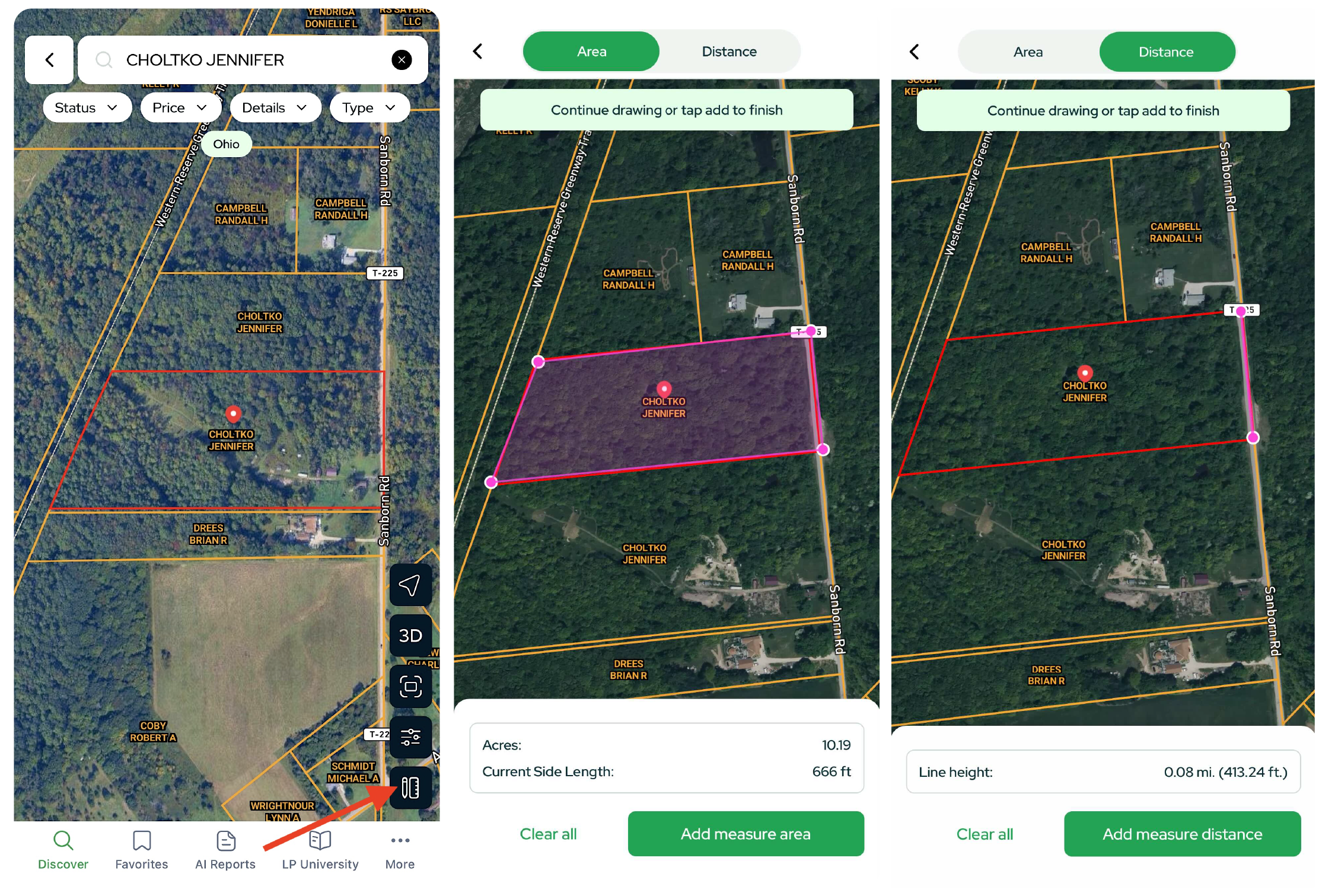
Measurement Tools
- Area Measurement – drop markers around a parcel to get acres and current side length for each segment.
- Distance Tool – draw a line to measure distance (great for estimating road frontage or access length)
Save, Share & Organize
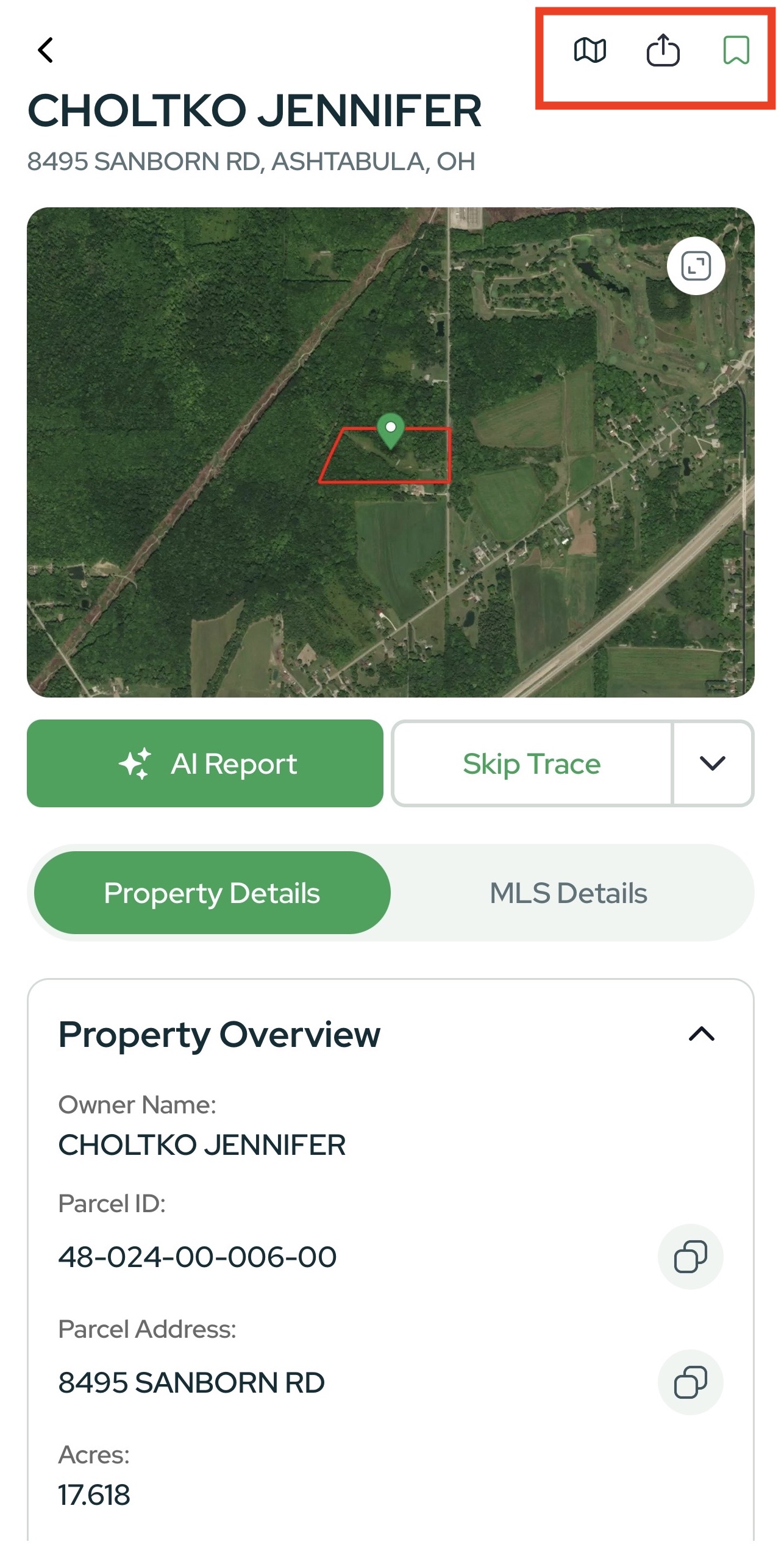
- On any Property Card, clicking the Map icon will open the property in Google Maps.
- Click the middle icon to Share the property.
- Tap the Save icon to add the property to Favorites.
Run & Review AI Reports
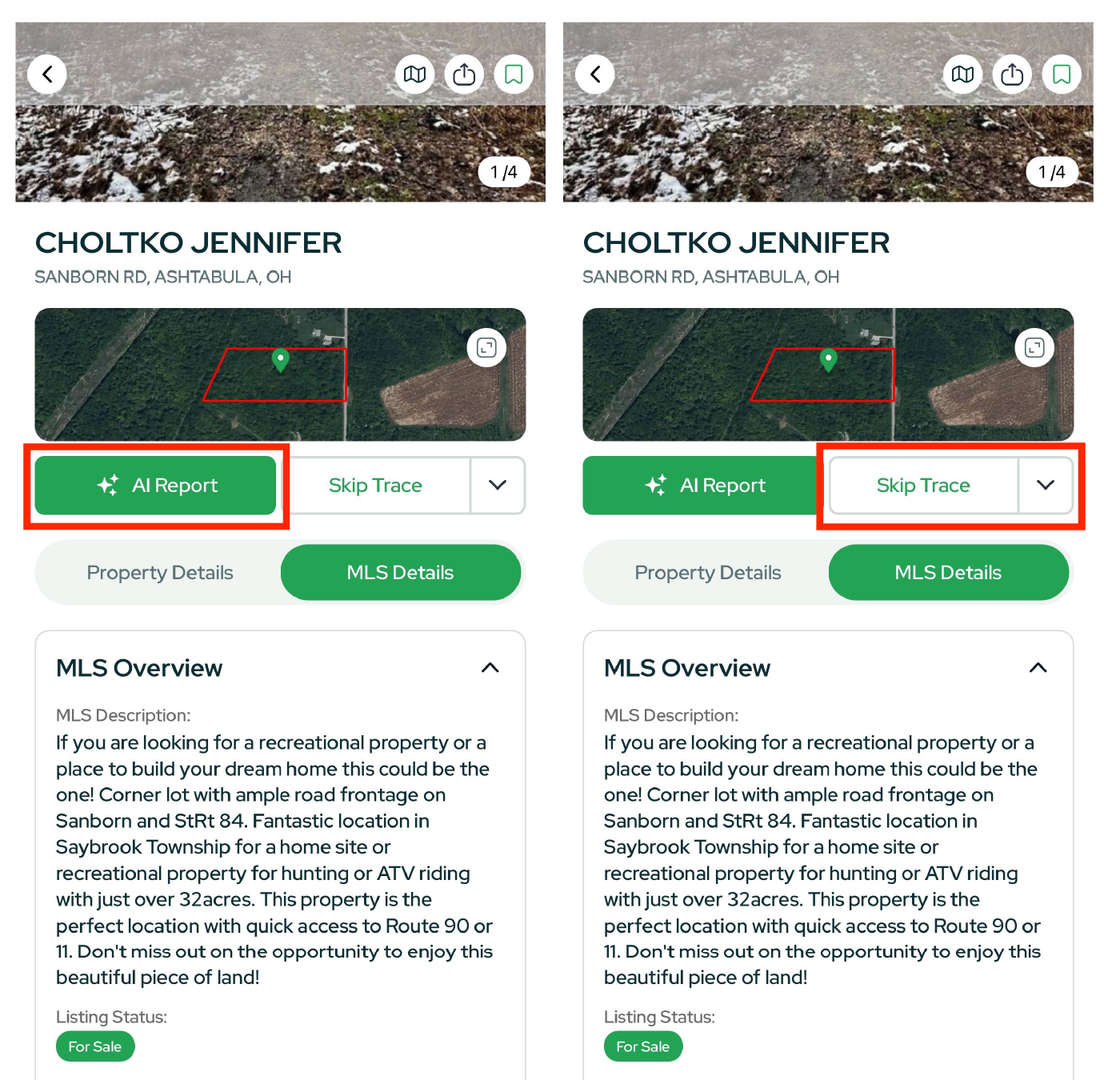
From a Property Card, tap Generate Report to create:
- Comp Report – comps, pricing context, market signals
- Slope Report – terrain and buildability cues
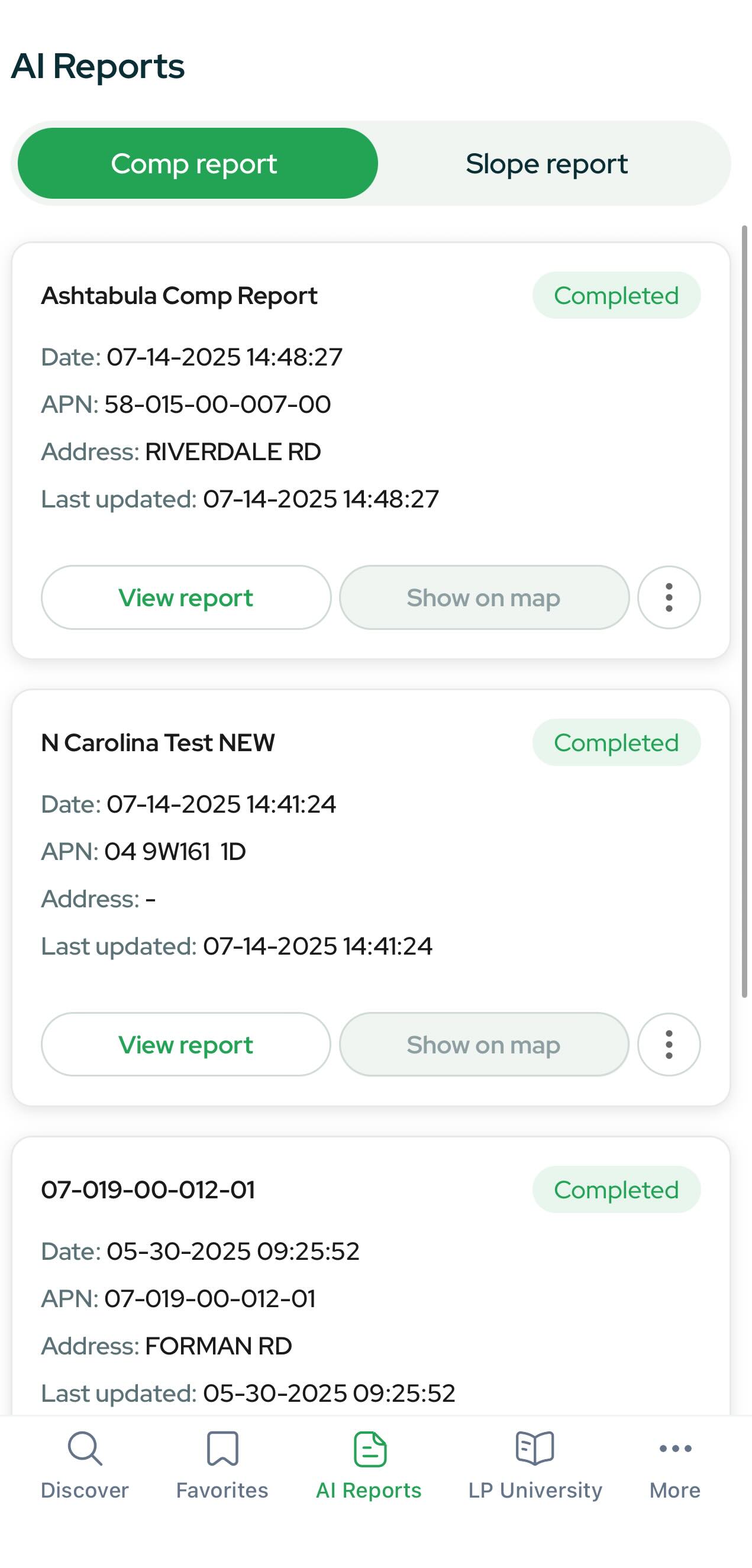
Open AI Reports (bottom nav) any time to view all reports you’ve generated.
Learn & Connect: LP University
Tap LP University to access:
- Forum discussions
- Software updates
- Courses to help you source deals and scale operations

Profile & Settings (More)
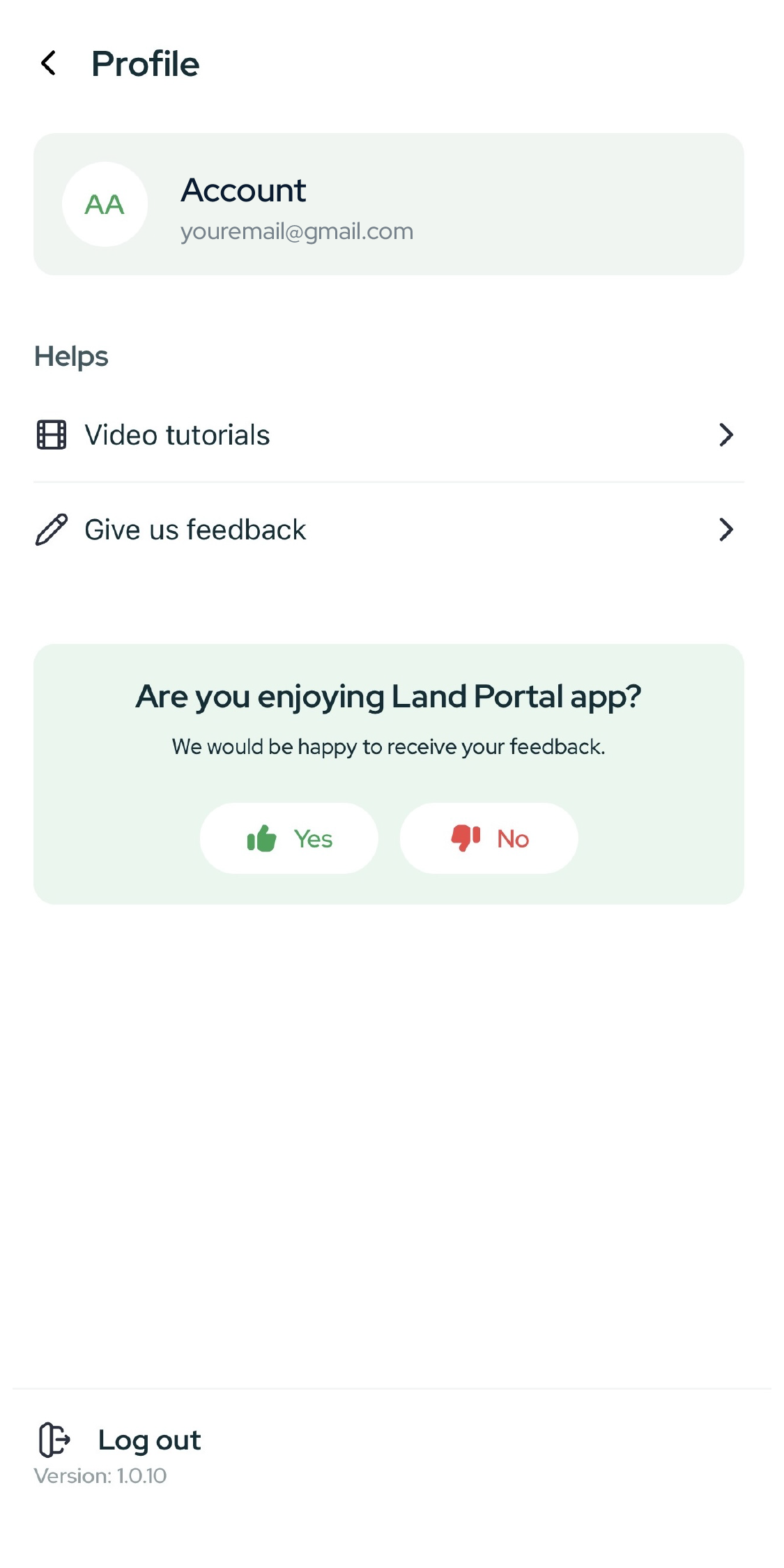
Tap More to update your profile, adjust settings, access Video Tutorials and review app info.
Quick Tips & Best Practices
- Start broad, then narrow: Zoom out to understand an area; apply filters to focus in.
- Use 3D + Contours to confirm buildability at a glance.
- Price per Acre is your friend for comparing large-lot opportunities across counties.
- Skip Trace → Call/Email: Move from analysis to outreach without leaving the Property Card.
- Street View first: Validate access, neighbors, and sightlines before deeper diligence.
- Favorites + Reports: Save promising parcels and attach a Comp/Slope Report for quick team review.